Start Here MVI69E-MBS ♦ CompactLogix Platform
User Manual Modbus Serial Enhanced Communication Module
Page 12 of 154 ProSoft Technology, Inc.
June 28, 2017
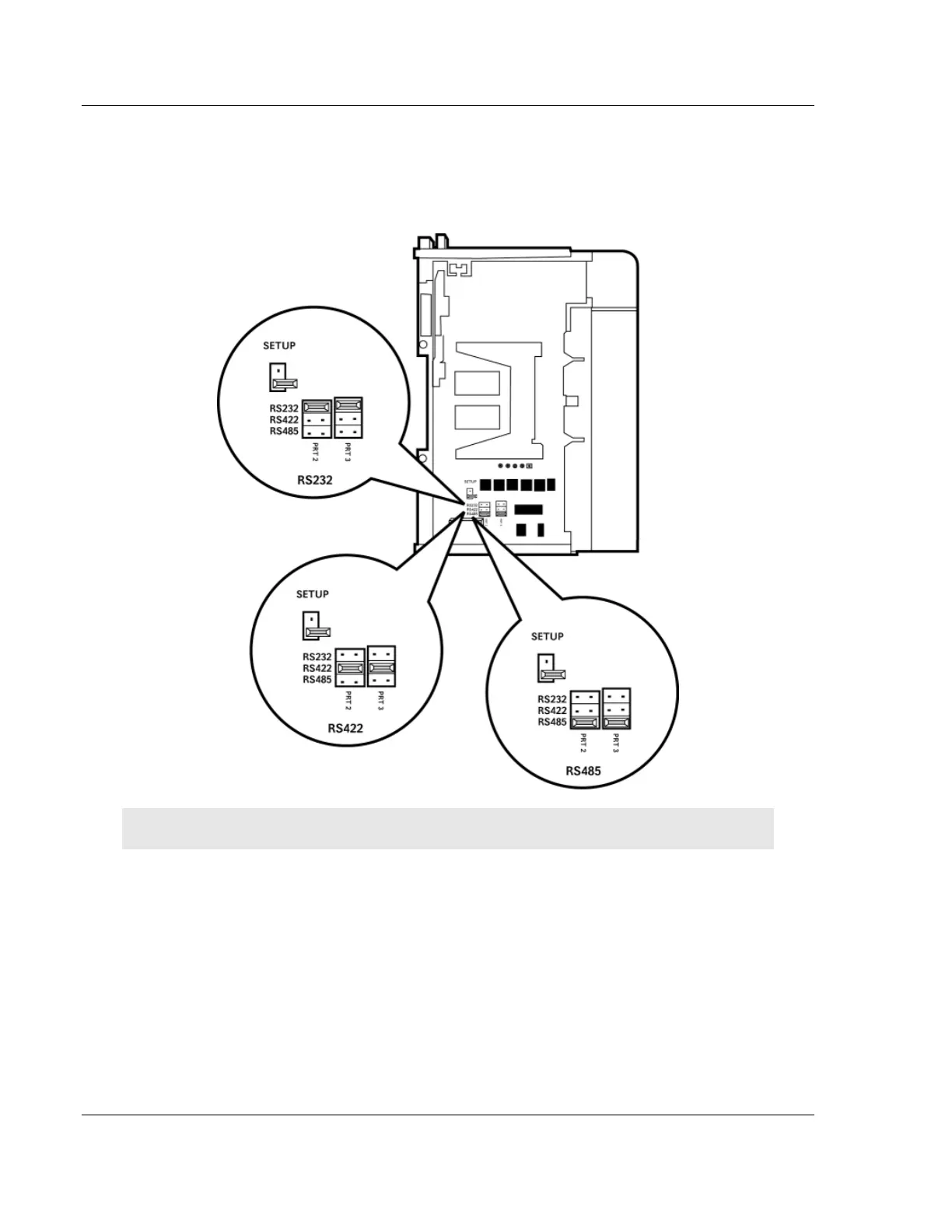
1.4 Setting Jumpers
When the module is manufactured, the port selection jumpers are set to RS-232.
To use RS-422 or RS-485, you must set the jumpers to the correct position. The
following diagram describes the jumper settings.
Note: Jumper pin placement on the circuit board may vary.
The Setup Jumper acts as "write protection" for the module’s firmware. In "write
protected" mode, the Setup pins are not connected, and the module’s firmware
cannot be overwritten. The module is shipped with the Setup jumper OFF. If an
update of the firmware is needed, apply the Setup jumper to both pins.



 To Next Page