Adding the Module to RSLogix MVI69E-MBS ♦ CompactLogix Platform
User Manual Modbus Serial Enhanced Communication Module
Page 28 of 154 ProSoft Technology, Inc.
June 28, 2017
2.3.2 Creating and Exporting the .L5X File
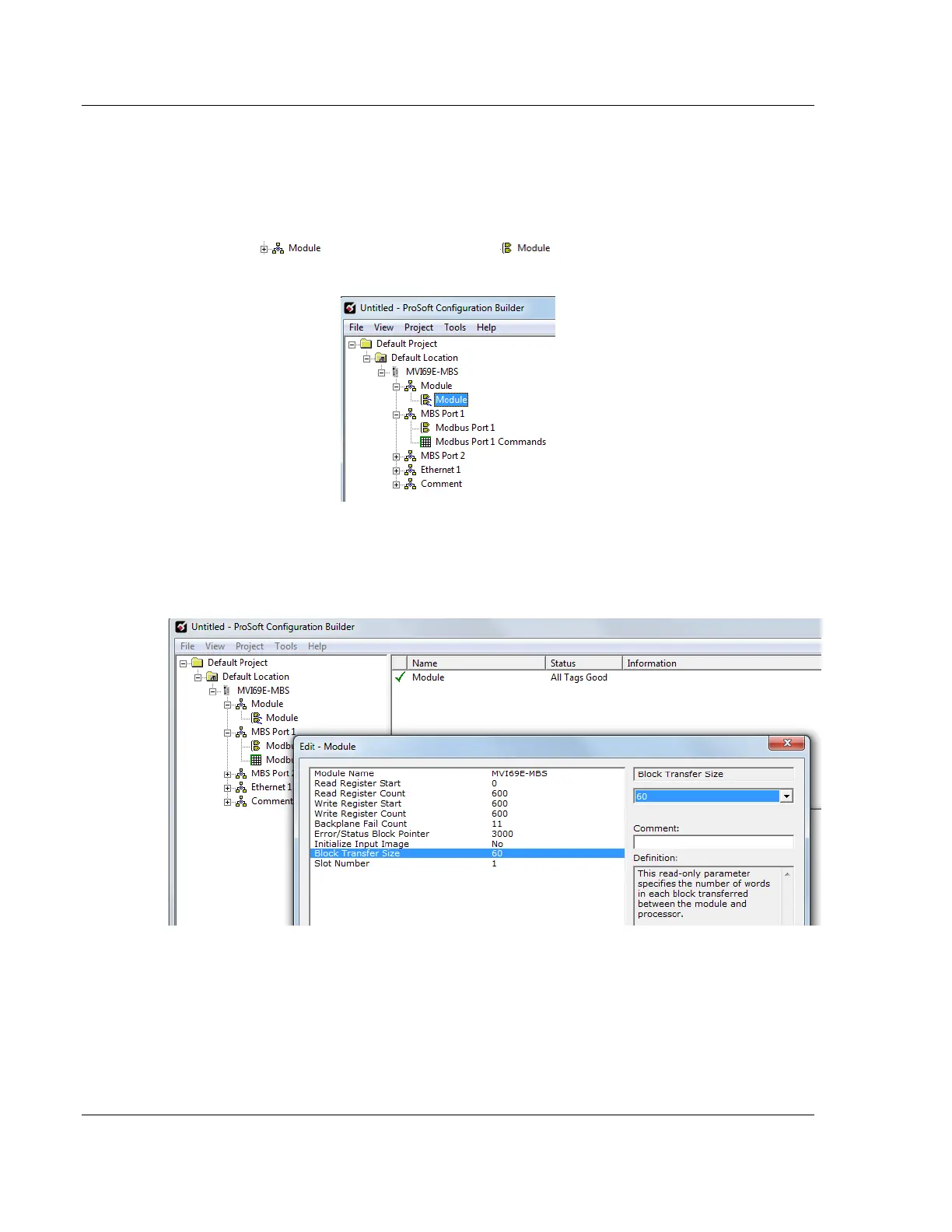
There are two parameters in the PCB configuration that affect the format of the
.L5X file that is exported. Before exporting the .L5X file to the PC/Laptop, check
the Block Transfer Size and Slot Number parameters.
1 Expand the MVI69E-MBS icon by clicking the [+] symbol beside it. Similarly,
expand the icon. Double-click the icon to open the Edit -
Module dialog box.
2 Set the Block Transfer Size to the desired size of the data blocks transferred
between the module and processor (60, 120 or 240 words). Block transfer
size information can be found starting in the section on Normal Data Transfer
(page 65).



 To Next Page