MVI69E-MBS ♦ CompactLogix Platform Adding the Module to RSLogix
Modbus Serial Enhanced Communication Module User Manual
ProSoft Technology, Inc. Page 27 of 154
June 28, 2017
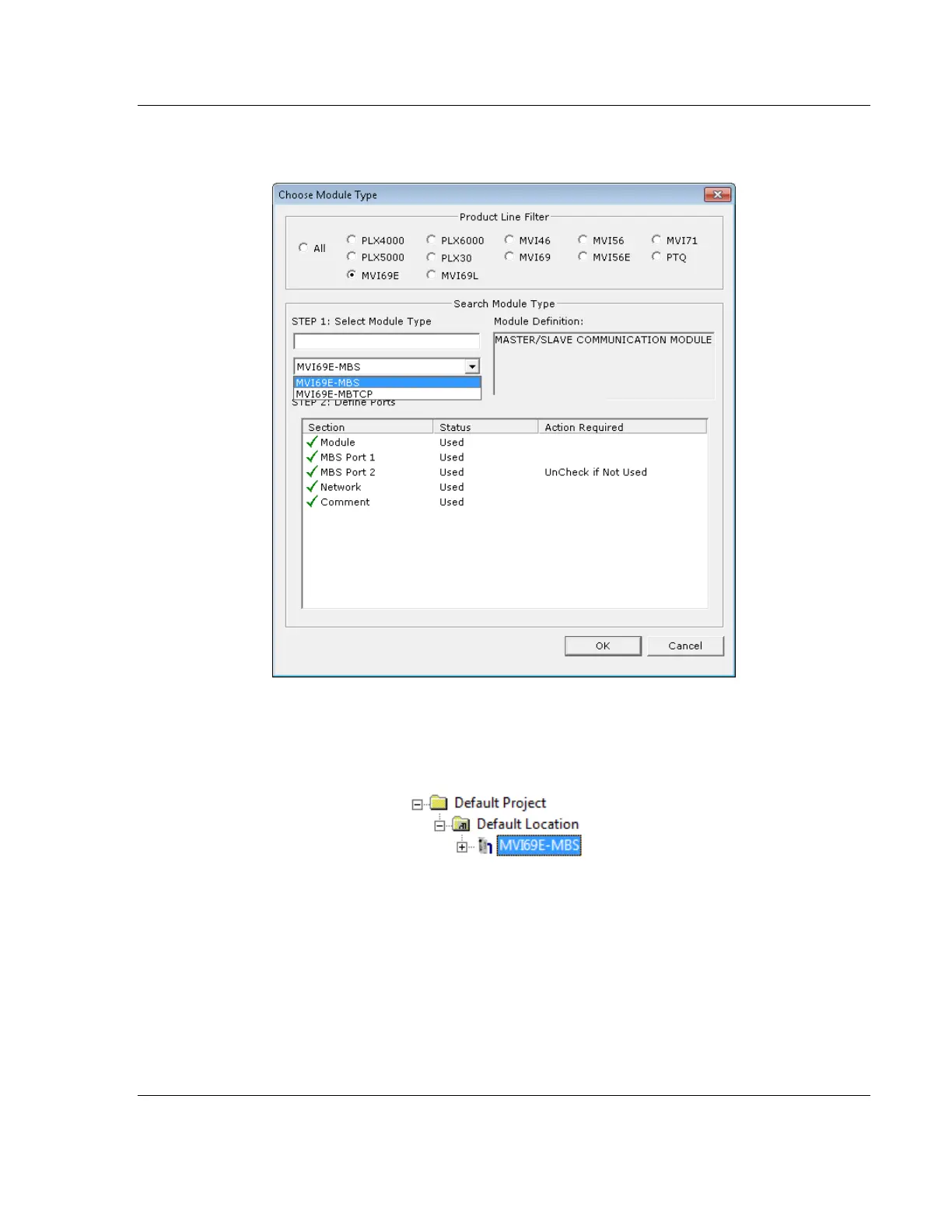
1 In the Tree view, right-click DEFAULT MODULE, and then click CHOOSE
MODULE TYPE. This opens the Choose Module Type dialog box.
2 In the Product Line Filter area of the dialog box, click MVI69. In the Select
Module Type dropdown list, click MVI69E-MBS, and then click OK to save
your settings and return to the ProSoft Configuration Builder window. The
MVI69E-MBS icon is now visible in the tree view.



 To Next Page