Adding the Module to RSLogix MVI69E-MBS ♦ CompactLogix Platform
User Manual Modbus Serial Enhanced Communication Module
Page 40 of 154 ProSoft Technology, Inc.
June 28, 2017
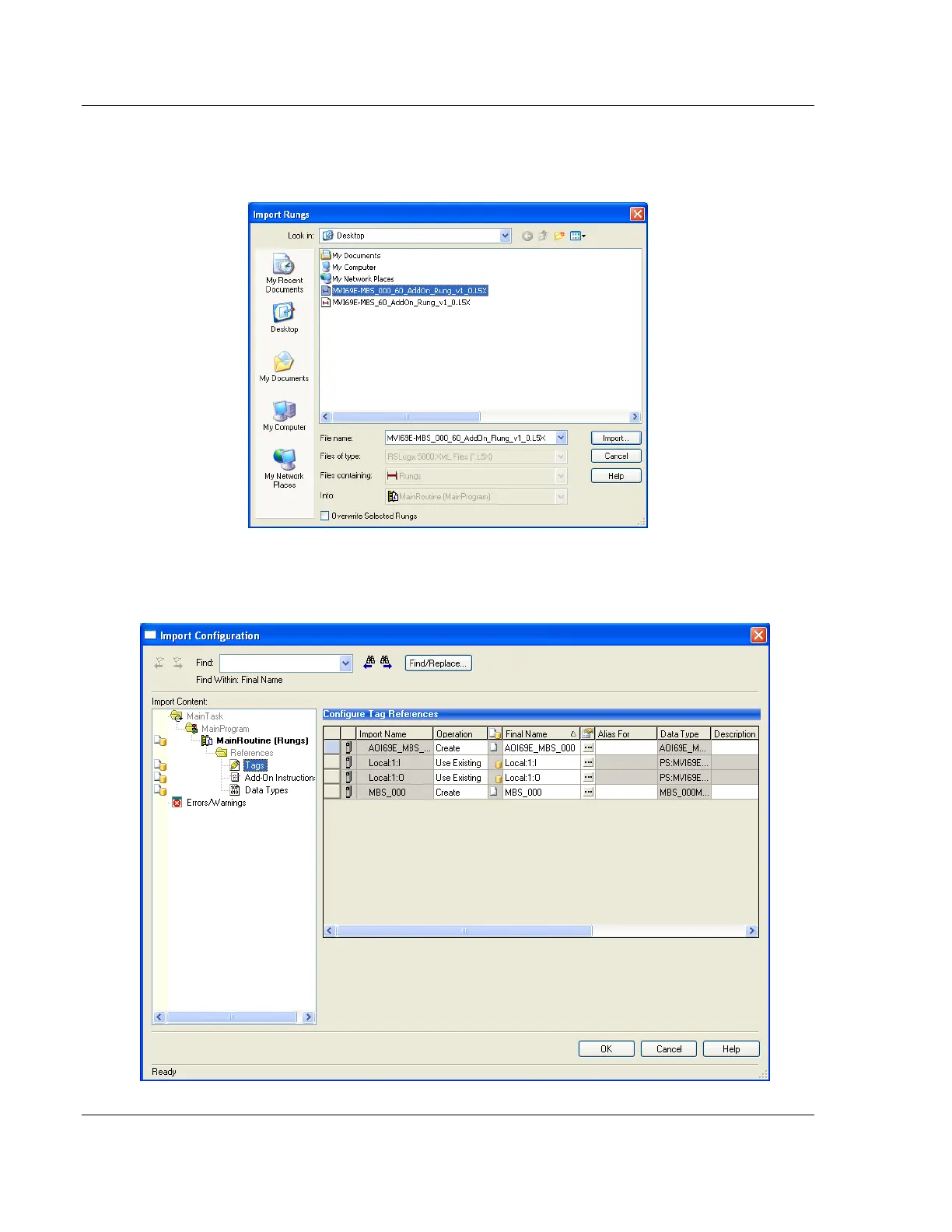
8 Select the .L5X file you created and exported for the new module, and click
IMPORT. The new .L5X file has a unique filename that is specific to the new
module.
9 This opens the IMPORT CONFIGURATION dialog box. Click TAGS to show the
controller tags in the AOI. You must edit the FINAL NAME column of the tags
for the second module to make them unique.



 To Next Page