511026 Rev. 07-01-19
111
Mov
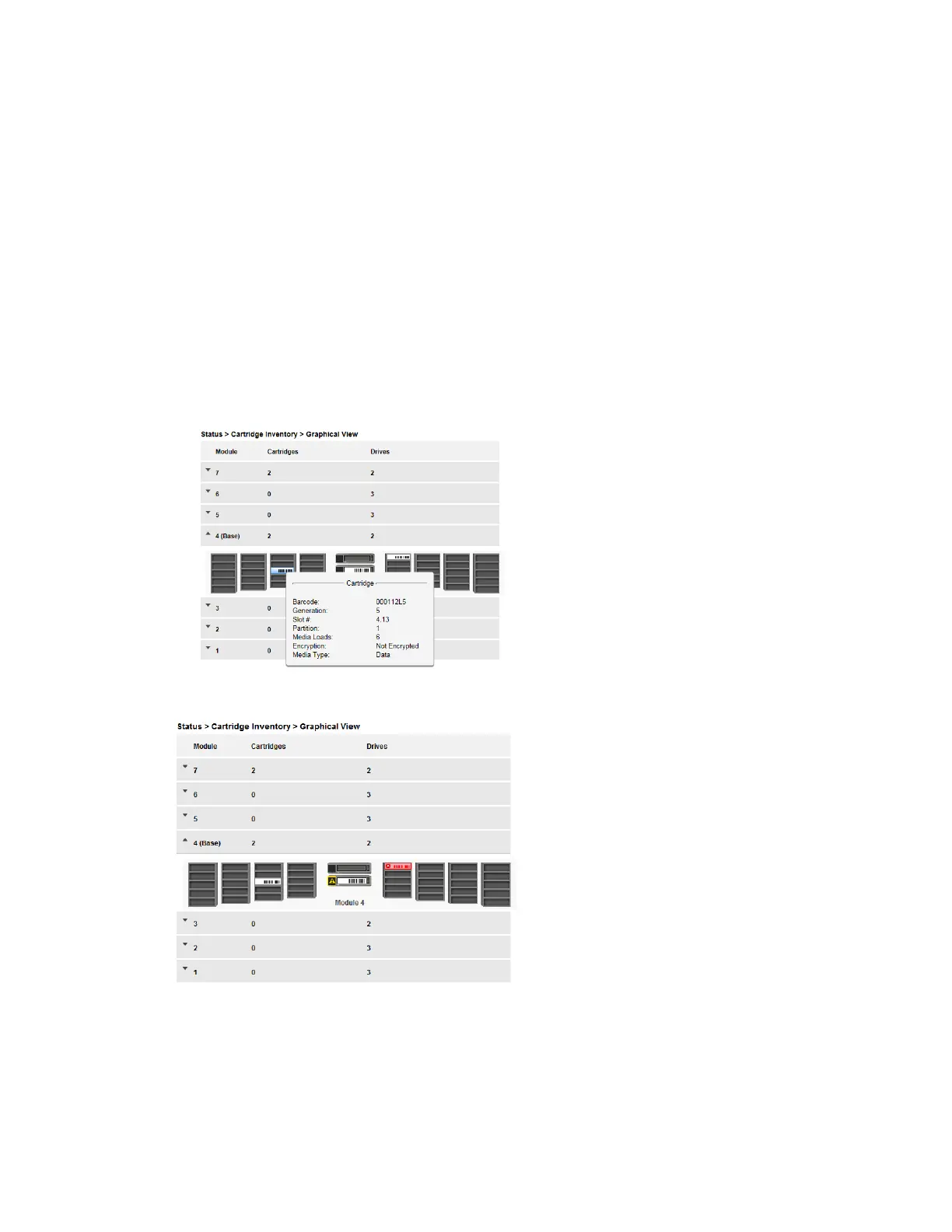
ing the mouse over drives or cartridges will display additional information:
• Drive – LTO generation of drive and format (Full Height or Half Height)
• Drive # - The drive number
• Serial # - Serial number of the drive
• Slot # – The slot number in the form <module>, <slot>, where module is the module number
and slot is the slot number
• Barcode – Barcode data on label
• Generation – LTO generation of cartridge
• Partition – The partition number
• Media Loads – The number of media loads
• Encryption – Indicates whether data on this media is encrypted or not encrypted
• Media Type – Indicates whether this media is a data or a cleaning cartridge
Warning State and Error State for a specific drive or cartridge are indicated with icons.
6.19.2.3 Partition Map
The partition map displays each of the elements, such as slots and tape drives, with information about the
cartridge stored in each element. Cartridges stored in unused slots, which are not available for move
operations, are greyed out and are not assigned to any partitions.



 To Next Page