Q40 Tape Library Installation and Operations Manual
511026 Rev. 07-01-19 118
6.19.2.5 Network Status
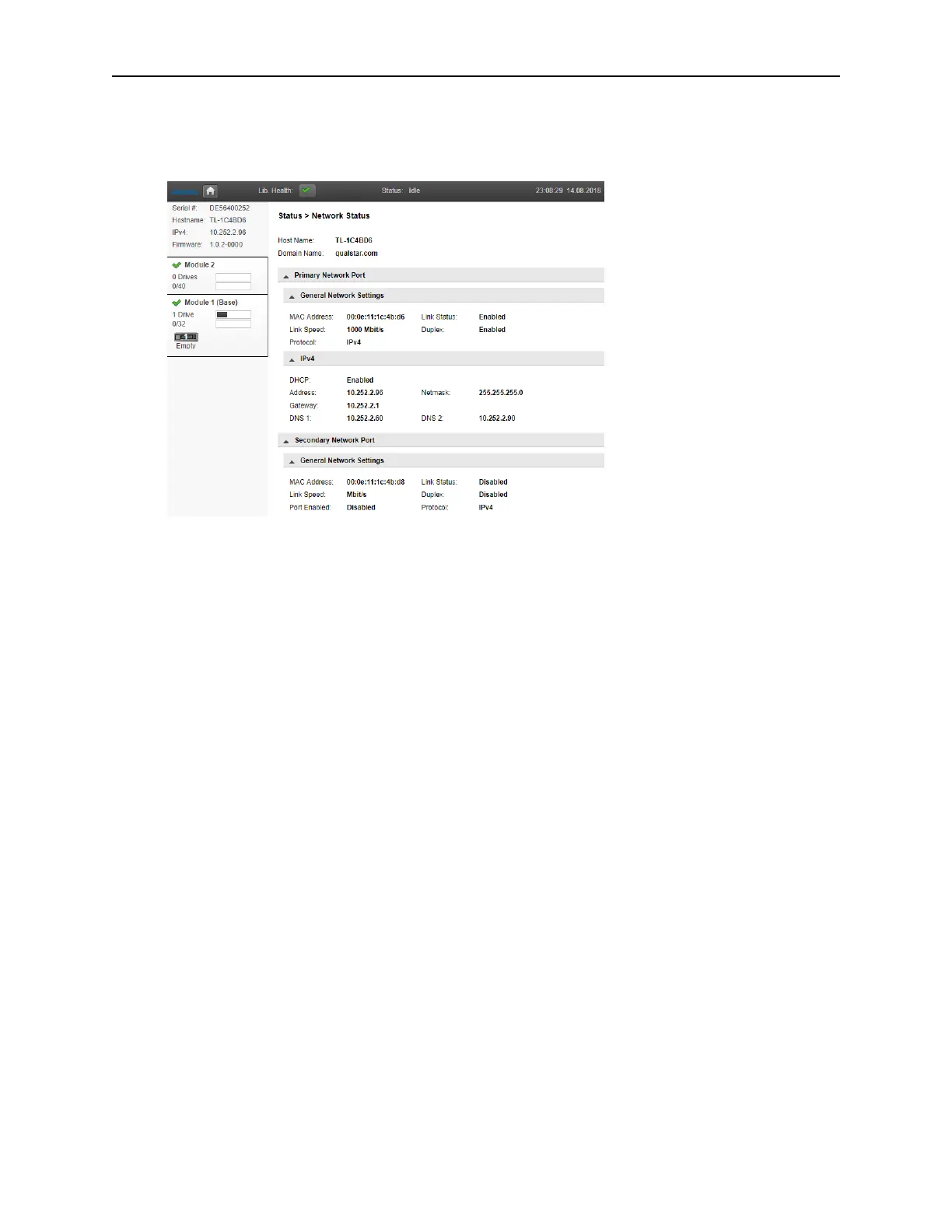
To see the configuration and status of the library’s network settings navigate to the Status > Network
Status page.
O
n the network status page you can see:
• Host Name – Library hostname
• Domain Name
• Protocol – IPV4 or IPv6
• MAC Address – A unique identifier for the library controller network interface
• Link Status – Enabled or disabled
• Link Speed – Speed of the Ethernet connection to the library
• Duplex – Enabled or disabled
IPv4 settings
• DHCP – When Enabled, the library requests an IP address from a DHCP server each time
t
he library is powered on.
• Address – IP address in use by the library. If DHCP is enabled, this address was obtained
f
rom the DHCP server. When DHCP is not enabled, the address was configured.
• Netmask – The network mask of the library controller used when DHCP is not enabled.
• Gateway – The gateway used when DHCP is not enabled.
• DNS 1
• DNS 2
I
Pv6 settings
• Stateless Addressing – When Enabled, the device will generate an address for itself based
on t
he routing information obtained from a router advertisement and the MAC address. The
device can manage up to five global addresses at the same time, which can be assigned
from different routers.
• Static Addressing – When Enabled, the library will use a statically-configured address.
• Static Assigned Address – The IPv6 address when Static Addressing Enabled is On.



 To Next Page