511026 Rev. 07-01-19
117
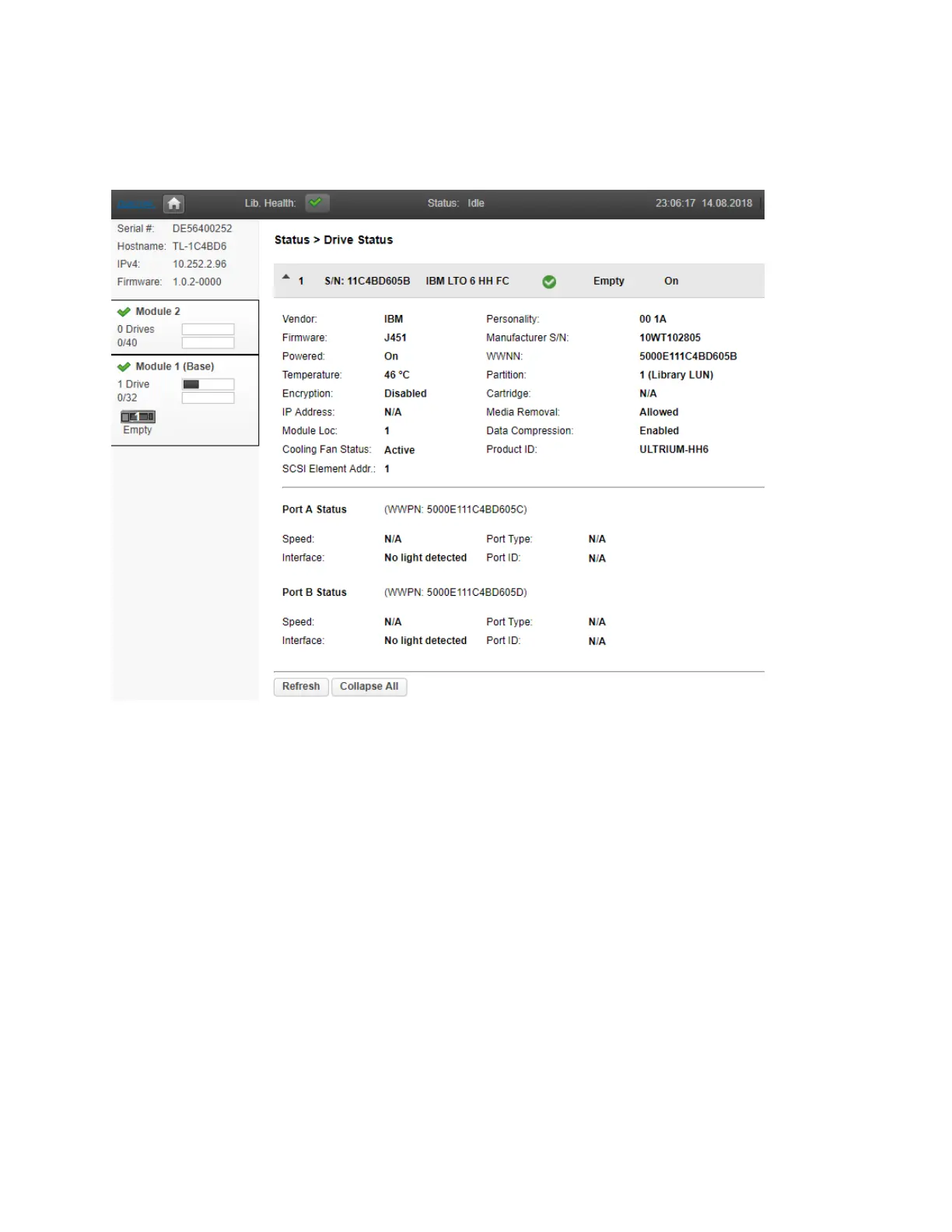
6.19.2.4 Drive Status
To see the configuration and status of each tape drive installed in the library navigate to the Status>
Drive Status page.
O
n the drive status page you can see:
• Drive number – Drives are numbered from the bottom of the library up beginning with one. The drive
c
urrently hosting the SCSI communication for the library is designated with (LUN).
• Serial Number – The serial number assigned to the tape drive by the library. This serial number is
reported to host applications. The serial number cannot be modified. Please note: this is not the
serial number of the drive. The tape drive serial number is shown in the Manufacturer S/N field.
• LTO generation
• Drive interface
• Drive state (loaded, empty)
• Drive powered on or off
• The version of firmware currently installed on the drive.
• The tape drive serial number. Use this serial number when working with Qualstar Technical Support.
• Port status



 To Next Page