Q40 Tape Library Installation and Operations Manual
511026 Rev. 07-01-19 56
5.4.5 User Accounts
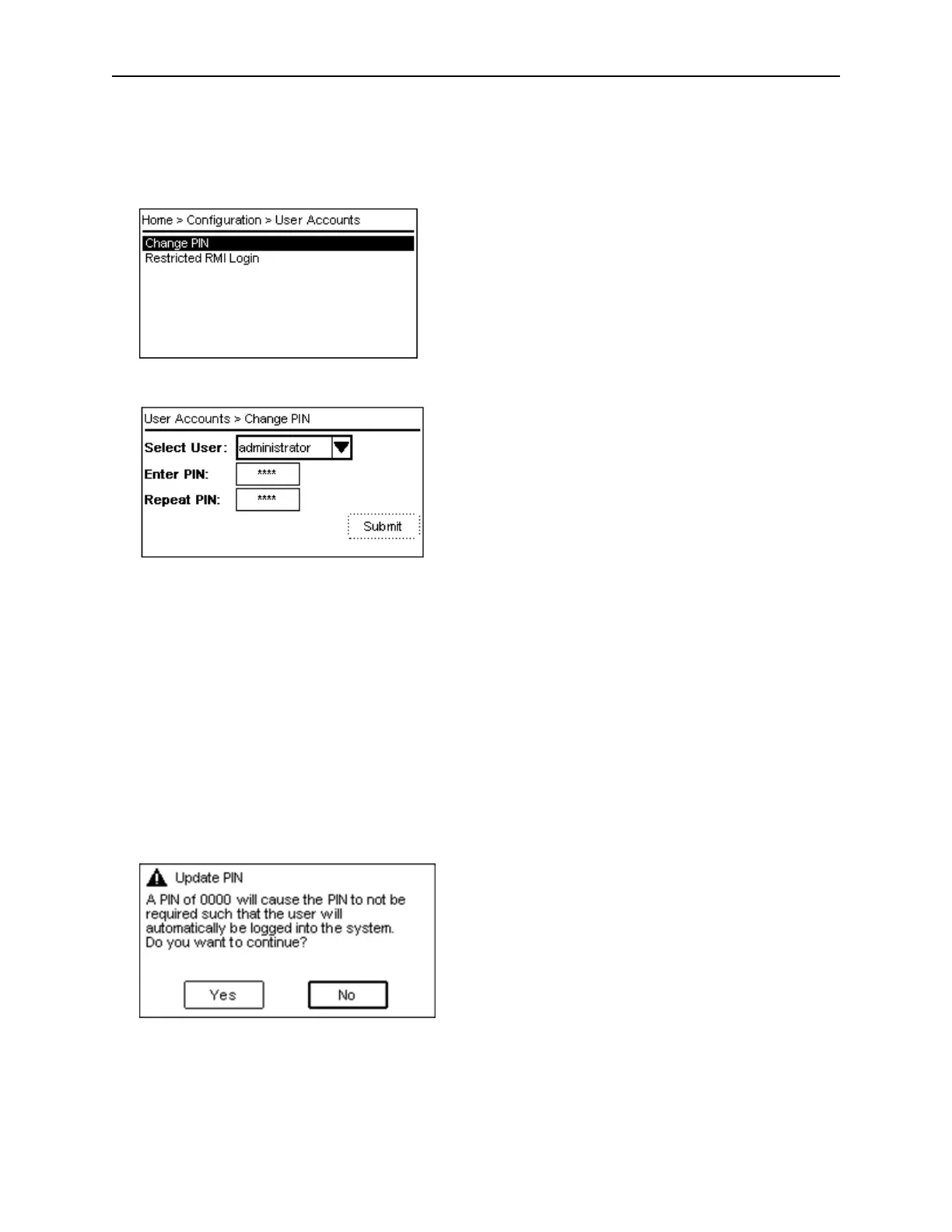
The Configuration > User Accounts page provides the following submenus:
• Change PIN
• Restricted RMI Login
F
rom the Configuration > User Accounts > Change PIN page you can change the PIN to access the
OCP.
1. N
avigate to the user dropdown box and select a user
2. Navigate to the Enter PIN field
3. Press Enter and use the Up or Down buttons to select the first number of the PIN.
4. Press the Right button to move to the next number and select the second number.
5. Repeat this procedure for the third and fourth numbers.
6. Press Enter.
7. Press the Down button to navigate to the Repeat PIN field.
8. Repeat steps 3 to 5 and enter the new PIN.
9. Press Enter.
10. The Submit button is activated.
11. Press the Down button to navigate to the Submit button.
12. Press Enter to submit the new PIN.
I
n case "0000" is selected as the PIN, the user will automatically be logged into the system and the
following confirmation message will be shown.



 To Next Page