Q40 Tape Library Installation and Operations Manual
511026 Rev. 07-01-19 88
6.5.3 Configuring Passwords for User Accounts
Use the Configuration > User Accounts page to configure the password settings for the library. There
are two types of accounts you can configure.
• User – The user account allows access to library status information and does not allow access to
c
onfiguration, maintenance, or operation features. A password is not required for the user account.
Setting a user password restricts access to status information to only those who know the user
password.
• Administrator – Setting an administrator password provides access to the administrator functions of
the RMI and restricts access to administrator functions to only those who know the administrator
password. The library initially has a default administrator password of “adm001”, which allows
unrestricted access to all administrative functions through the RMI. Please note, the administrator
password can only be changed from the RMI.
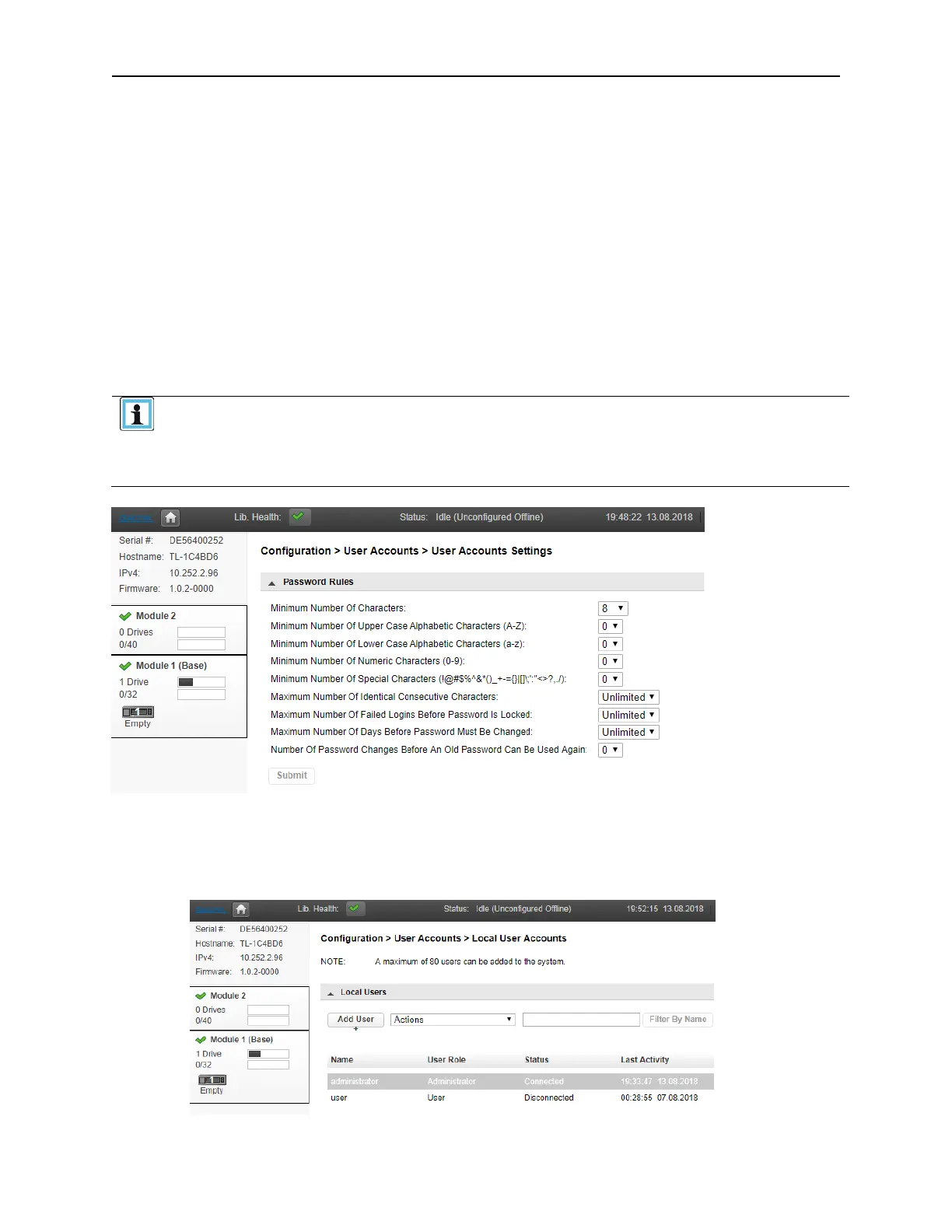
Before adding new Local User accounts or editing the password of the default
User or Administrator accounts please take note of the Password requirements
displayed in the Configuration > User Accounts > User Accounts Settings
page. If the New Password does not meet the requirements set on this page the
library will NOT allow you to click the modify or add button.
A
fter reviewing and updating the Password Rules as desired navigate to the Configuration > User
Accounts > Local User Accounts page.
To modify the password of an existing account,
• Select the account from the list



 To Next Page