511026 Rev. 07-01-19
89
• C
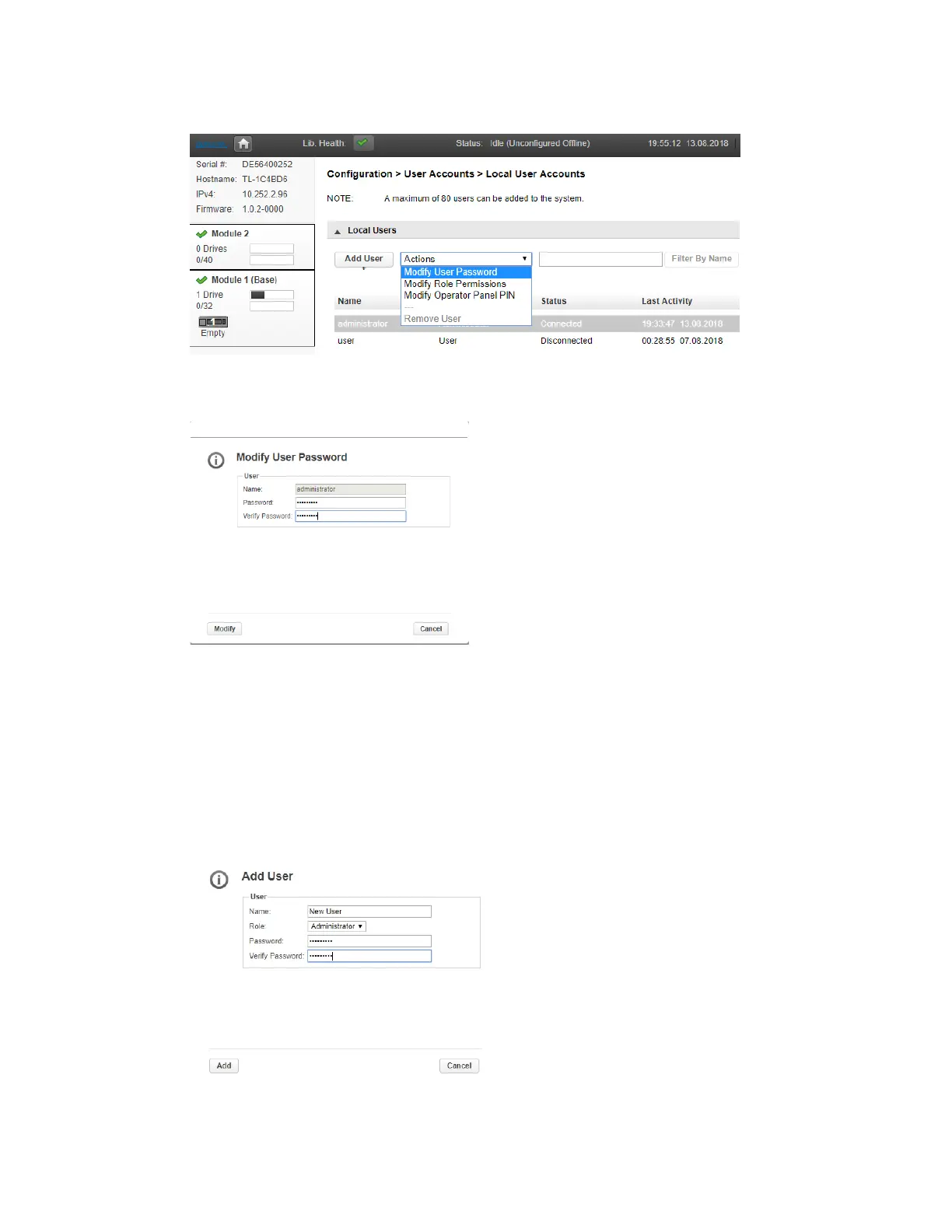
lick the down arrow in the Actions box and choose the desired operation
• E
nter the New Password.
• Verify the New Password.
• If the new password satisfies the Password Rules you can click the Modify button.
• I
f the Modify button remains greyed out, the new password either does not satisfy t
he
P
assword Rules or the password and verify password fields do not match.
T
o add a new User,
• Click the Add User button.
• Enter the Name of the new user.
• Select the Account Type, User or Administrator
• Enter the Password.
• Verify the Password.
• Click the Add button.
• I
f the Add button remains greyed out, the new password either does not satisfy the Passwor
d
R
ules or the password and verify password fields do not match.



 To Next Page