How to BES X Installation Manual, Rev.9, Jun 2018
142
142 P/N: 400288005
14.4 - How to upload animations to the 4HD/5HD-CPU
units
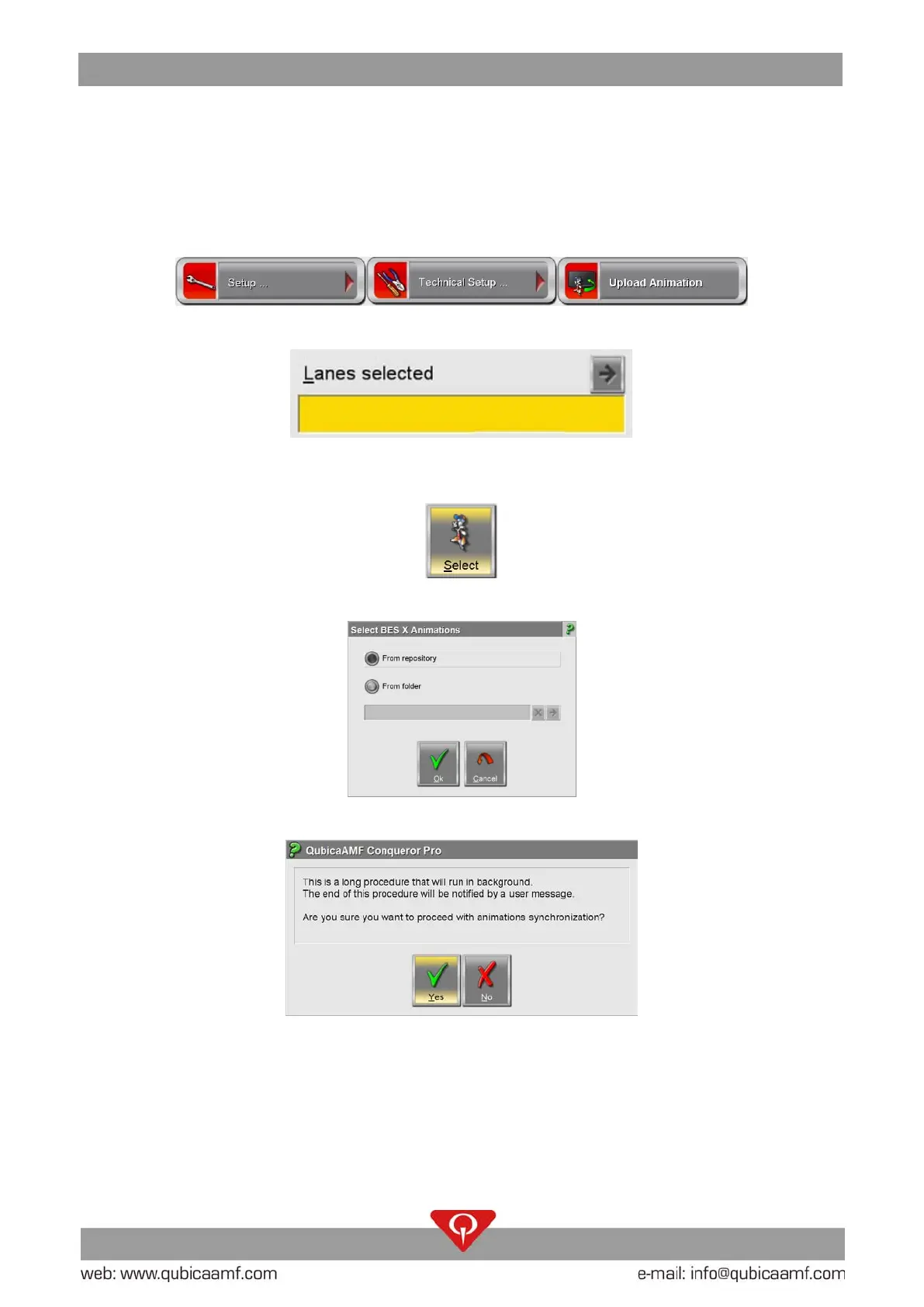
In order to upload the animations to a 4HD/5HD-CPU unit on the main menu of ConquerorPRO
select: Setup / Technical Setup / Upload Animation.
On the UPLOAD ANIMATION screen press the Lanes Selected field.
Select the destination lanes of the 4HD/5HD-CPU and press OK
Click on the “Select” button.
In the window “Select BES X Animations” select “From repository” and click on the “Ok” button.
Click on the “Ok” button on the window that appears.
Now the download of the animations will start.



 To Next Page
 Loading...