Configuration
R&S
®
TS7124M
145User Manual 1525.5394.02 ─ 05
7.12.2 Taking the wideband antenna out of the chamber
To remove the wideband antenna from the chamber
1. Remove the top cover as described in Chapter 7.4.1, "Opening the top cover",
on page 78.
For the remainder of this procedure, remember to avoid touching the gasket that
seals the top cover.
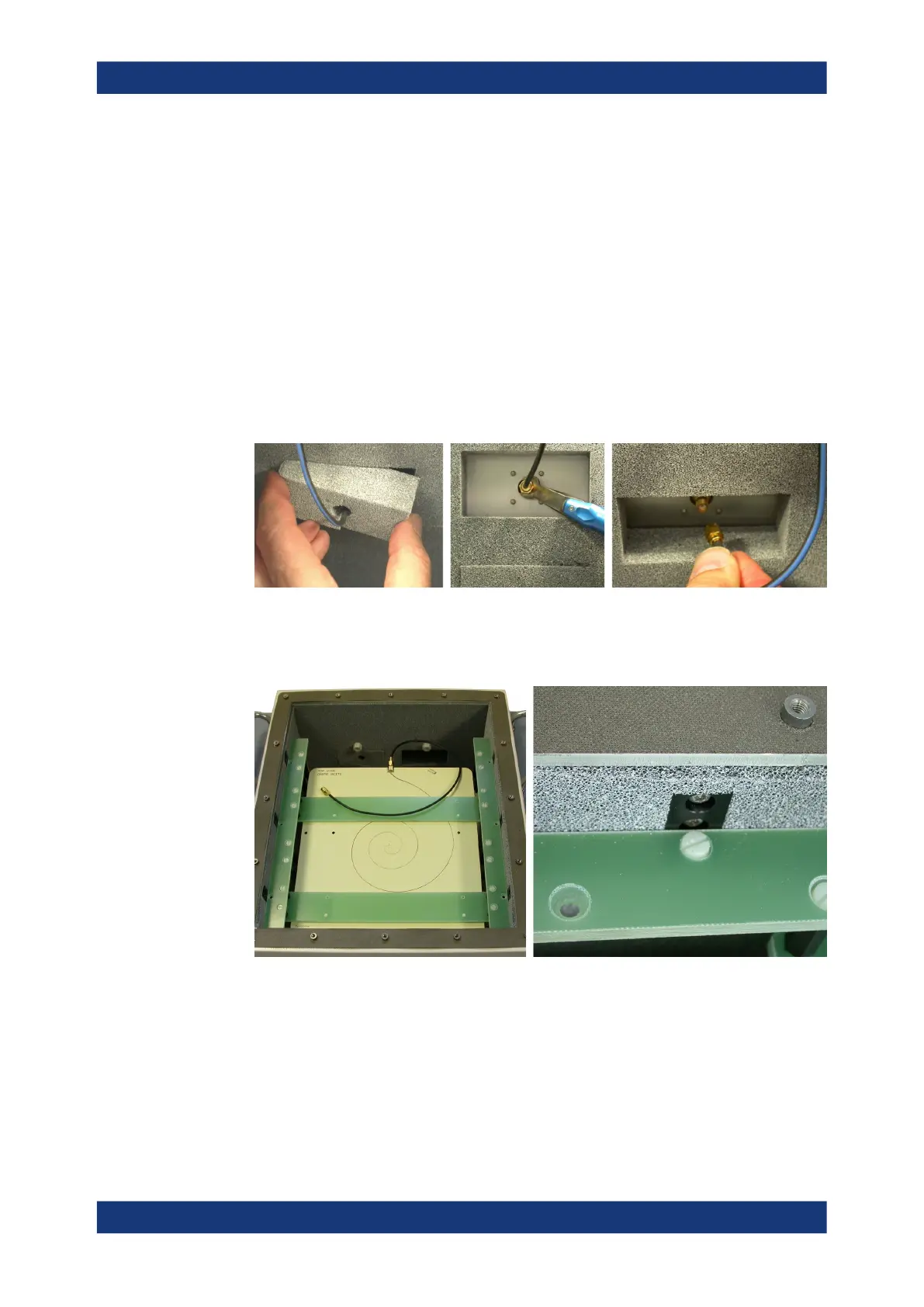
2. At the chamber's rear wall, remove the pad of detachable absorber material at the
SMA connector to which the RF cable leads.
3. Disconnect the cable from the SMA feedthrough connector at the rear wall, using a
torque wrench.
4. Insert the previously removed pad of absorber material back in place at that SMA
connector.
5. Remove the six polymer screws that fix the antenna, using a flathead screwdriver.
6. Take the antenna out of the chamber.
7. Inside the chamber, remove the six supports (twelve screws), using a Torx 10
screwdriver.
Installing the wideband antenna



 To Next Page