Configuration
R&S
®
TS7124M
97User Manual 1525.5394.02 ─ 05
All three absorber material configurations are compatible with antennas mounted on
the Antenna holder R&S TS-F24-AH2.
7.6.3 Taking the full antenna ring out of the chamber
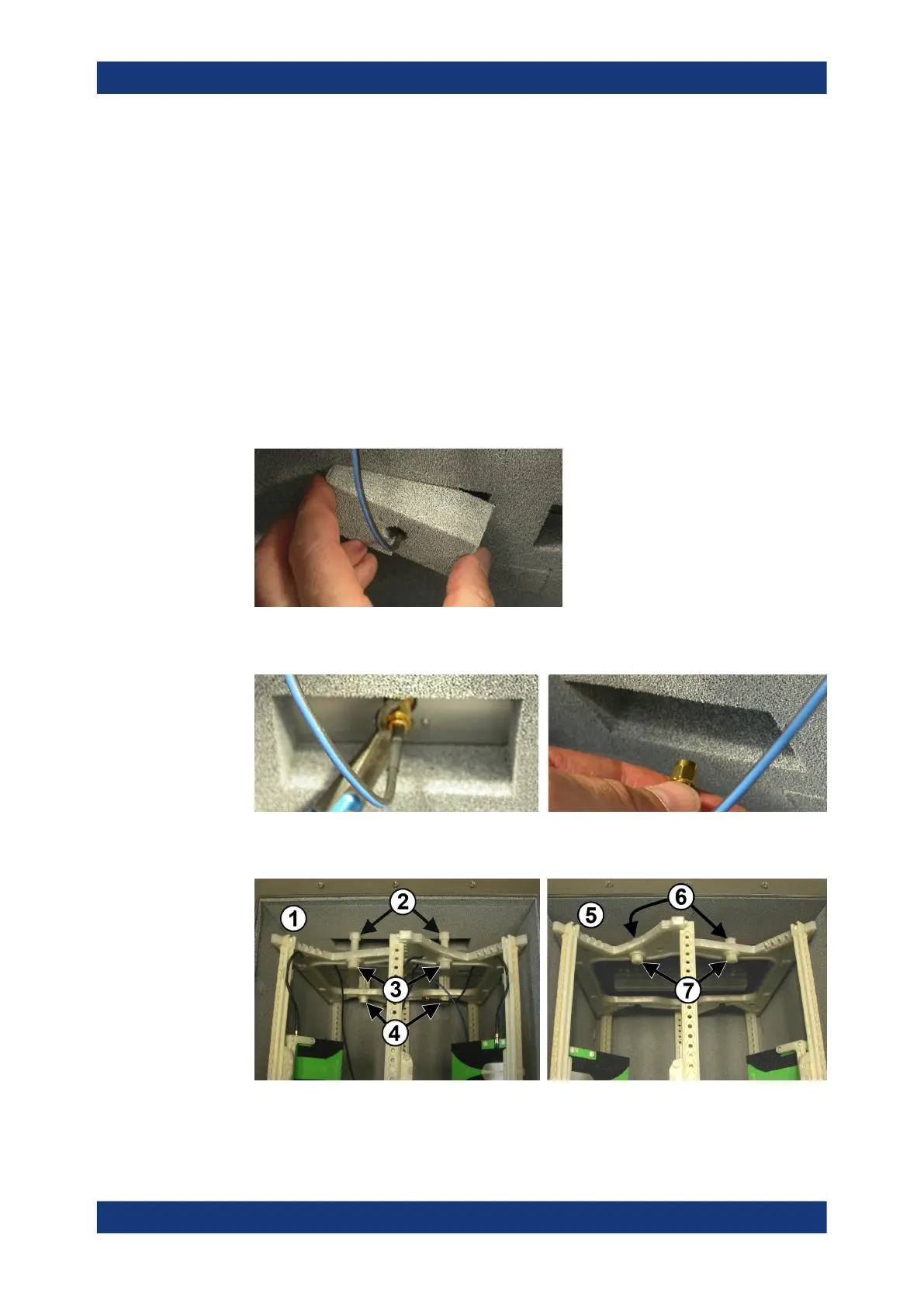
To take the full antenna ring out of the chamber
1. Remove the top cover (see Chapter 7.4.1, "Opening the top cover", on page 78).
For the remainder of this procedure, remember to avoid touching the gasket that
seals the top cover.
2. Remove the detachable absorber pads from the rear chamber wall, wherever an
antenna cable is attached to an SMA connector.
3. Use an SMA wrench to disconnect the antenna cables from the SMA connectors at
the chamber's rear wall.
4. Remove the four polymer bolts that hold the full antenna ring, using a wrench
No.13:
Figure 7-30: Left: remove two long bolts (3) at the rear wall inside the chamber. Right: remove
two short bolts (7) at the front wall
Installing an antenna ring or holder



 To Next Page