Configuration
R&S
®
TS7124M
96User Manual 1525.5394.02 ─ 05
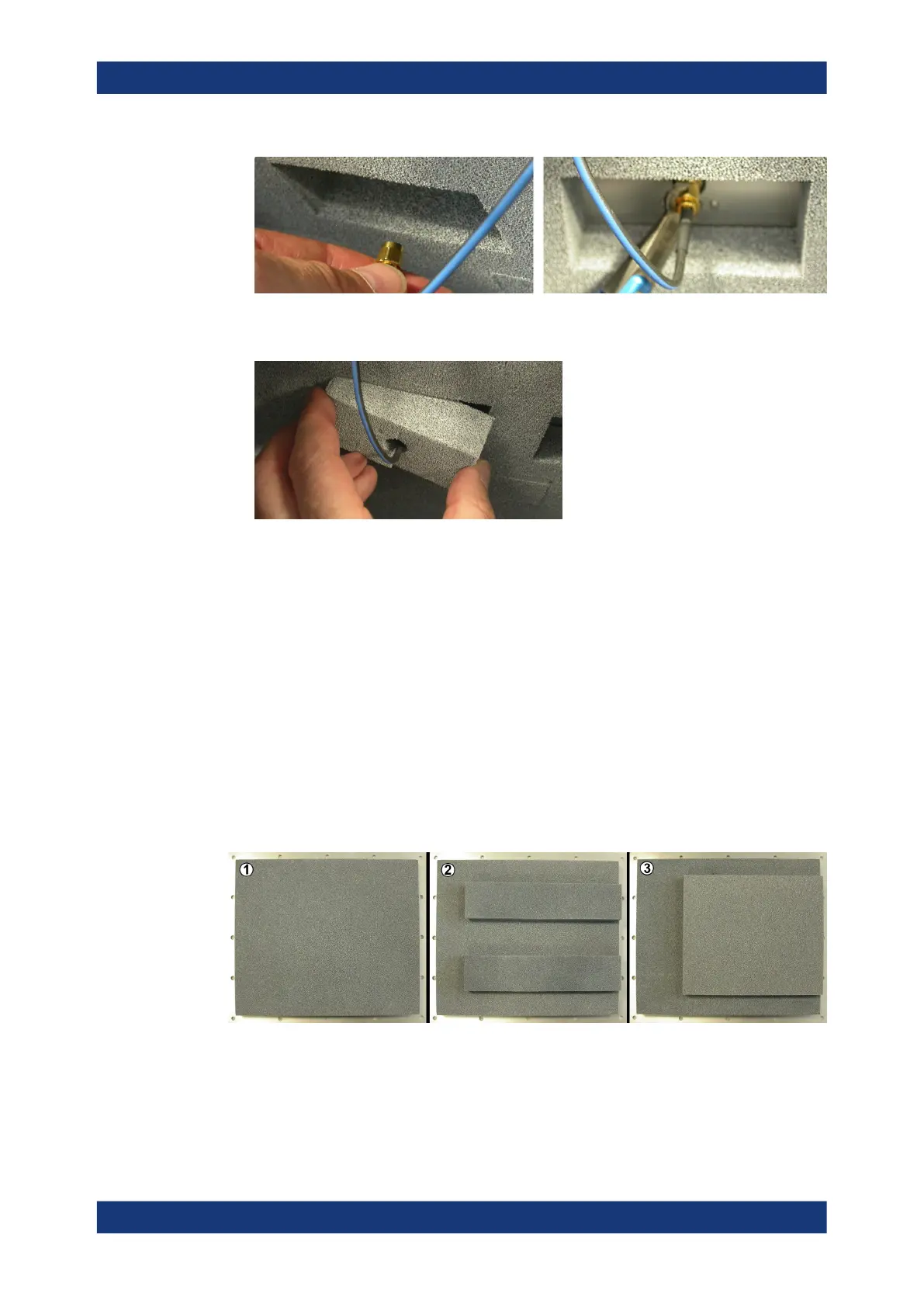
10. Insert the previously detached absorber pads into the gaps in the rear chamber
wall.
11. Check the SMP connectors: verify that all antennas are properly connected to their
cables.
12.
NOTICE! If the DUT holder tray collides with the antenna ring, damage can result..
Verify that no DUT holder tray (and no DUT on it) can potentially collide with any
antenna inside the chamber or with the antenna ring, once the drawer is closing.
13. If any antenna comes too close to the DUT or DUT holder tray, consider placing the
antenna further away from the center of the chamber.
14. Finally, close the chamber's top cover (see Chapter 7.4.2, "Closing the top cover",
on page 80).
With the half antenna ring mounted, use the second absorber version (2) on the top
cover:
Figure 7-29: Different absorber material configurations on the inside of the top cover. In these pic-
tures, the "FRONT" edge of the cover is on the right-hand side
1 = Standard absorber for use with Narrowband antenna R&S TS-F24NB2
2 = Absorber for use with Half antenna ring R&S TS-F24-AH1 or Full antenna ring R&S TS-F24-AR
3 = Absorber for use with Wideband antenna R&S TS-F24WA1
Installing an antenna ring or holder



 To Next Page