CHAPTER
5
Manual No. 016-0171-362 Rev. F 37
CHAPTER 5
ISOBUS PRODUCT CONTROL
OPERATION
PRODUCT CONTROL HOME SCREEN
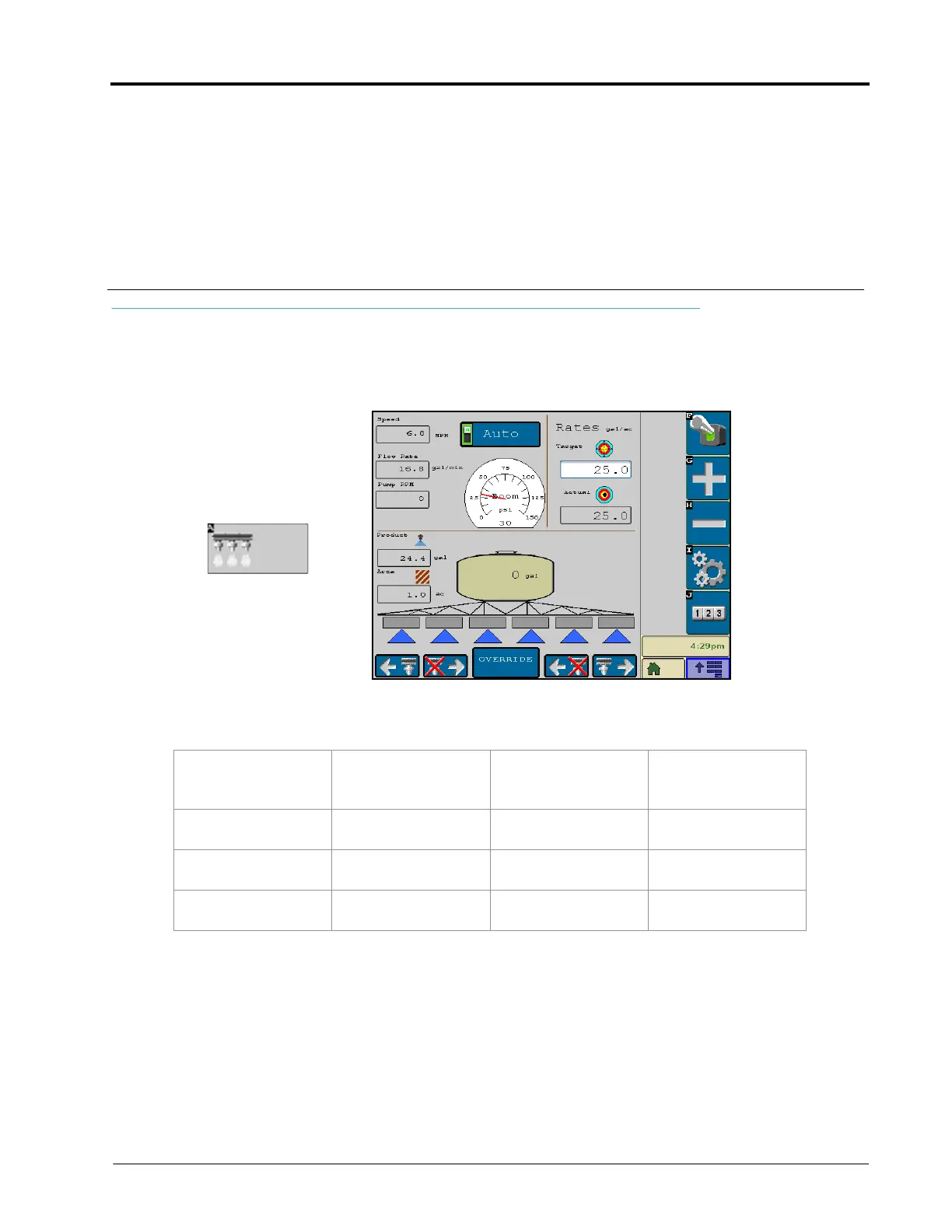
With the product control node properly installed and calibrated, the VT display can be used to monitor and
control product application without the need for additional consoles or displays in the vehicle cab. Select the
product control icon located in the VT display menu to view the main product application screen.
From the product control home screen, the machine operator can monitor and control the following aspects of the
product control system:
• Master (Switch)
Status
•Product Density
(Granular
Applicators)
• Target Pressure
(NH3 Applicators)
• Remaining Tank/
Bin Volume
• Control Mode
(Auto/Manual)
• Pressure or Fan/
Spinner RPM
• Volume Applied • Section Status
Display
• Application Speed • Rates Area • Area Covered • Manual Section
Controls
•Pump Status (NH3
Applicators)



 To Next Page
 Loading...

