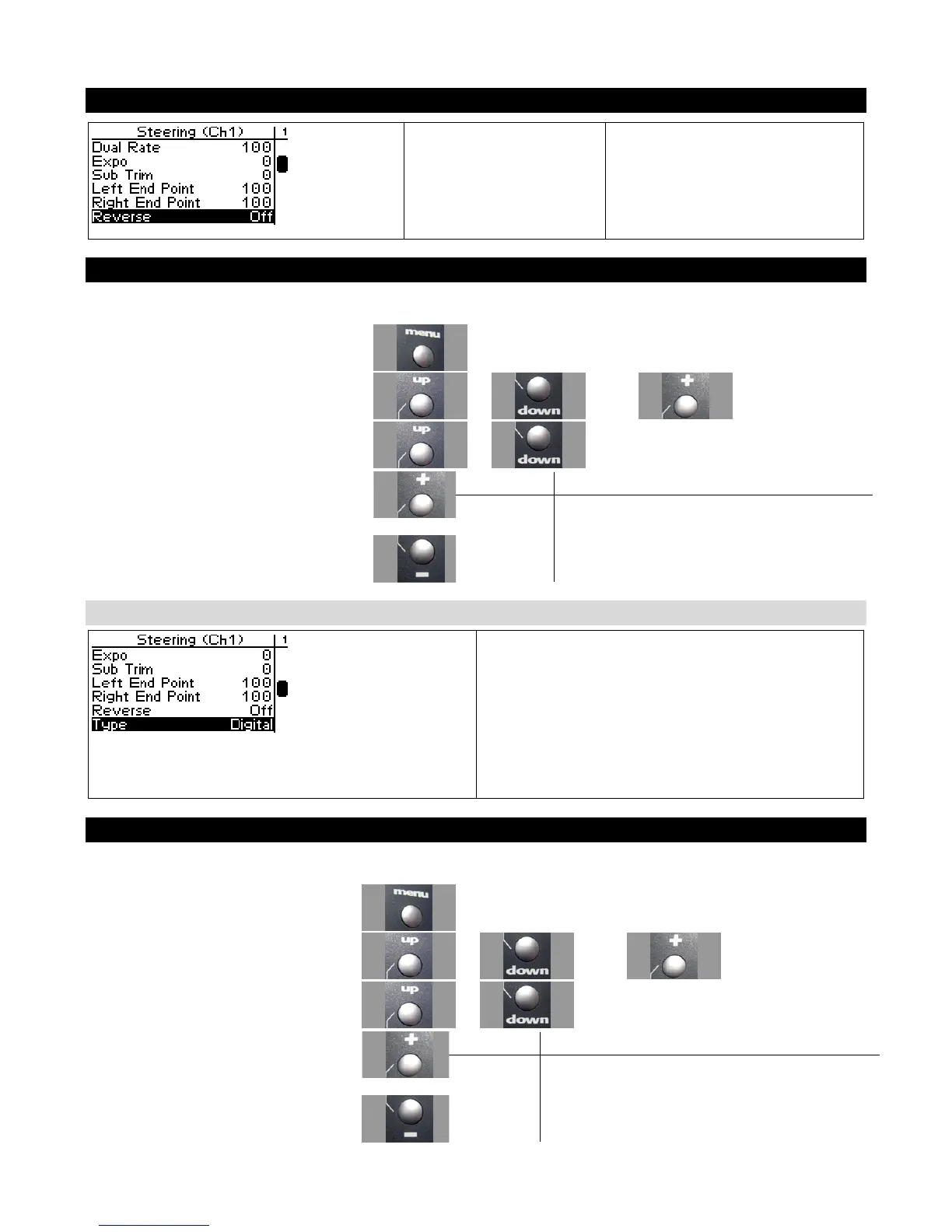
Steering Servo Reverse
Steering Servo Reverse
reverses the direction the
servo moves upon
receiving an input from
the steering wheel.
Changing the Steering Servo Reverse Setting
Use the navigation controls to change the steering servo reverse setting as follows:
1. Access the top function menu from the
driving screen.
2. Navigate to the Steering (Ch1) menu.
or then
3. Navigate to Servo Reverse.
or
Value Description
Off Standard servo direction.
4. Change the value. or
On Reversed servo direction.
Steering Servo Type
Steering servo type lets you select the type of
steering servo (analog or digital) in the vehicle.
Analog servos are sent signals at 50 frames/sec,
while Digital servos are sent signals at 100
frames/sec. If you have high-end analog servos,
they may operate better with the digital setting, try
both settings and choose the best performance.
Changing the Steering Servo Type
Use the navigation controls to change the steering servo type as follows:
1. Access the top function menu from
the driving screen.
2. Navigate to the Steering (Ch1) menu.
or then
3. Navigate to Servo Type.
or
Value Description
Analog Steering servo is analog.
4. Change the value. or
Digital Steering servo is digital.



 To Next Page