Failsafes
You can set up the failsafe positions of the servos
so that in the event of loss of signal, the servos go
to their set failsafe positions. Default failsafe
positions are centered steering and trim.
You should always set your failsafe positions after
making changes to your model, and should test
your settings before driving.
Setting Failsafe Modes
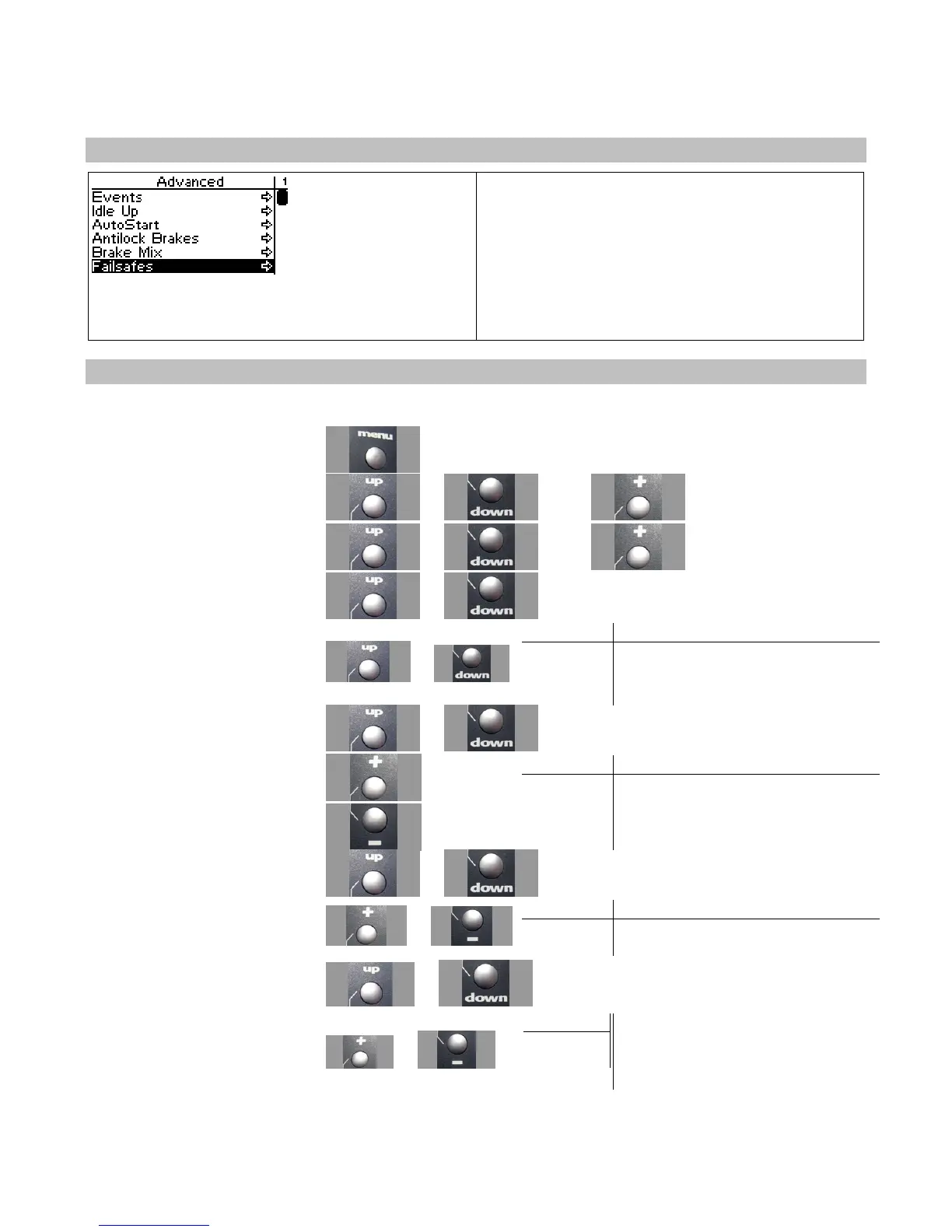
Use the navigation controls to set the failsafe modes as follows:
1. Access the top function menu
from the driving screen.
2. Navigate to the Advanced
menu.
or then
3. Navigate to the Failsafe menu.
or then
4. Navigate to Steering.
or
Value Description
Hold
Steering servo holds last known
5. Change the steering servo
failsafe setting.
or
Set Steering servo goes to set failsafe
position.
6. Navigate to Throttle.
or
Value Description
Hold
Throttle servo holds last known
7. Change the throttle servo
failsafe setting.
or
Set Throttle servo goes to set failsafe
position.
8. Navigate to Channel 3.
or
Value Description
Hold Shift servo holds last known position.
9. Change the shift servo failsafe
setting.
or
Set Shift servo goes to set failsafe position.
10. Navigate to Ch4.
or
11. Change the Ch4 servo failsafe
setting.
or
Description
Ch4 servo holds last known position.
Ch4 servo goes to set failsafe position.
Hold
Set



 To Next Page