Channel 3 and Channel 4 Servo Functions
Each of these servos can be used as a number of auxiliary functions such as shifting or acting as a
second braking or steering servo. The following illustration shows the function menu structure for
Channel 3 (Shift) and Channel 4 (Power):
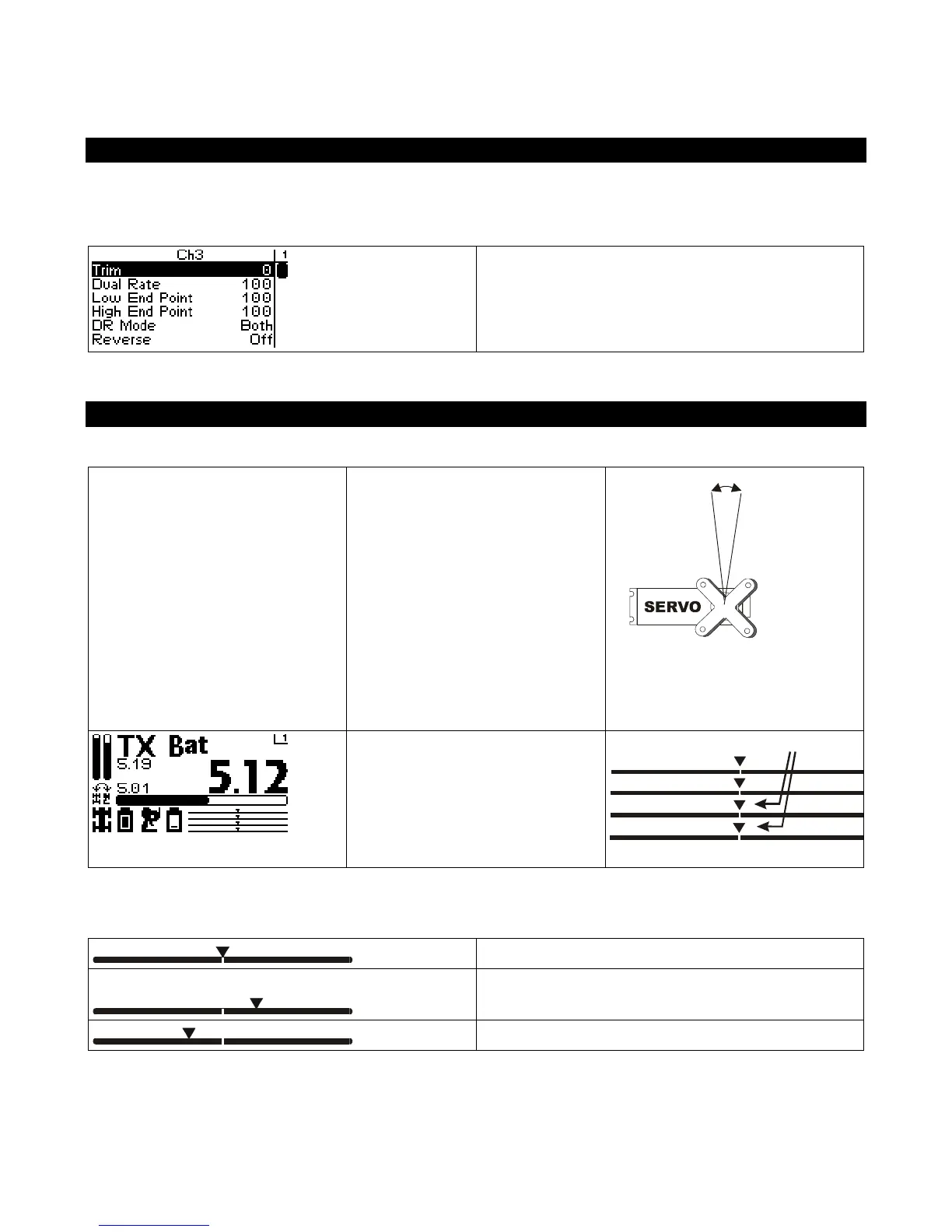
Channels 3 / 4 Servo Trim
Channel 3 and Channel 4 servo
trim adjusts the resting
(centered) positions of the
servos.
When initially setting up the
vehicle, the shift servo trim
setting should be set to 0. On the
servo, the servo horn should be
positioned as appropriate on the
servo.
On the driving screen, Channel 3
and Channel 4 servo trims are
represented by the position of the
pointers on the bottom bars.
Changing the servo trim has the following visual effect on the driving screen bars:
Servo trim is centered in range (value = 0)
Servo trim is offset to high end (+ve value)
Servo trim is offset to low end (-ve value)



 To Next Page