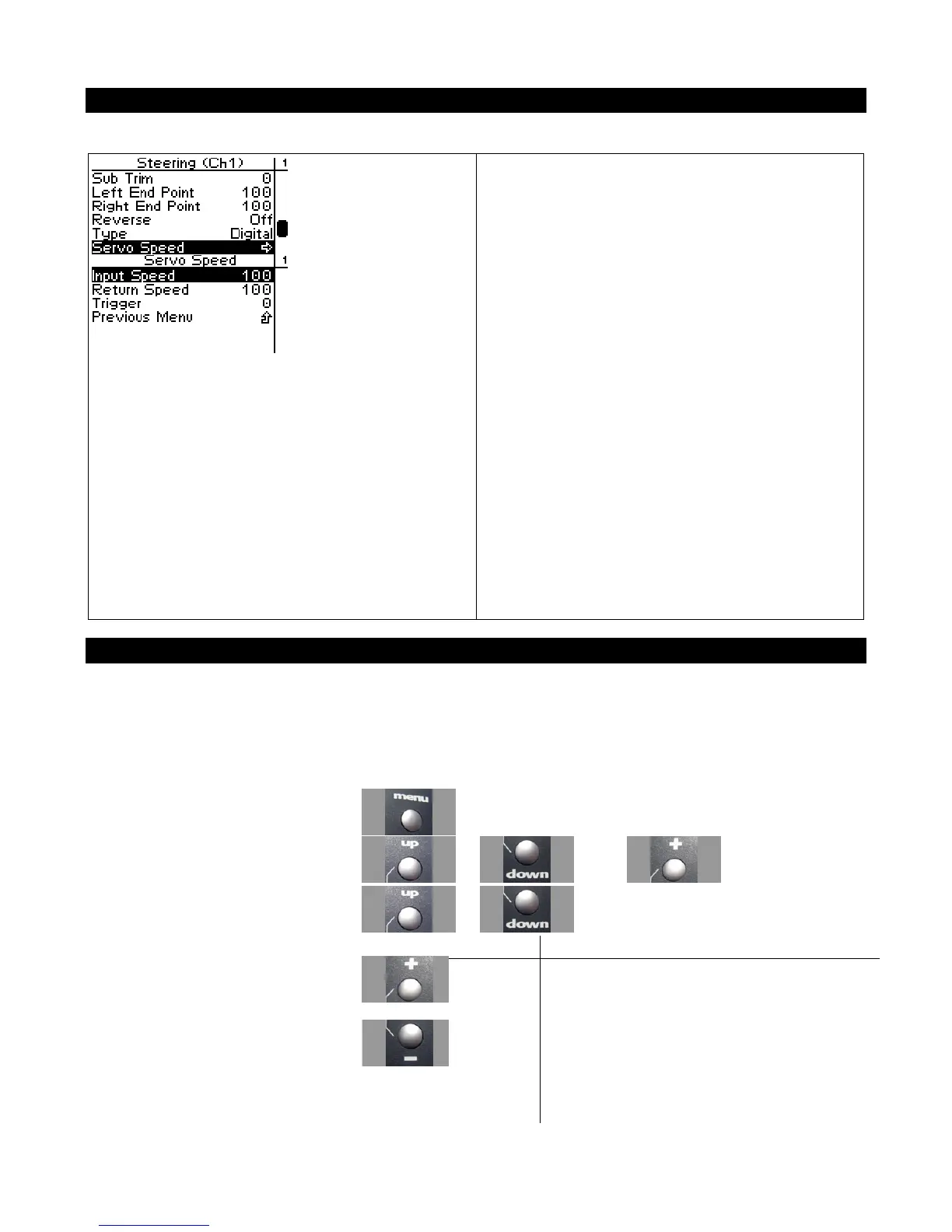
Steering Speed
Steering speed allows you to limit the maximum
speed that the steering servo will be driven to
match your movements on the wheel. There are
three parameters that can be adjusted to precisely
set up your limiting.
Trigger sets the minimum amount of control input
before the speed limiter becomes active. At 0%,
limiting is always active (input is always >= 0%).
At 50%, limiting is only active if the wheel is
turned half way or more.
Input speed determines the limited speed that is
applied to motions away from center that are
above the trigger setting. 100 is the maximum
servo movement rate. 1 is the minimum rate.
Default is 100 (full speed)
Return speed determines the limited speed that is
applied to motions back toward center that are
above the trigger setting. 100 is the maximum
servo movement rate. 1 is the minimum rate.
Default is 100 (full speed)
Changing the Steering Speed
Interaction with other parameters
Servo Speed is applied after Expo. The trigger level for Servo Speed refers to the curved input value.
Use the navigation controls to change the steering servo type as follows:
1. Access the top function menu from
the driving screen.
2. Navigate to the Steering (Ch1) menu.
or then
3. Navigate to Steering Speed.
or
Value Description
Input
Speed
The percentage of full speed applied to servo
motion away from center once the trigger amount
has been exceeded.
4. Change the values. or
Return
Speed
The percentage of full speed applied to servo
motion toward center once the trigger amount has
been exceeded.
Trigger
The threshold above which speed limiting will be
applied.



 To Next Page