Getting to Know Your React
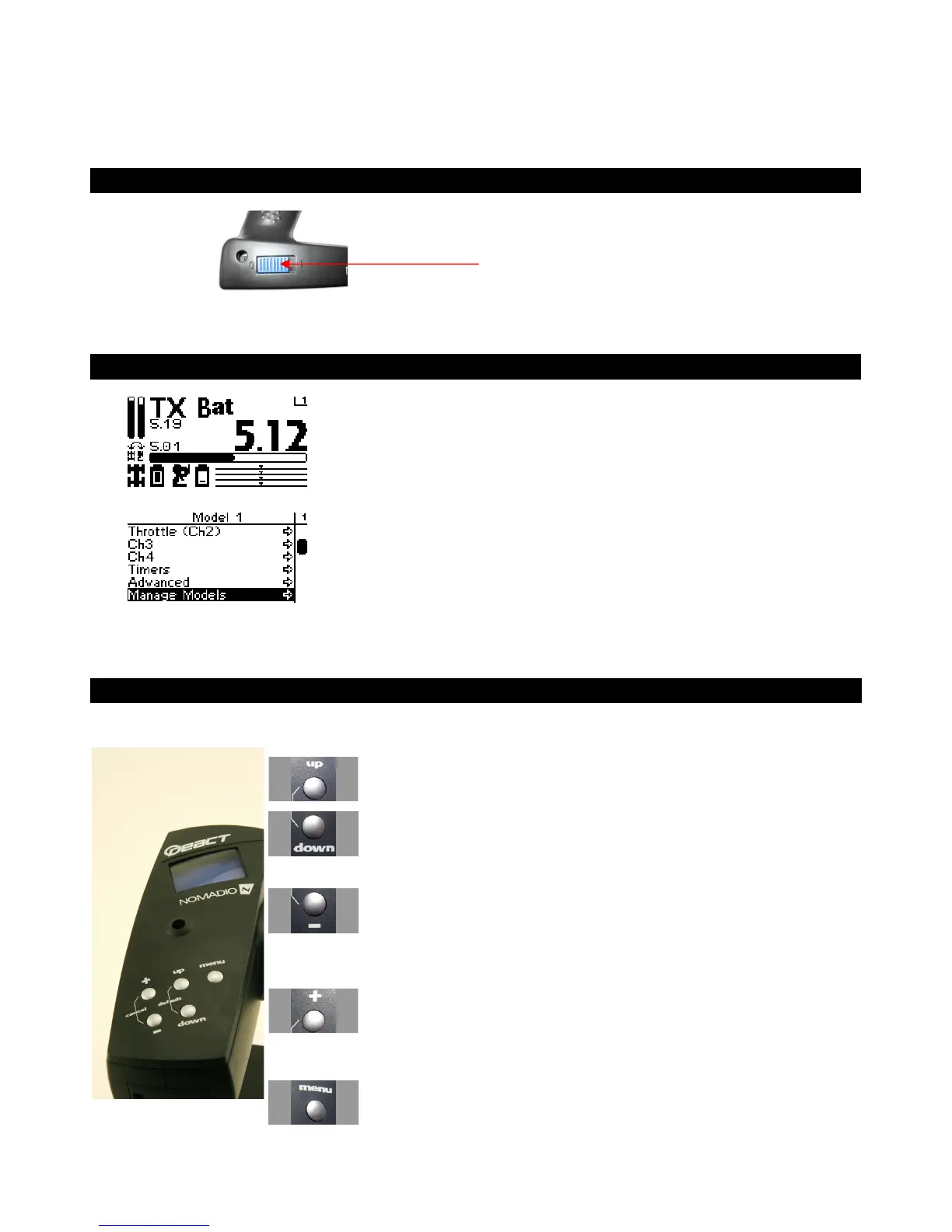
Power Switch
This switch turns the React on and off. It is
recessed to prevent accidental switching during
travel or use.
Display Screen
Driving Screen
This is the screen you’ll be seeing 95%
of the time while using the React. It
displays radio and battery status,
telemetry data that you select and your
servo information.
Menu Screen
This screen is the gateway to the
React’s menu system, which is
described in detail later. You can
always go back to the driving screen by
just pressing the menu key.
Navigation Buttons
Button In the drive screen In the function menu
Moves to next higher menu item
Moves to next lower menu item
Displays previous reading Decreases selected value
Displays next reading
•
Increases selected value
•
Goes to next submenu
•
Goes to selected submenu
•
Saves the change to the selected
setting



 To Next Page