Antilock Braking System (ABS)
React supports ABS brakes to give better traction
during stopping.
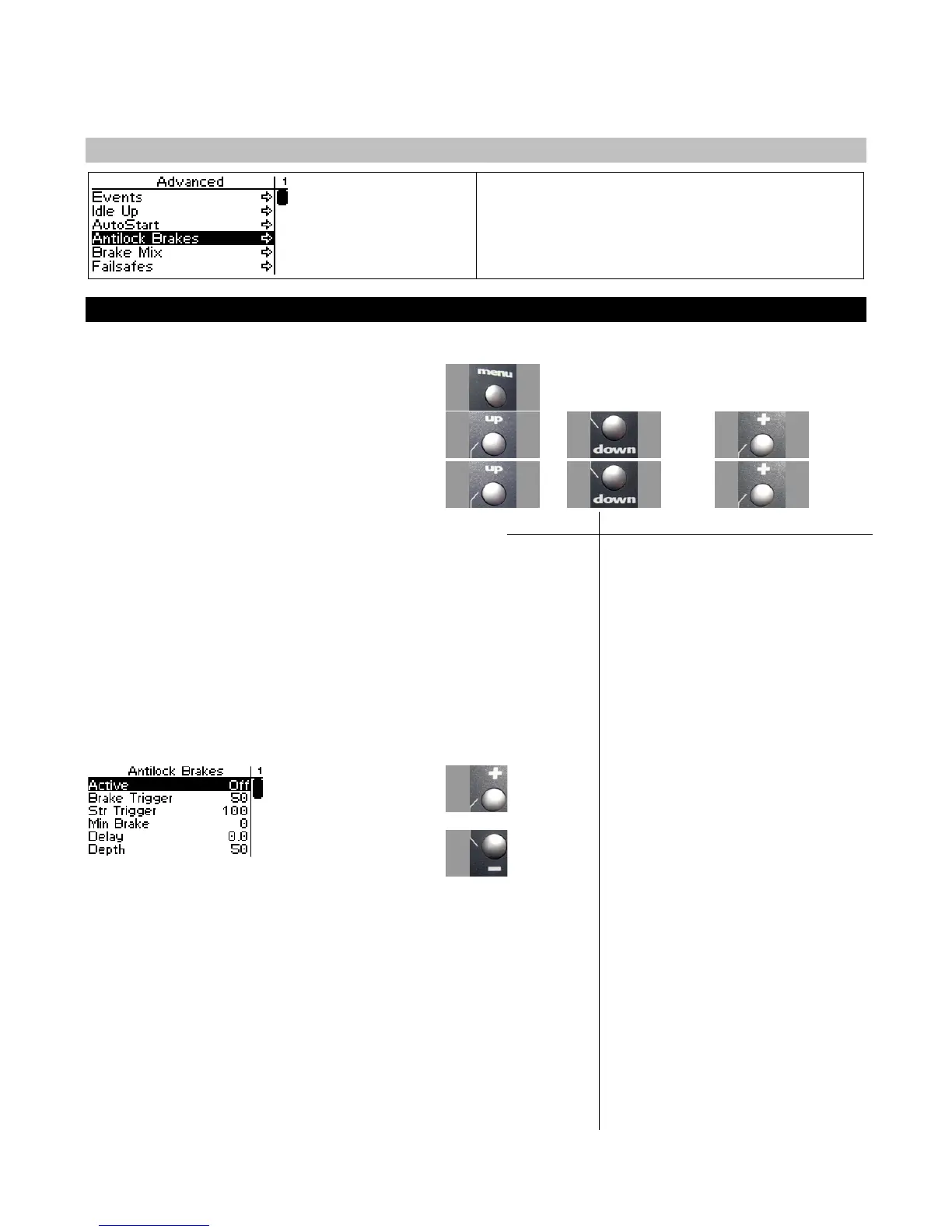
Configuring ABS
Use the navigation controls to configure ABS as follows:
1. Access the top function menu from the driving
screen.
2. Navigate to the Advanced menu.
or then
3. Navigate to the ABS submenu.
or then
Value Description
Active Enables or disables ABS
Trigger
A percentage (1-100%, default
50) indicating the braking
threshold above which ABS is
triggered
Delay
The time in seconds (0.0-2.0,
default 0) the brake must be
above the trigger level before
ABS engages
Depth
A percentage (1-100, default 50)
indicating the reduction in
braking force during the ABS
coast phase. Setting Depth to
100% returns to full coast
between brake pulses; setting
Depth to 0% leaves braking force
unchanged (this effectively
disables ABS).
Brake
Time
When ABS is engaged, time in
seconds (0.1-5.0, default 1.0)
during which brakes are applied
at full strength
or
Coast
Time
When ABS is engaged, time in
seconds (0.1-5.0, default 1.0)
during which brake pressure is
reduced



 To Next Page