User Manual Bearing System RT-300
Issue: 2017/06/27 [Rev 1.04.c] Page 41 of 79 12-9-1-0013-9-2-0001-3-1-60
With a low averaging level the display becomes a kind of nervous, especially with modulated,
weak signals.
The factory default has the averaging level 5 and is a good compromise.
Operating:
In submenu BEARING select function AVERAGING.
The bar graph as shown in Fig. 52 will appear.
- Adjust averaging level by using keys 5 < + > and 10 < –>.
- Keys 8 < > respectively 3 < > will reset the level to maximum or minimum.
- Key 6 < Ok > will confirm the adjustment.
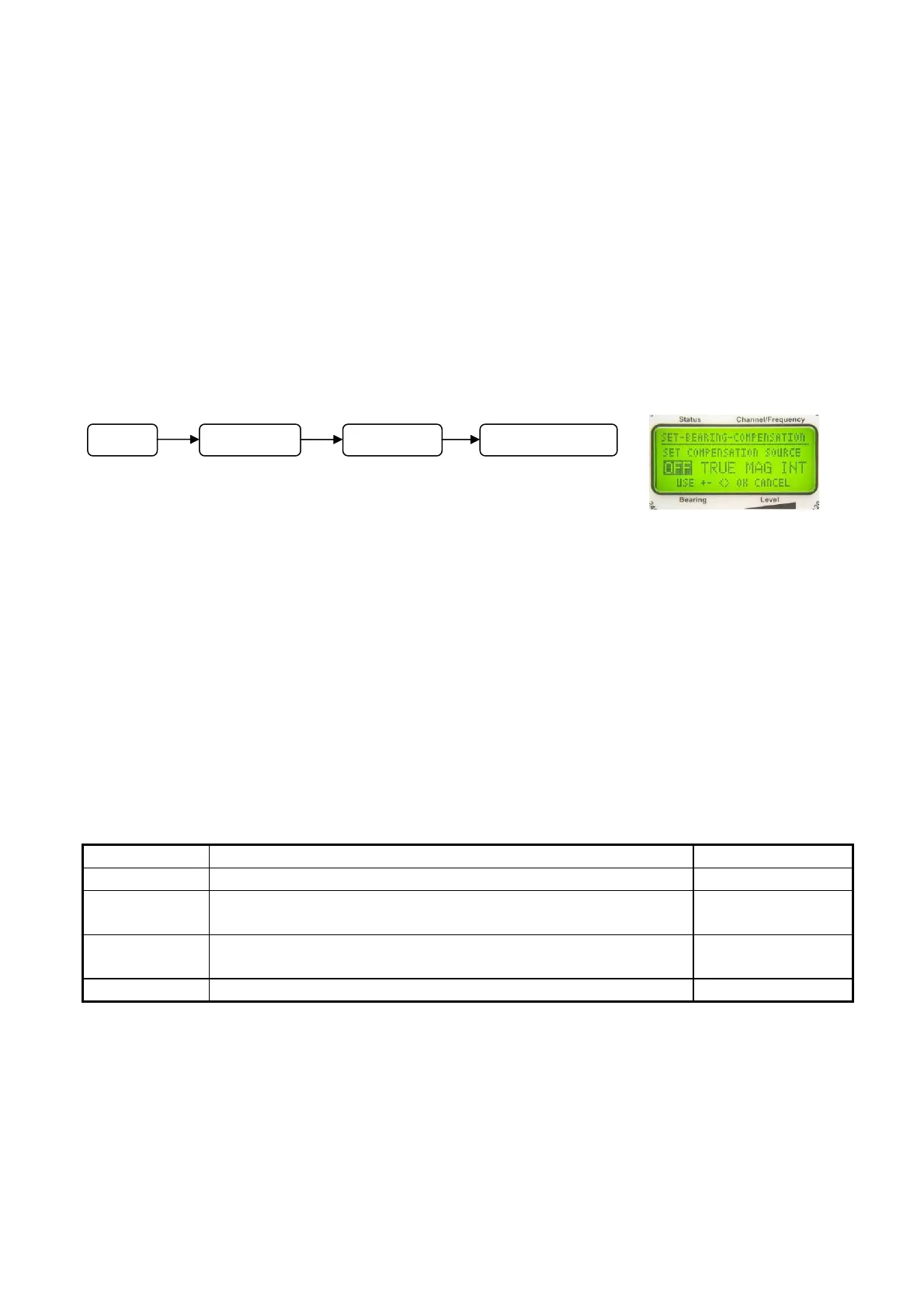
6.2.1.5.1.2 Select Source of Heading Compensation: SET COMPENSATION SOURCE
During mobile use on vessels or land vehicles it takes a certain
time for the display to respond to a change of heading (or course)
(see drag error, 6.2.1.5.1.1). If compass information is
available, the change of heading will be determined and the drag error can be eliminated by the
bearing system. The bearing system is corresponding without delay to the changes of heading
of the vehicle.
In order to activate this function, the delivered (and required) compass data (true, magnetic,
internal compass) for compensation have to be selected. It is only mentioned here, that the
selected data sources have to be available (see 6.2.1.5.4).
NOTE
Drag errors will only be compensated, if caused by changes of the heading of the own vehicle. If
the transmitter is changing its position, a drag error will occur again.
Following compass data sources may be selected:
Designation Meaning see chapter
OFF No heading compensation
TRUE The source is an external compass with reference
direction geographic (true) north
6.2.1.5.4.1
MAG The source is an external compass with reference
direction magnetic north
6.2.1.5.4.2
INT The source is the internal compass module (optional) 6.2.1.5.4.5
Fig. 53
Menu
SETUP BEARING COMPENSATION



 To Next Page