4.1 OPERATION: (To Enter Test Pattern Image Mode)
1) Remove the front cover.
2) Turn off DIP SW 400-1 on the image processing PCB only when the
power switch is off.
3) Turn on the main switch.
4) Press the Image Mode key to select the test pattern image.
5) Set the original on the original table.
CAUTION: To prevent overheating of the thermal head, make the
original as short as possible. Any type of original is
suitable as the test pattern being used is in the image
processing PCB memory.
6) Press the Master Making key and make prints.
7) After completion of the test pattern image mode, turn on DIP SW
400-1.
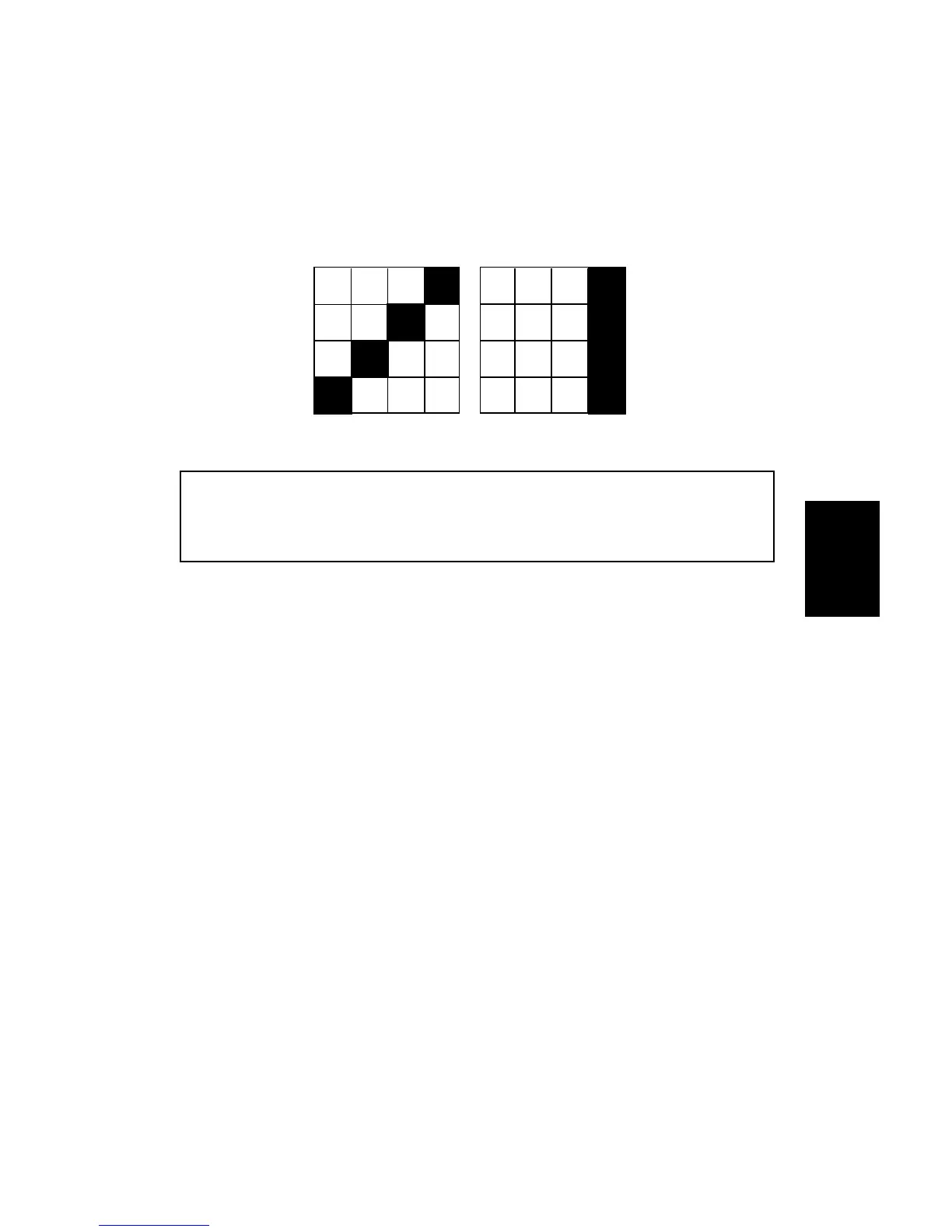
Test pattern in line mode
Test pattern in photo mode
Service
Tables
C216 4-9 SM


 To Next Page