1.8 WHITE LEVEL ADJUSTMENT
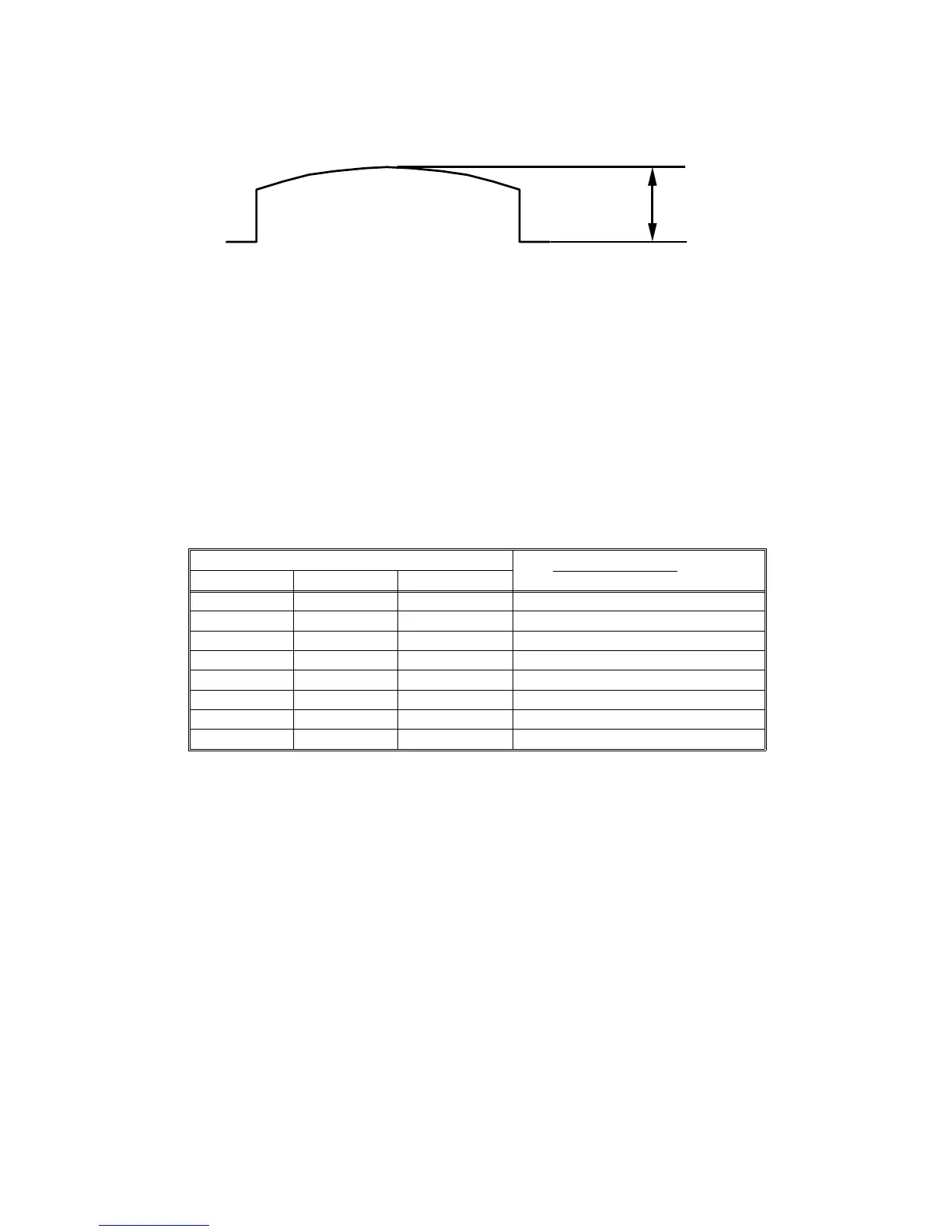
Adjust the VR600 on the AD conversion board so that the maximum level is
2.0
±
0.1 V.
1.9 IMAGE MAGNIFICATION IN THE SUB-SCAN
DIRECTION ADJUSTMENT
Adjust the magnification ratio in the sub-scan direction using DIP103-1, 2, 3
on the main board, so that the printed image length is 100%
±
0.5% by
comparing the original image length.
–DIP SW/Correction Ratio–
DPS 103 Original Length
Print Image Length
X 100
12 3
OFF OFF OFF 100%
OFF ON OFF 99.25%
OFF OFF ON 98.75%
OFF ON ON 98.25%
ON OFF OFF 100%
ON ON OFF 100.75%
ON OFF ON 101.25%
ON ON ON 101.75%
2.0
±
0.1 V
C216 5-6 SM


 To Next Page