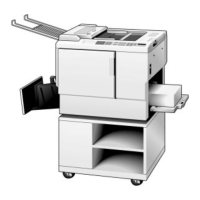
6.16 PRIPORT CONTROLLER OPERATION
1. Power-On/Power-Off Sequence:
Please follow the steps listed below to turn on and off your system:
Power-On: 1. Computer
2. Priport
3. Controller
Power-Off: 1. Controller
2. Priport
3. Computer
2. Controller - Front Panel Indicator Lights:
- Power-On Light (left hand light): When light is on, power is on.
- Ready Light (right hand light)
3. Ready Light:
A. The Controller is ready for operation after the following sequence
occurs:
- At power on, the ready light remains off for a short time.
- When ready light turns on, the Controller is ready for use.
B. Ready Light--Slow Flash:
- When a slow flash occurs, the Controller is processing the document.
C. Ready Light--Quick Flash:
- When a quick flash occurs, the Controller has encountered an error
condition in processing the document. (See the Troubleshooting
section for possible error conditions and solutions.)
D. Ready Light--One Long + Two Short Flashes:
- When one long and two short flashes occur, either the Priport is off-line
or the Priport is still waiting to print copies off a new master which is
currently on the drum.
VT2105 6-30 FSM


 To Next Page