Punch Unit (B807)
D017/D018/D019/D020/D084/D085 2-59 SM
Installation
11. Remove the bracket [L] from the punch unit ( x 1).
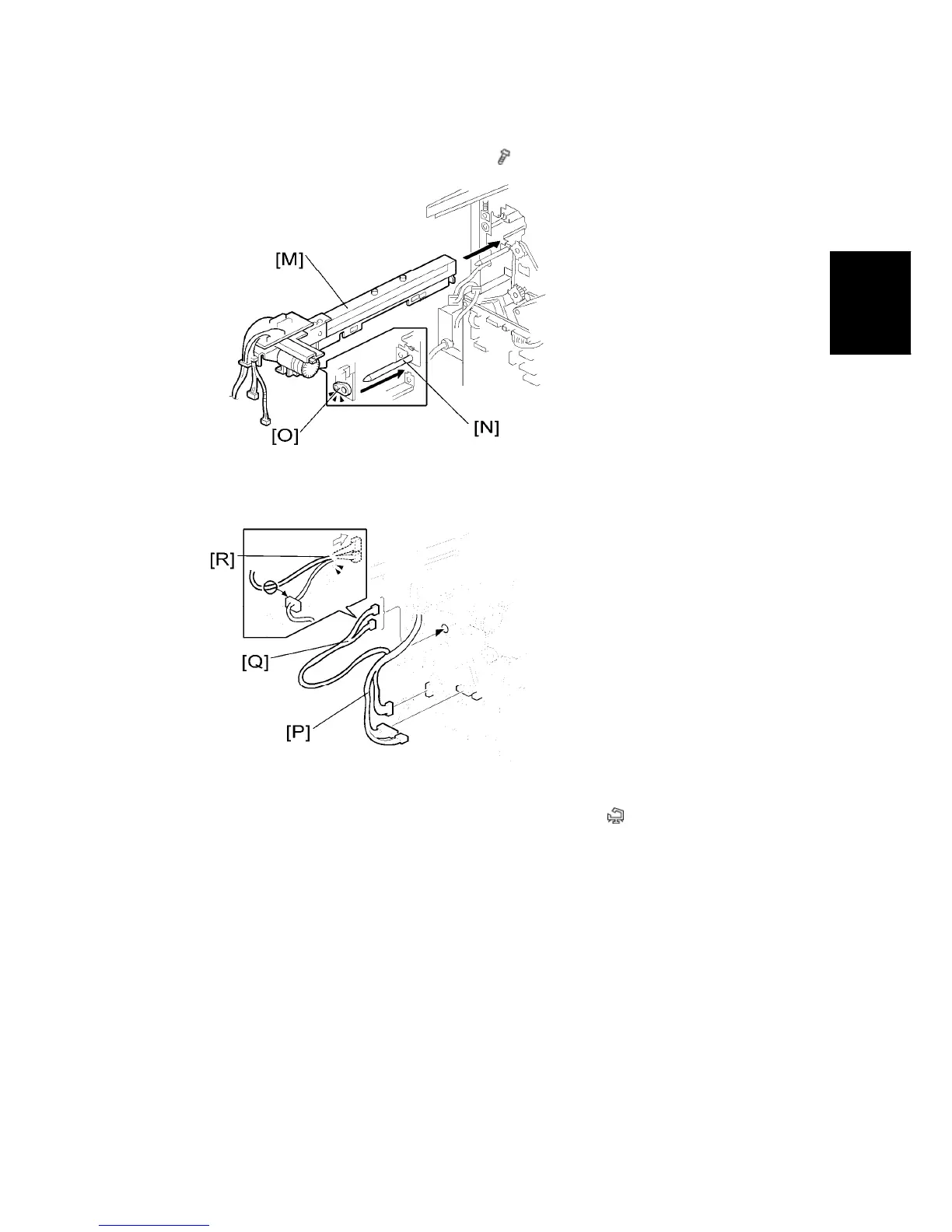
12. Install the punch unit [M] along the punch unit stay from the rear side.
13. Make sure to put the punch unit stay pin [N] through the hole
14. Connect the harnesses [P] to the main PCB.
15. Put the harnesses [Q] through the hole [R] in the rear frame (
x 1).


 To Next Page