RIGOL
User’s Guide for DM3058
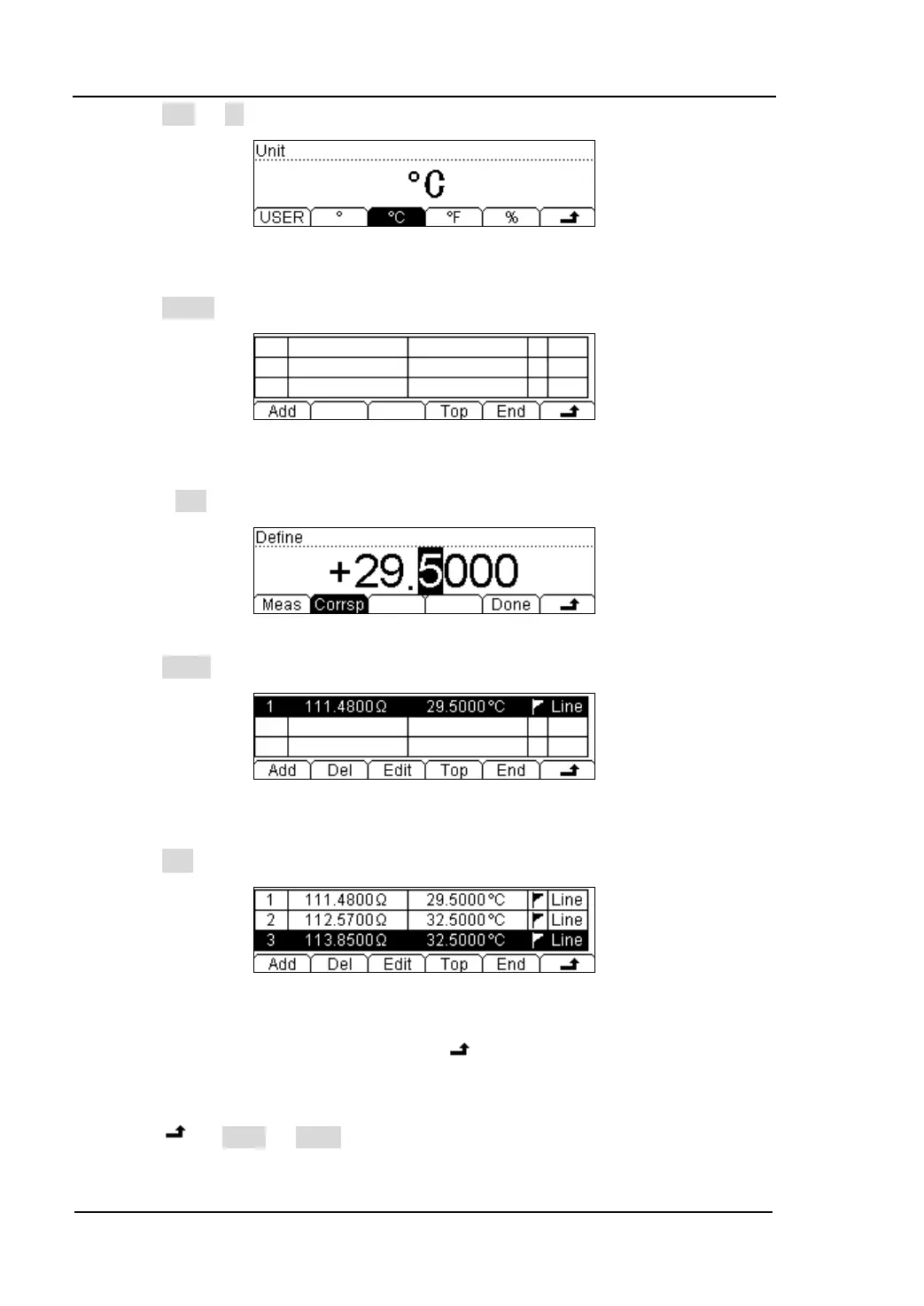
(5) Press Unit ℃, select the unit of the sensor: ℃
Figure 3-35 Edit interface of Unit
(6) Press Define button, the interface shows below:
Figure 3-36 Edit interface of Reference value
(7) Press Add button, input the first group of reference value: 111.480Ω, 29.5℃.
Figure 3-37 Input the first group of reference value
Press Done to get a fist group of reference value.
Figure 3-38 first group of reference value
(8) Press Add button, input the second group of reference value: 112.570Ω、32.5℃
Figure 3-39 Edit interface of reference value
When you finish inputting all the data, press and save all the changes, back to a
higher level menu.
(9) Press Done Apply, save all the data into the local storage, and applies
it immediately.



 To Next Page