09/2016 Page 26 5IN2371 C
System Initialization, Device Allocation, General
System Configuration
For installer programming using the Configuration Software, see its documentation.
Step 1: Working with the Keypad and Installer Menus
Describing Dynamic Keypad Menus
The ProSYS Plus installer menus and user menu are dynamic, in that they display
menu items according to the devices connected in the system.
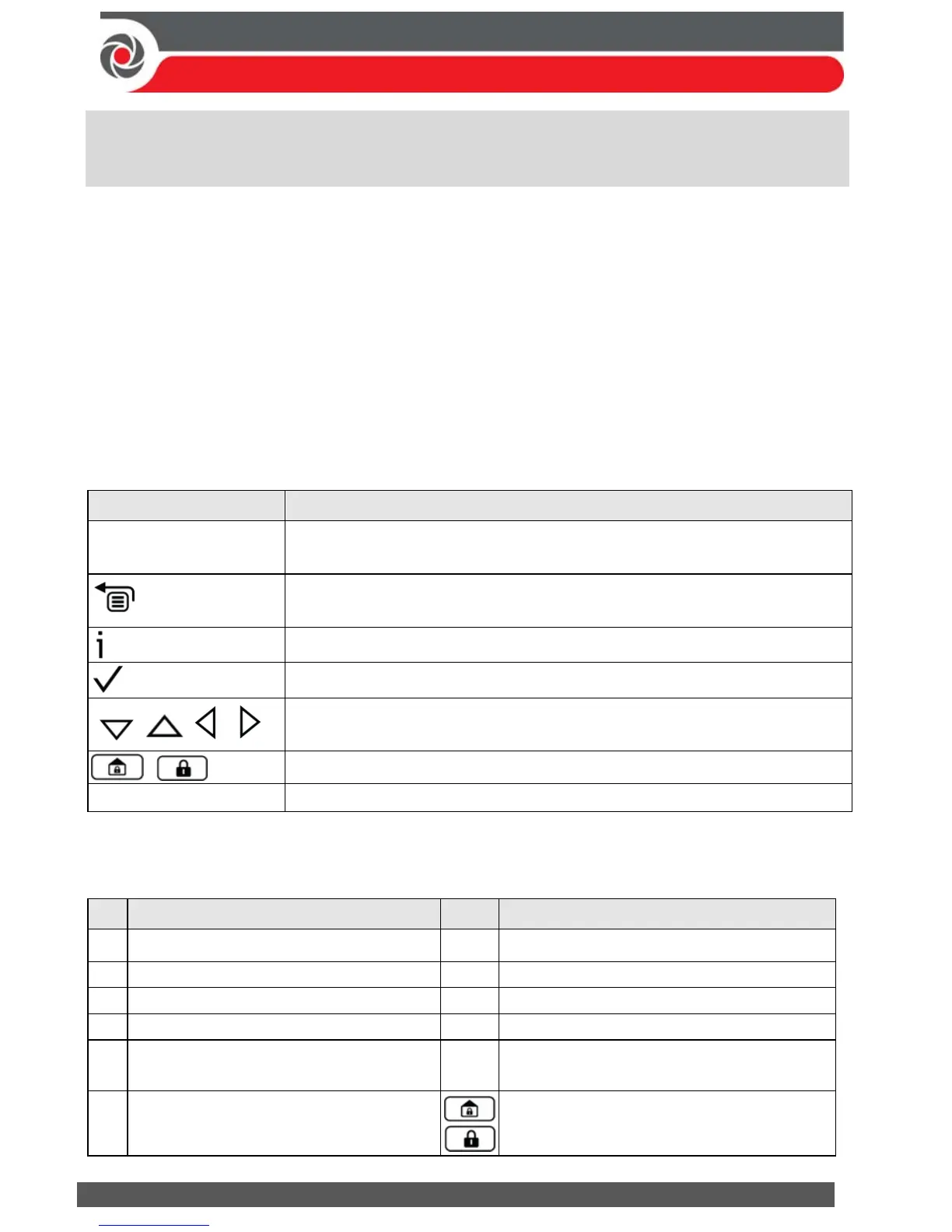
Table of Menu Navigational Keys
The following describes the typical Elegant keypad keys used for programming:
NOTE: Other keypad buttons may differ – see their packaged instructions.
Key Description
1—0
For entering codes, using quick keys (to quickly access a menu
option, labels, and for entering other numeric values.
To go back a step in the menu, to exit a menu or return to the
eginning of a menu.
Long-press to get system status
Confirm (after entering) / OK / Save
For scrolling through menus and menu options, and for toggling,
such as between “ON” and “OFF” options.
To toggle between options
A, B, C, D Used to select a group
Designating Labels
The following table describes all the available characters at the Elegant keypad.
Key Character Options Key Character Options
1 1 . , ‘ ? ! \ “ — < > @ / : _ + * #
7
7 P Q R S
2 2 A B C 8 8 T U V
3 3 D E F 9 9 W X Y Z
4 4 G H I 0 0 (also use for blank space)
5 5 J K L A
To toggle between lower case and
capital letter
6 6 M N O
To scroll through all possible characters,
to toggle through options (Yes/No)



 To Next Page