09/2016 Page 9 5IN2371 C
WARNINGS:
To prevent risk of electric shock, do not apply electrical power to the main panel nor
connect the main panel’s backup battery at any time during installation or servicing.
The panel is not to be powered up until system initialization (Step 2: Powering-Up and
Initializing the System, page 27).
Under no circumstances should a mains power cable be connected to the main
panel/PCB other than to the mains fuse terminal block.
Replace the fuse only with one of the same type and rating (250 V, 3.15 A).
To connect the power supply and ground wiring:
1. Do not connect AC power at this point of the installation.
2. Refer to the box/enclosure instructions.
3. ProSYS Plus is powered by a RISCO-supplied AC/DC adaptor (100-240V,
50/60Hz, 14.4V, 4A) that is pre-installed inside the main panel box/enclosure.
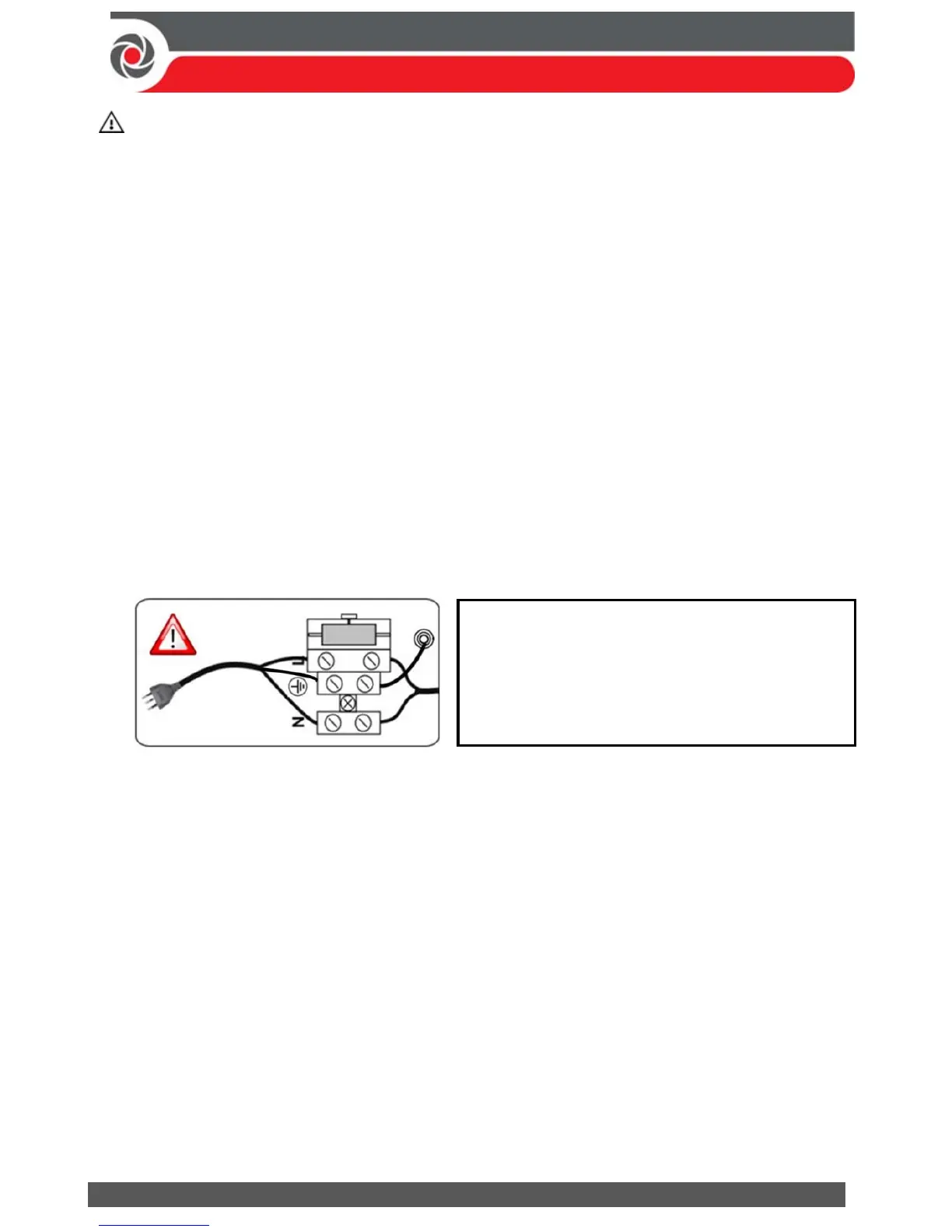
Connection to AC must be permanent and connect through the mains-fuse
terminal block as follows:
IMPORTANT:
For grounding requirements of all system components, see the ProSYS
Plus Installation and Programming Manual.
4. Ensure correct ground wiring as follows:
a. At the center (ground) fuse terminals shown above, ensure that one center
terminal is wired to the box/enclosure. Then wire the power cable’s
ground wire to the other center terminal.
b. A ground wire connects between the box/enclosure and its cover. Refer to
the box/enclosure instructions for details.
5. [For PSTN]: At the terminal block on the main panel PCB, connect the telephone
line to the Line terminals (or PLUG10 jack) and connect the telephone to the Set
terminals (or PLUG9 jack). See Main Panel Wiring Diagram, page 10.
IMPORTANT: Clamp power cable wires to
the box/enclosure housing using plastic ties,
and thread them through the arched tie-down
brackets on the base of the box/enclosure
housing (see box/enclosure instructions).



 To Next Page