AX10 Palletizing Solution
1. In the program tree, tap Robot Program at the very top.
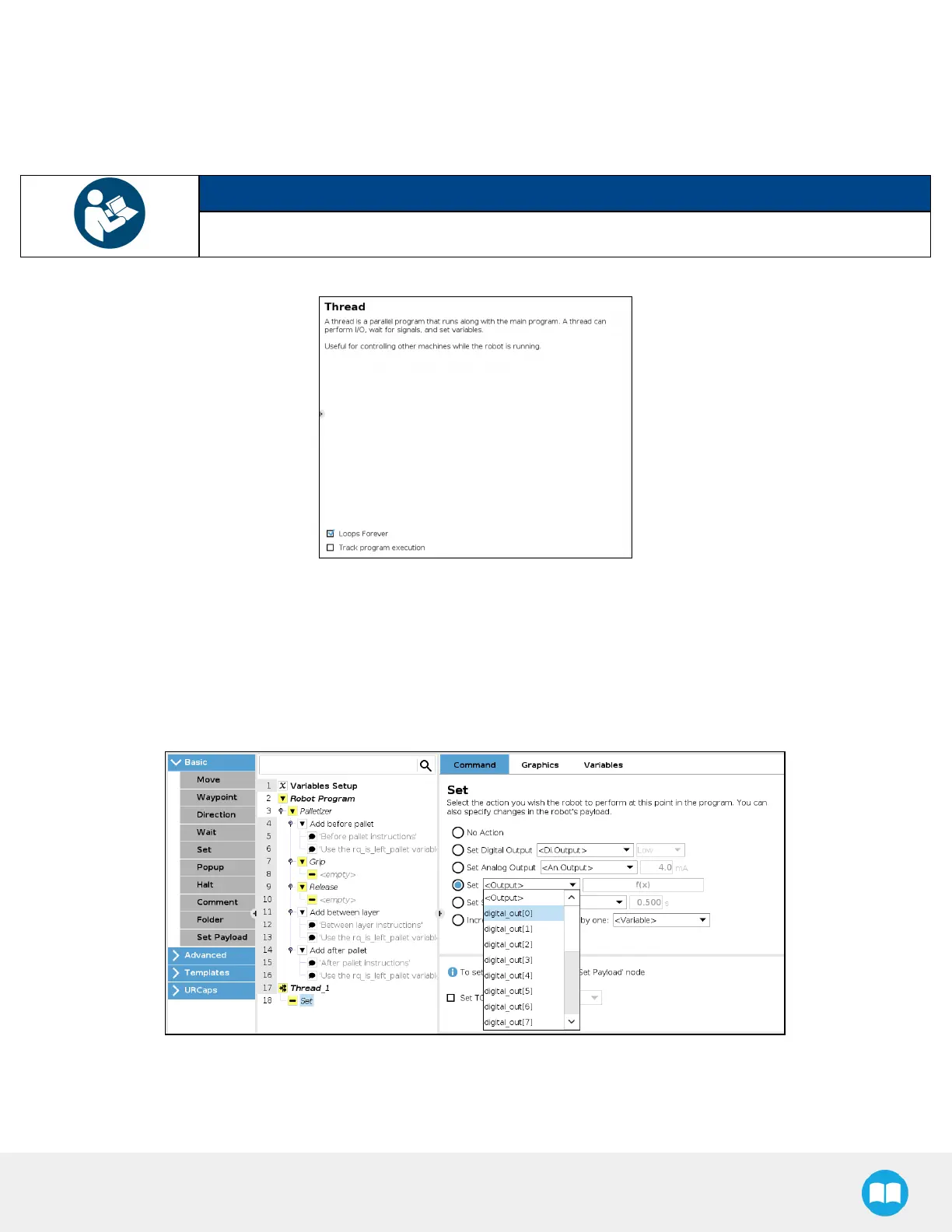
2. Go to Program > Advanced and select Thread.
3. Tickthe Loops Foreverbox at the bottom of the Thread screen (if not already ticked).
NOTICE
Thread nodes display at the end of the program tree; they work in parallel of the main program.
Fig. 5-30: Thread node
4. Insert a child Set node in the Thread parent node (Program > Basic).
5. Select the Set node, then tick the fourth radio button from the top
6. In the dropdown menu, select the digital output that has been connected to a digital input (please refer to the Box Sensor
(Multiple Box Types - Multi-Pick Feature) section if this step has not been completed yet).
Fig. 5-31: Set Node in the Thread Node
7. Tap the f(x) button adjacent to the dropdown menu.
8. In the panel that just opened, expand the Input dropdown menu.



 To Next Page