AX10 Palletizing Solution
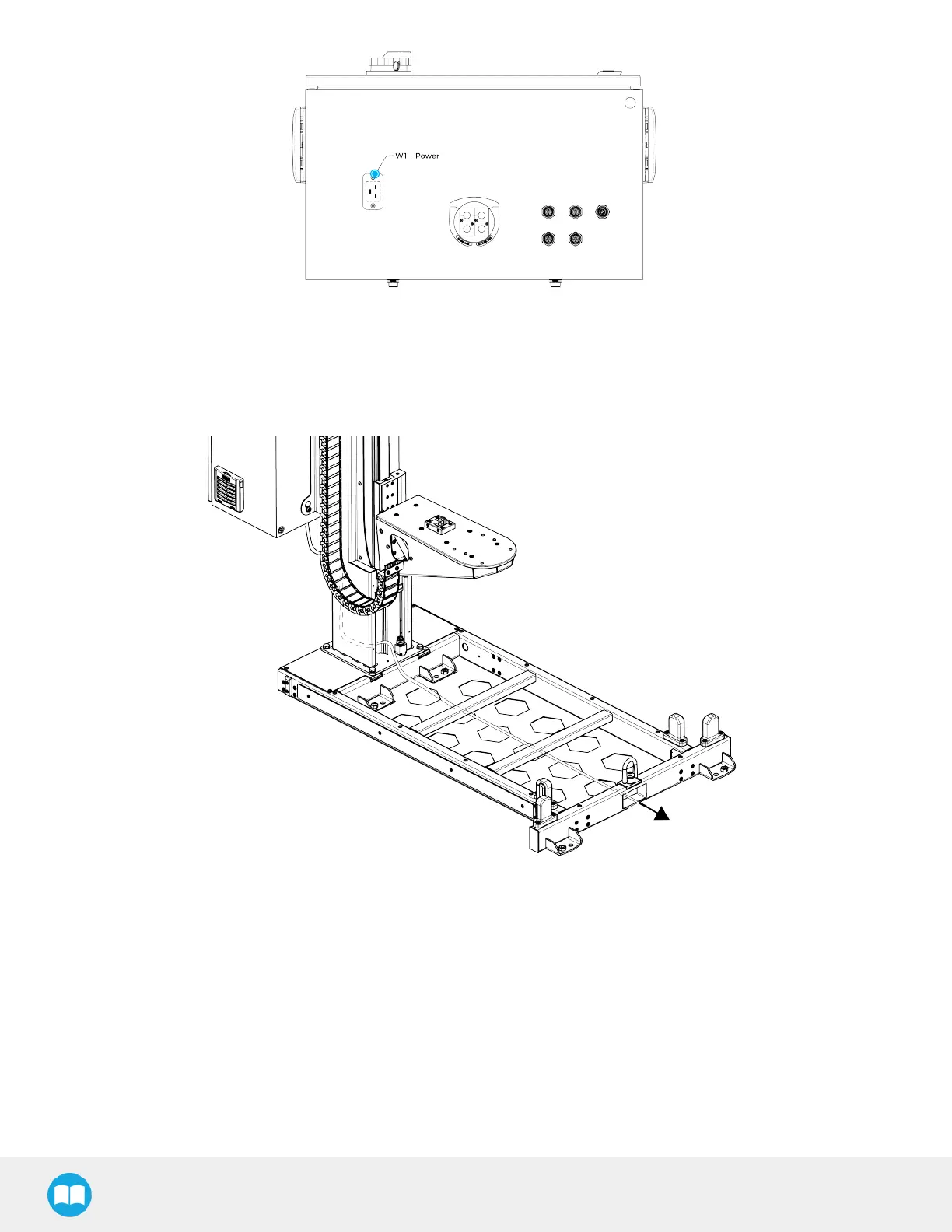
5. Insert the power cable through hole #5.
6. Continue to channel the cable through the column and the base, and bring the cable out from the other end of the base,
through the rectangular hole. Do not connect the power cable to a power source yet.
Inter-Controller Connections
1. Open the UR control box.
2. Connect the USB hub to a USB port.
3. Connect the Copilot license dongle to one of the ports of the USBhub.
4. Connect the USB-to-Ethernet adapter cable to a USB port on the USB hub.
5. Connect the Ethernet cable into the Ethernet socket on top of the linear axis controller.
6. Push the other end of the Ethernet cable through the hole under the UR control box and connect it to the USB-to-Ethernet
adapter cable that is already connected.
42



 To Next Page