AX10 Palletizing Solution
NOTICE
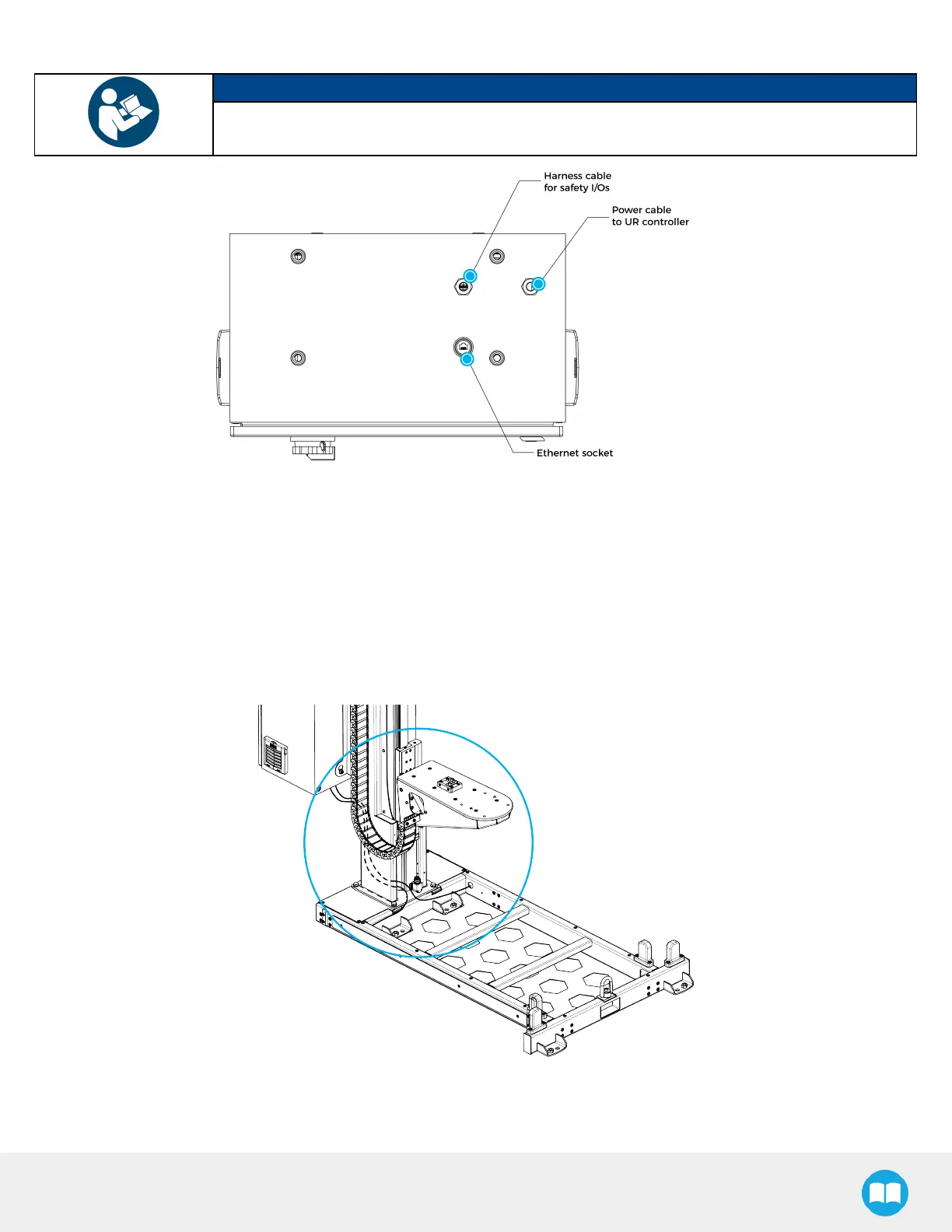
Follow cable management good practices. Drill a hole in the hole plug or use a grommet (not
included).
Fig. 3-3: Linear Axis Controller Cable Summary
Status LEDConnection
Connect both status LEDcables (W70 and W80) to the linear axis controller.
Follow cable labeling and connector identification.
Cable Routing for Pallet Sensors and Palletizer Base
1. Channel the pallet sensor cables (W50 and W60) through the column and pull them out via hole #4.
2. Connect the pallet sensor cables to the linear axis controller. Follow cable labeling and connector identification.
43



 To Next Page