AX10 Palletizing Solution
l
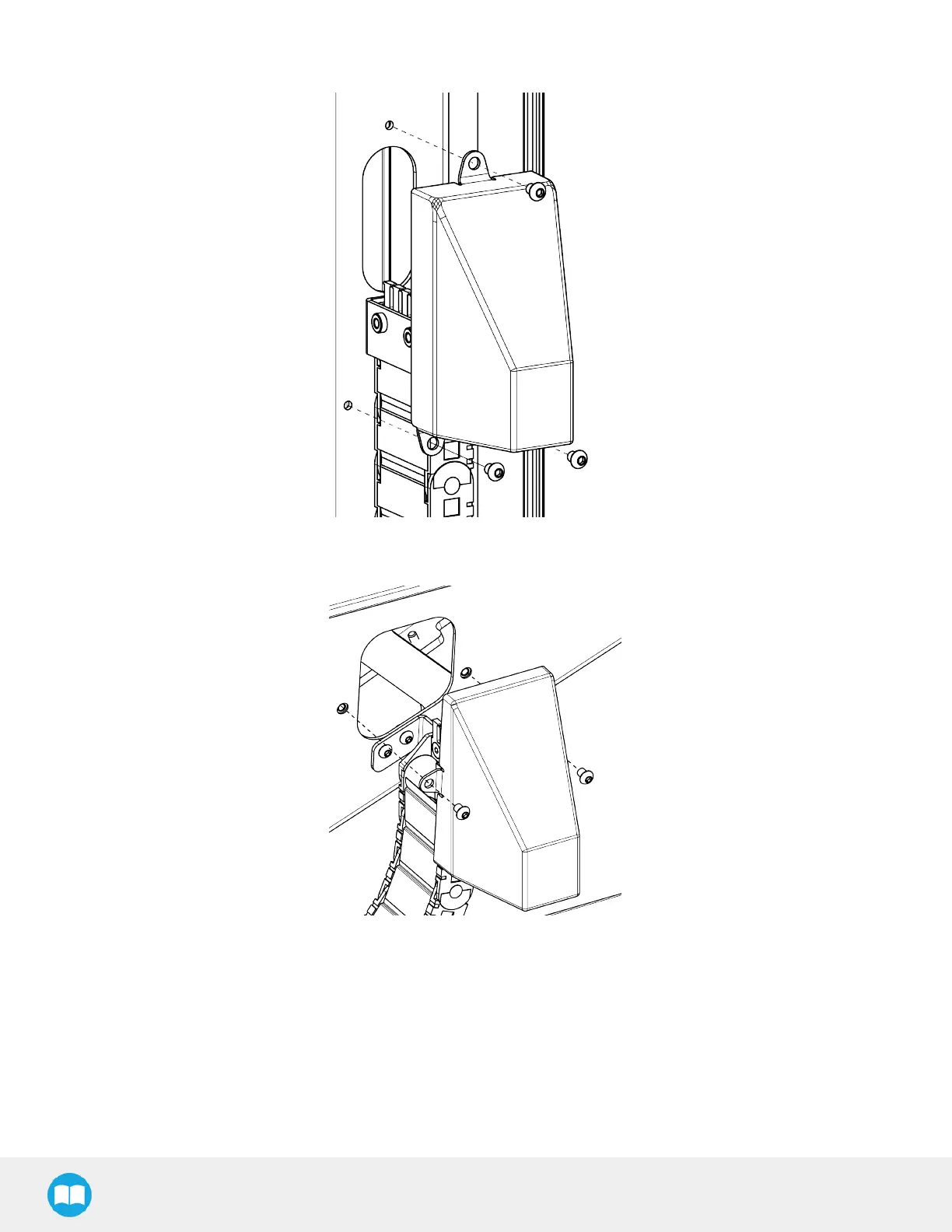
Install the cover on the side of the column with three (3) of the provided screws.
l
Install the cover on the side of the carriage with two (2) of the provided screws.
Box Sensor (Single Box Type)
1. Run the box sensor cable through a hole under the robot control box.
2. Connect the wires to the terminal blocks of the robot control box:
l
Connect the brown wire to a 24 V terminal in a Digital Inputs block
l
Connect the blue wire to a 0 V terminal in a Configurable Outputs block
l
Connect the black wire to a digital input (DI) terminal (e.g. DI4, as shown in the figure below)
58



 To Next Page