AX10 Palletizing Solution
Pallet Menu
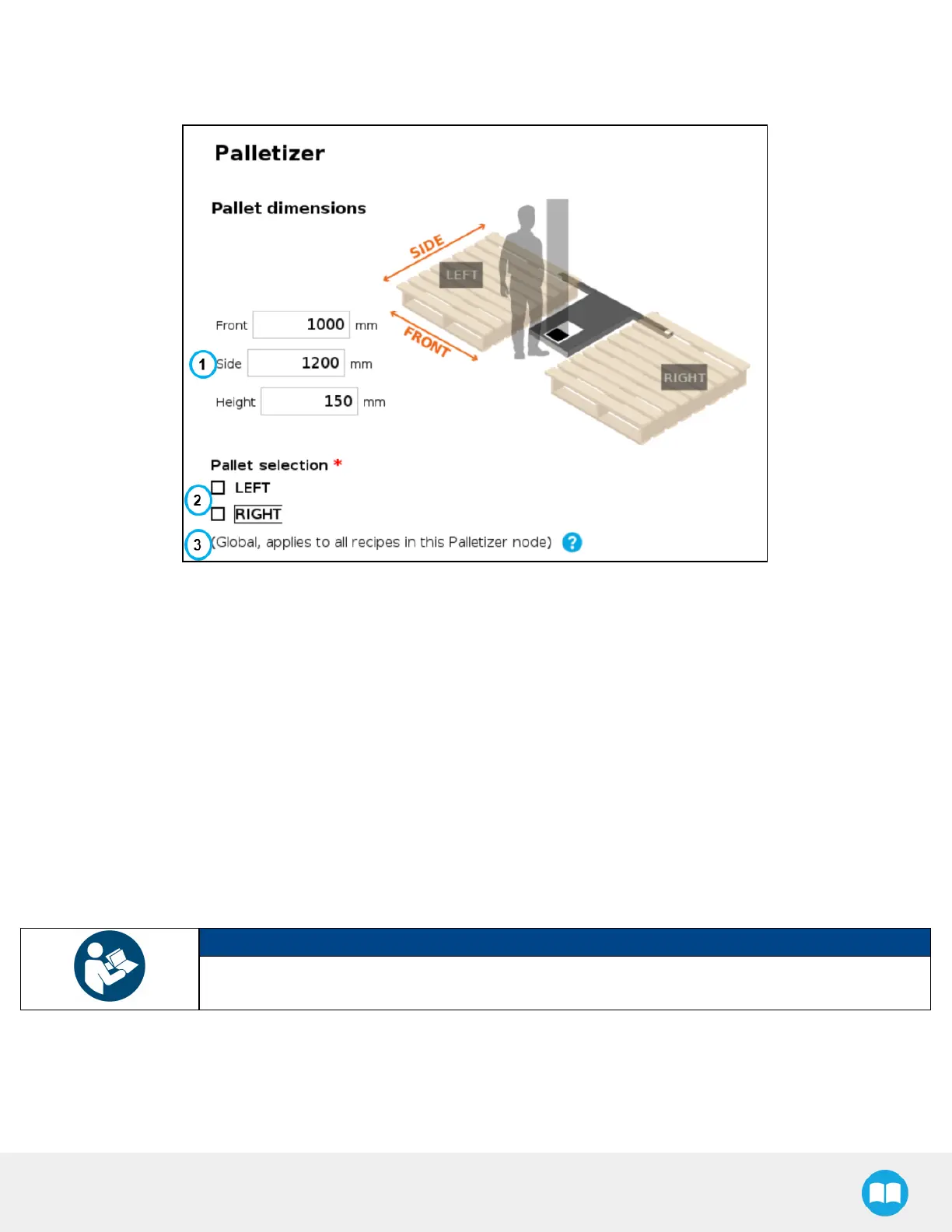
Fig. 5-21: Pallet Menu
1. Pallet dimensions
Refer to the diagram and enter the front, side and height dimensions of the pallet.
2. Pallet selection
Both boxes are unticked by default.
It is the responsibility of the user to select the pallet(s) to process based on the application and layout of the palletizing
cell.
Refer to the diagram and select which pallet (left and/or right) you want to palletize or depalletize. Tick both boxes to
process both the left and right pallets.
NOTICE
Should the user unselect a pallet side (either left or right), that pallet will be ignored by the system (i.e.,
considered as if there was no pallet present, even if a pallet is detected by the pallet sensors.
3. Global callout (multi-recipe only)
If the multi-recipe feature has been enabled in the Settings menu, this callout will be shown.
It informs the user of the fact that the pallet(s) selected will be processed in all recipes of the Palletizer node.
96



 To Next Page