Robotiq Screwdriving Solution - Instruction Manual
l
Once the file isselected, tap the Open button.
l
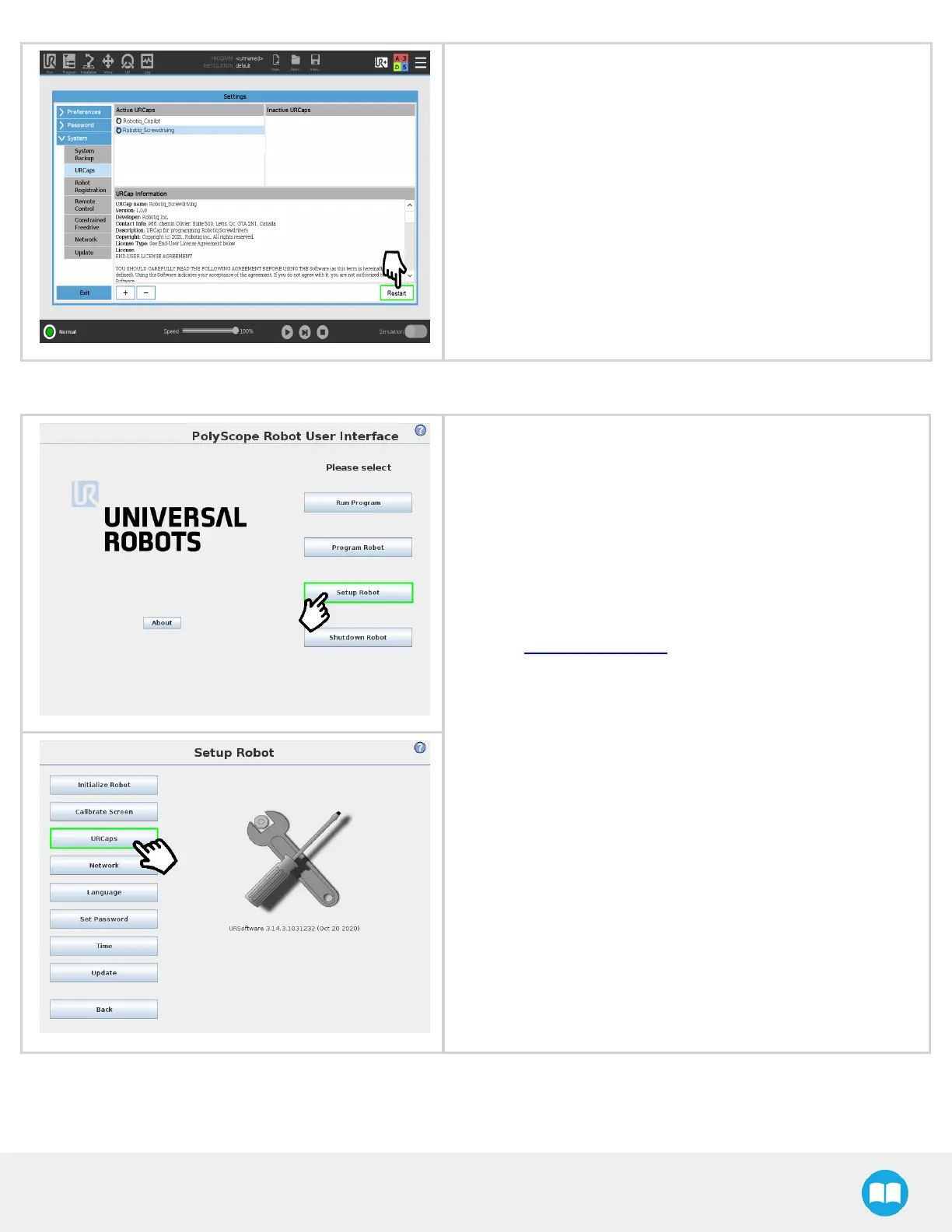
Tap the Restart button to complete the URCap installation. By
doing so, you accept the license agreement that is detailed in the
URCap Information text box (text also available in the License
Agreement section).
On CB-SeriesRobots
l
Make sure that the version of your PolyScope software isup-to-
date and that your Universal Robots controller iscompatible with
the Screwdriving Solution URCap package.
l
Go to support.robotiq.com, and select the Universal Robots
brand.
l
Select Robotiq Screwdriving Solution > Software > Robotiq
URCaps.
l
Download the Screwdriving and Copilot zip files.
l
Extract the files at the root of a blank USB stick.
l
Insert the USB stick in the URteach pendant or controller.
l
On the PolyScope homepage, tap Setup Robot.
l
Tap URCaps.
30



 To Next Page