Robotiq Screwdriving Solution - Instruction Manual
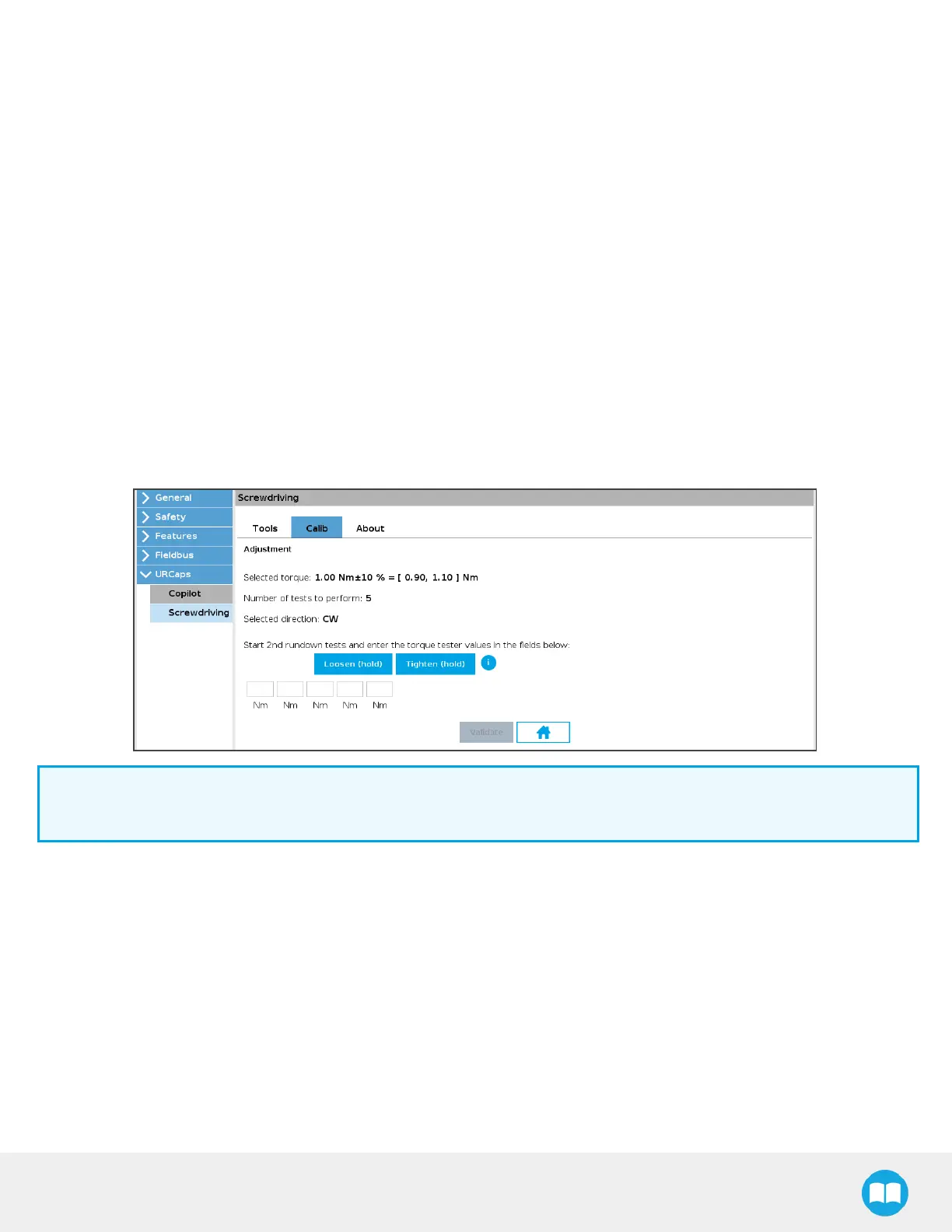
3. Select direction radio buttons
o
Tapping the CW button will instruct the Screwdriver to rotate in the clockwise direction during rundown tests.
o
Tapping the CCW button will instruct the Screwdriver to rotate in the counterclockwise direction during rundown tests.
4. Loosen(hold)button
o
Tap and hold the button to release torque stressapplied on the rundown adapter during rundown tests.
5. Tighten (hold) button
o
Tap and hold the button to apply torque stresson the rundown adapter during rundown tests.
6. Torque valuesread fields
o
Enter valuesdisplayed on the torque tester after each rundown test.
7. Refine button
o
Tap this button to refine the calibration corresponding to the torque value requested.
8. Home button
o
Tap this button to go back to the initial Calib screen.
Info
The refinement interface issimilar to that of the validation, and only displaysif the user requestsa calibration refinement.
52



 To Next Page