Robotiq Screwdriving Solution - Instruction Manual
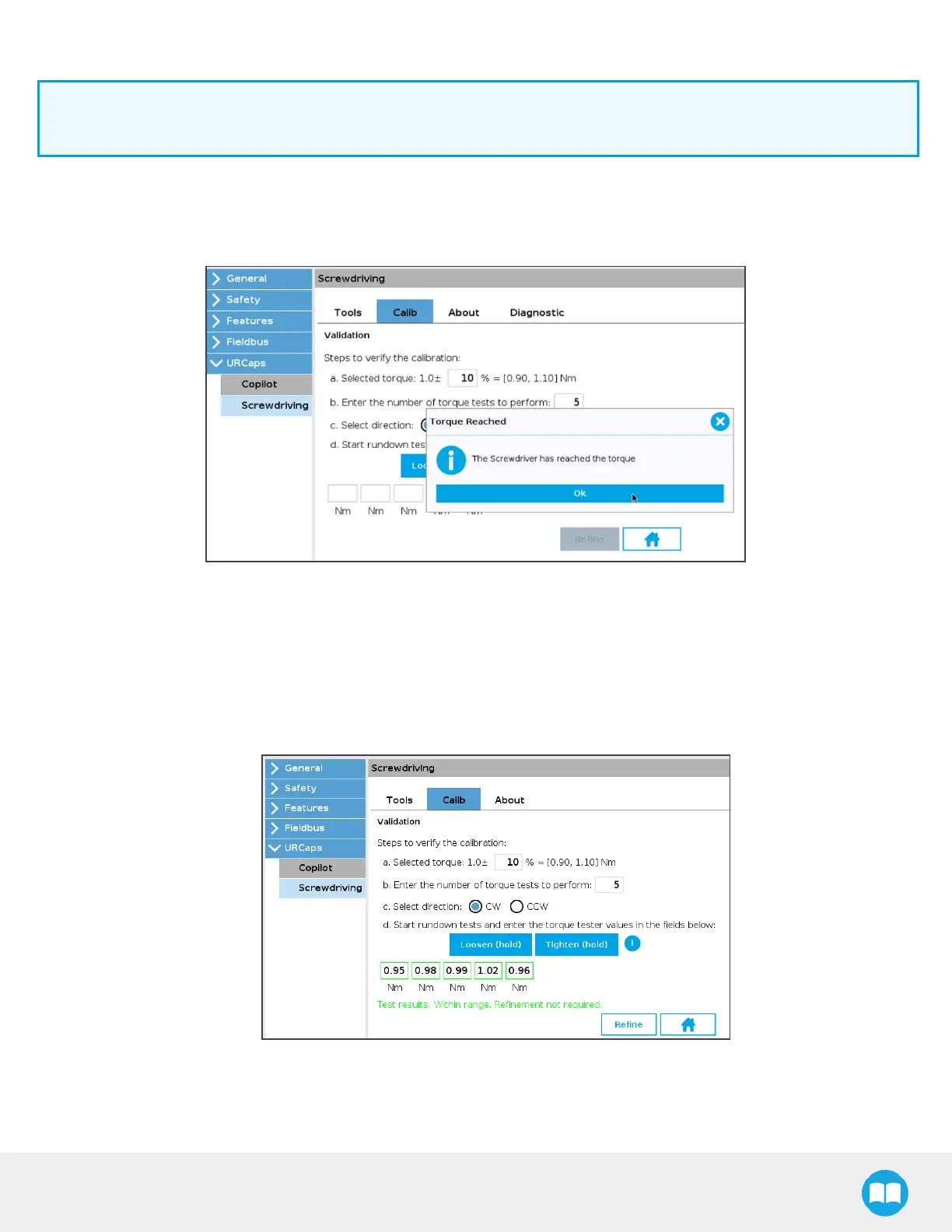
15. Start the Validation rundown tests:
Info
Turn on the ActiveDrive feature and keep it active since you will be guiding the ScrewDriver by hand.
a. Hold the Loosen (hold) button to release any torque stressapplied on the rundown adapter.
b. Hold the Tighten (hold) button until the popup window displays, indicating the requested torque hasbeen
reached.
c. Read the torque value.
d. In the Calib tab of the URCap, enter the value in the first field.
e. Repeat until you have populated all fields in the Calib tab, in accordance with your calibration requirements.
16. The interface will display test results for the concerned torque value:
a. Test results: Within range. Refinement not required.
b. Test results: Out of range. Refinement required.
66



 To Next Page