Robustel R5020 User Guide
RT_UG_R5020_v.1.0.2 Mar. 17, 2023 105/167
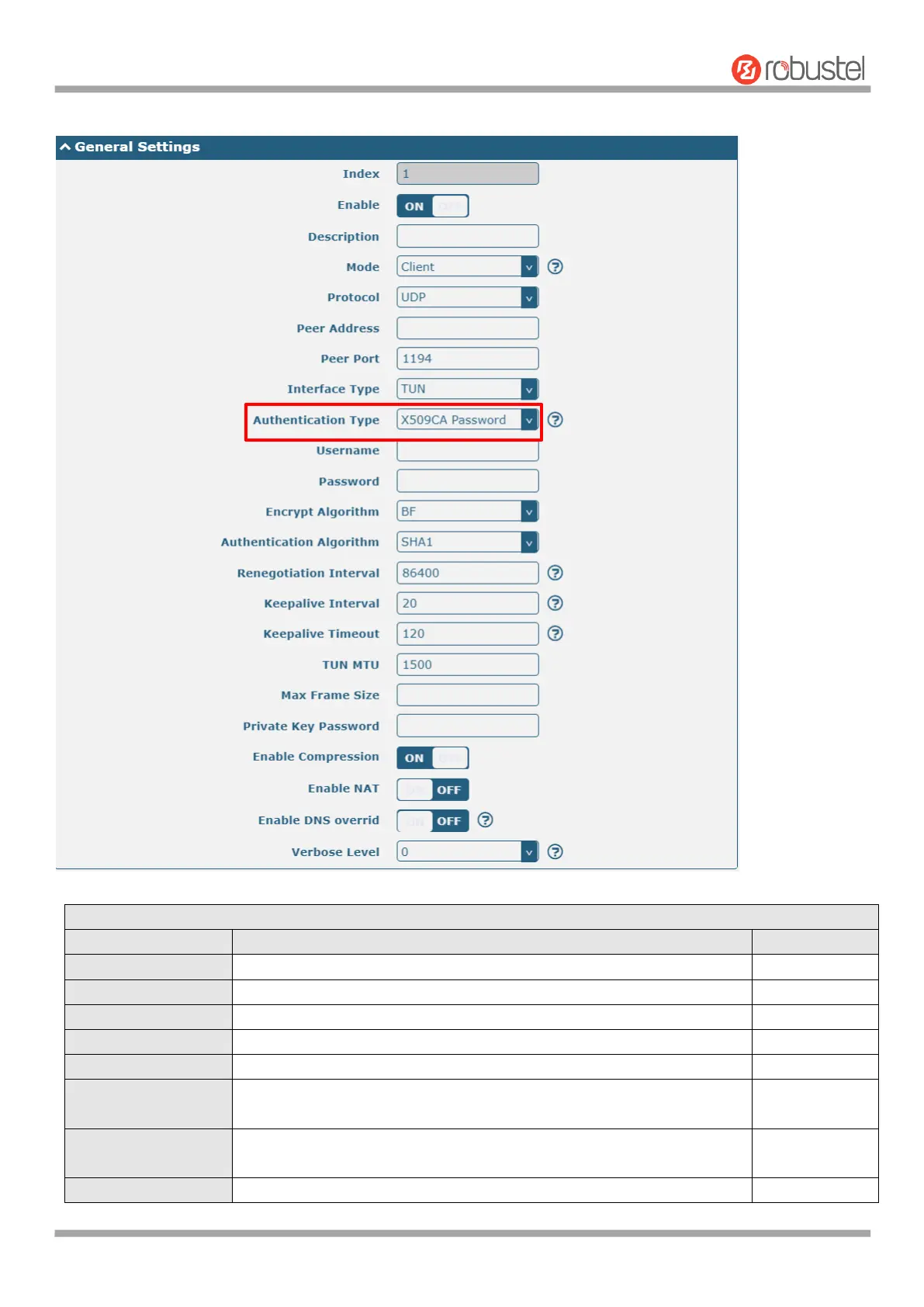
The window displays as follows when "X509CA Pssword" is selected as the authentication type.
General Settings @ OpenVPN
Indicate the ordinal of the list.
Click the toggle button to enable/disable this OpenVPN tunnel.
Enter a description for this OpenVPN tunnel.
Select from “P2P” or “Client”.
Select from “UDP”, “TCP-Client” or “TCP-Server”.
Enter the end-to-end IP address or the domain of the remote OpenVPN
server.
Enter the end-to-end listener port or the listener port of the OpenVPN
server.
Enter the IP address or domain name of this end.


 To Next Page
 Loading...










