Robustel R5020 User Guide
RT_UG_R5020_v.1.0.2 Mar. 17, 2023 37/167
4.2 Interface
4.2.1 Link Manager
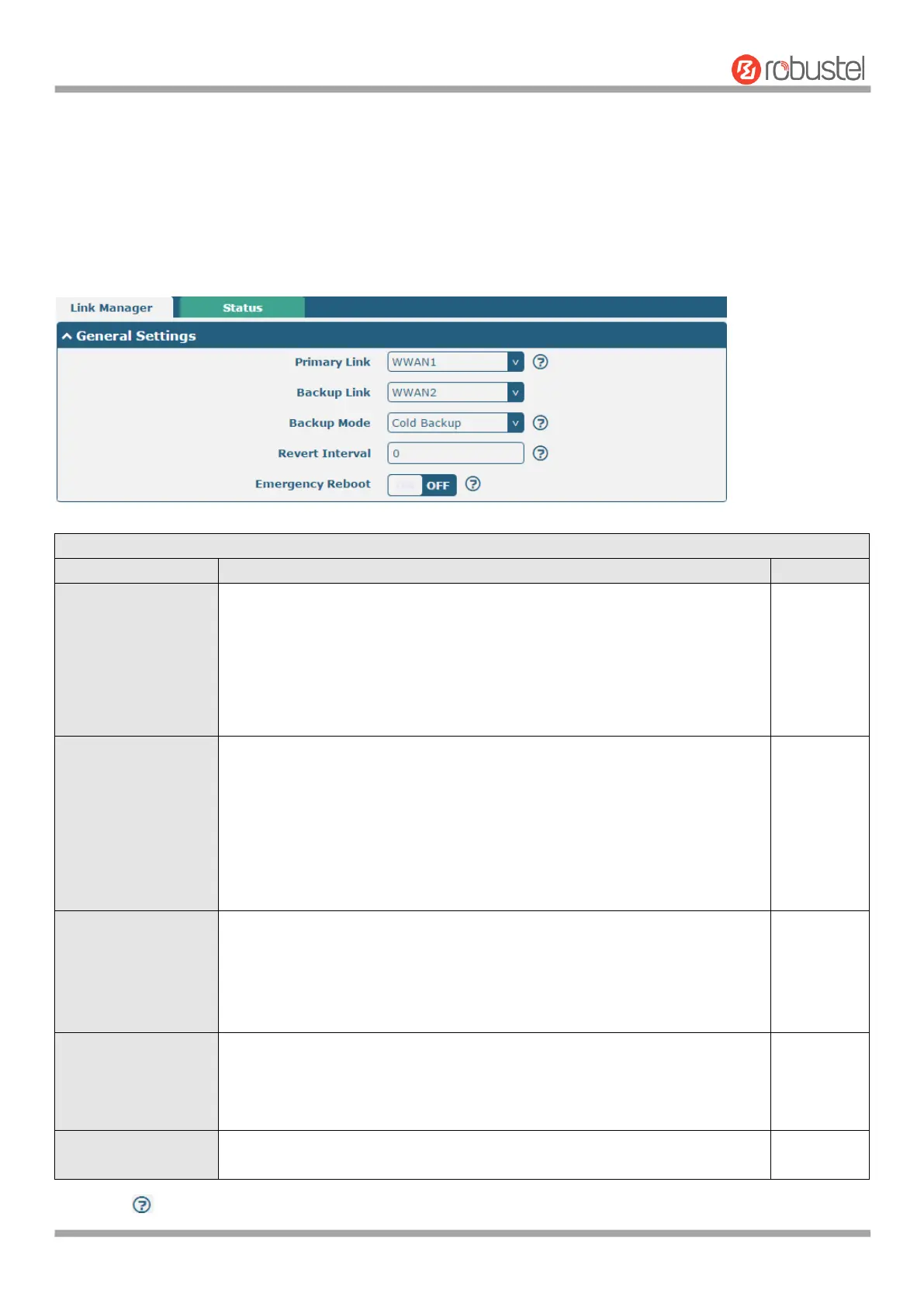
This section allows you to setup the link connection. Link management is a network link backup feature that provides
backup of mobile networks and Ethernet links.
General Settings @ Link Manager
Select from “WWAN1”, “WWAN2”, “WAN” or “WLAN”.
WWAN1: Select SIM1 as the primary wireless link
WWAN2: Select SIM2 as the primary wireless link
WAN: Select WAN as the primary wired link
WLAN: Select WLAN as the primary wireless link
Note: WLAN link is available only if enable WiFi as Client mode, please
refer to 4.2.5 Interface > WiFi (Optional).
Select from “None”, “WWAN1”, “WWAN2”, “WAN”, “WLAN” or “None”.
WWAN1: Select SIM1 as backup wireless link
WWAN2: Select SIM2 as backup wireless link
WAN: Select WAN as the backup wired link
WLAN: Select to make WLAN as the backup wireless link
Note: WLAN link is available only if enable WiFi as Client mode, please
refer to 4.2.5 Interface > WiFi (Optional).
None: Do not select any backup link
Select from “Cold Backup”, “Warm Backup” or “Load Balancing”.
Cold Backup: The inactive link is offline on standby
Warm Backup: The inactive link is online on standby
Note: Warm backup mode is not available for dual SIM backup.
Load Balancing: Use two links simultaneously
Specify the number of minutes that elapses before the primary link is
checked if a backup link is being used in cold backup mode. 0 means disable
checking.
Note: Revert interval is available only under the cold backup mode.
Click the toggle button to enable/disable this option. Enable to reboot the
whole system if no links available.
Note: Click for help.













 To Next Page