Robustel R5020 User Guide
RT_UG_R5020_v.1.0.2 Mar. 17, 2023 137/167
Save as a Rollbackable
Archive
Create a save point manually. Additionally, the system will create a save
point every day automatically if configuration changes.
Configuration Archive Files
Configuration Archive
Files
View the related information about configuration archive files, including
name, size and modification time.
4.5.18 User Management
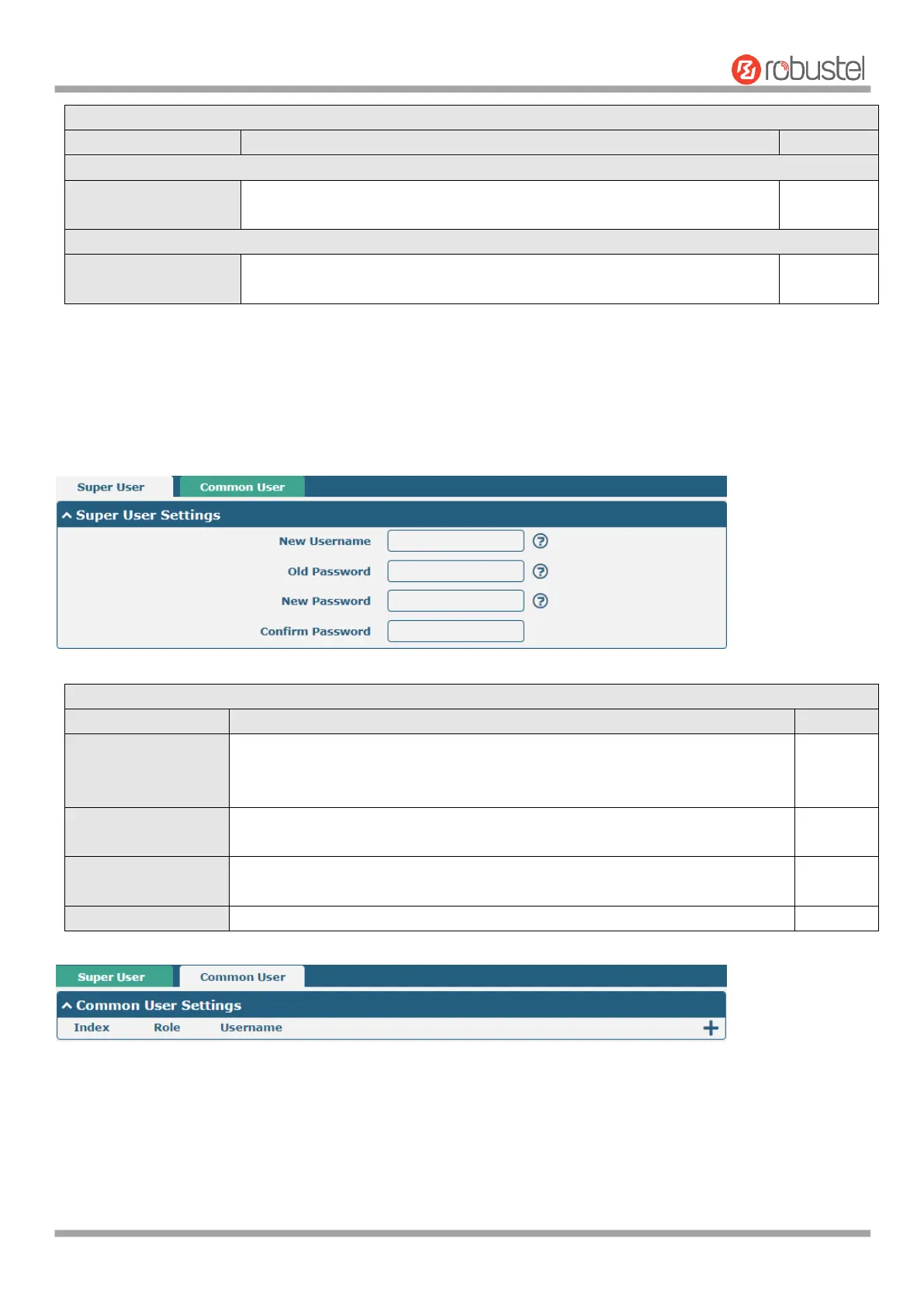
This section allows you to change your username and password, and create or manage user accounts. One router has
only one super user who has the highest authority to modify, add and manage other common users.
Enter a new username you want to create, If you do not want to change
username, leave it blank. 5-32 characters, valid characters: a-z, A-Z, 0-9, @, #,
$, ., *, !, -
Enter the old password of your router. The default is “admin”,5-32 characters,
valid characters: a-z, A-Z, 0-9, @, #, $, ., *, !, -
Enter a new password you want to create, 5-32 characters, valid characters: a-
z, A-Z, 0-9, @, #, $, ., *, !, -
Enter the new password again to confirm.













 To Next Page