Robustel R5020 User Guide
RT_UG_R5020_v.1.0.2 Mar. 17, 2023 49/167
4.2.2 LAN
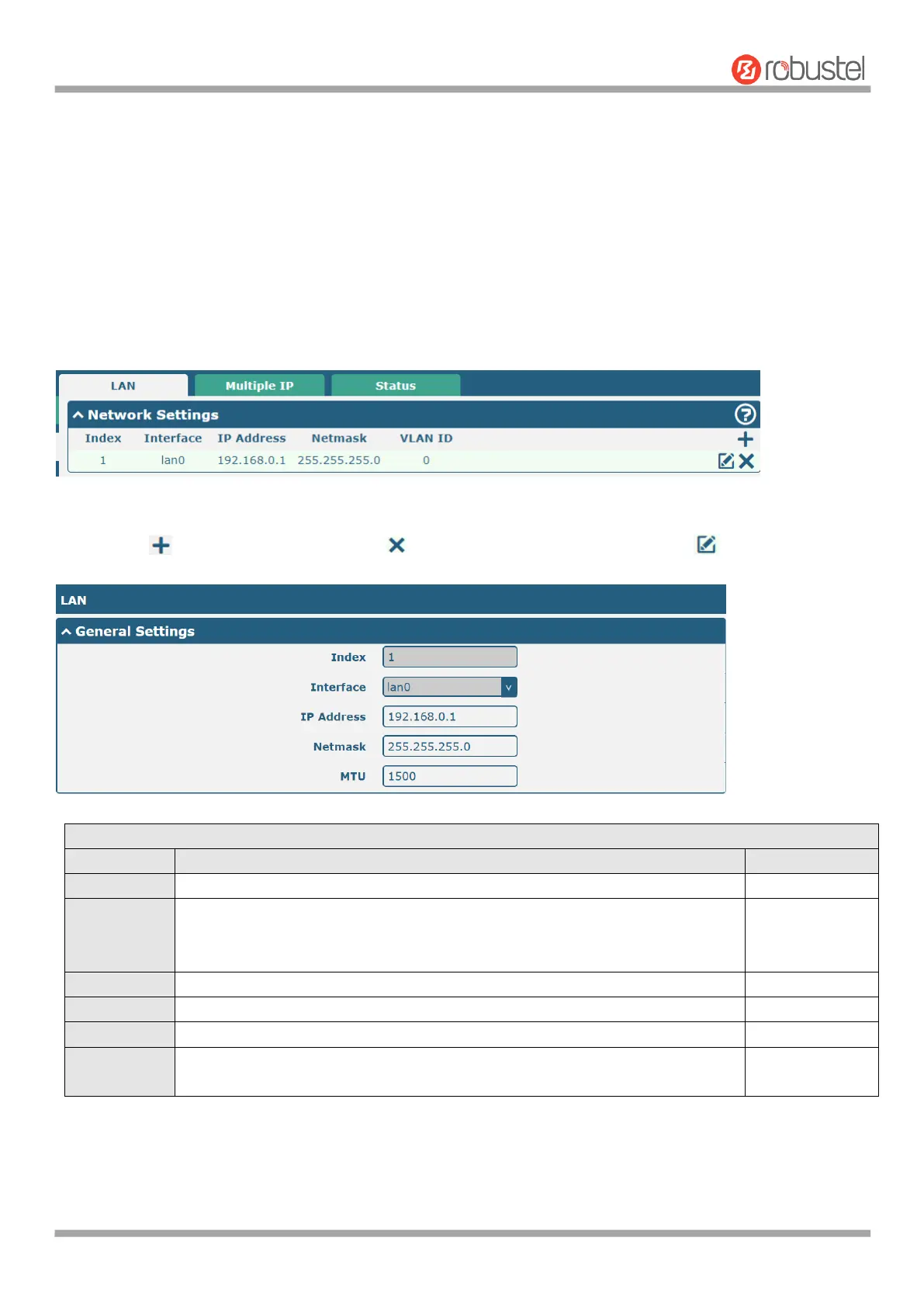
This section allows you to set the related parameters for LAN port. There are four LAN ports on R5020 Router,
including ETH0, ETH1, ETH2 and ETH3. ETH0 is wan by default and is not selectable. The ETH1, ETH2 and ETH3 can
freely choose from lan0, lan1 and lan2, but at least one LAN port must be assigned as lan0. The default settings of
ETH0, ETH1, ETH2 and ETH3 are lan0 and their default IP are 192.168.0.1/255.255.255.0.
LAN
Note: Lan0 cannot be deleted.
You may click to add a new LAN port, or click to delete the current LAN port. Now, click to edit the
configuration of the LAN port.
Indicate the ordinal of the list.
Show the editing port.
Note: Lan1 is available only if it was selected by one of ETH1~ETH3 in
Ethernet > Ports > Port Settings.
Set the IP address of the LAN port.
Set the Netmask of the LAN port.
Enter the Maximum Transmission Unit.
Enter the VLAN ID corresponding to the lan interface to divide the eth interface
in the same lan into the same vlan.













 To Next Page