Robustel R5020 User Guide
RT_UG_R5020_v.1.0.2 Mar. 17, 2023 52/167
Indicate the ordinal of the list.
Show the editing port, read only.
Set the multiple IP address of the LAN port.
Set the multiple Netmask of the LAN port.
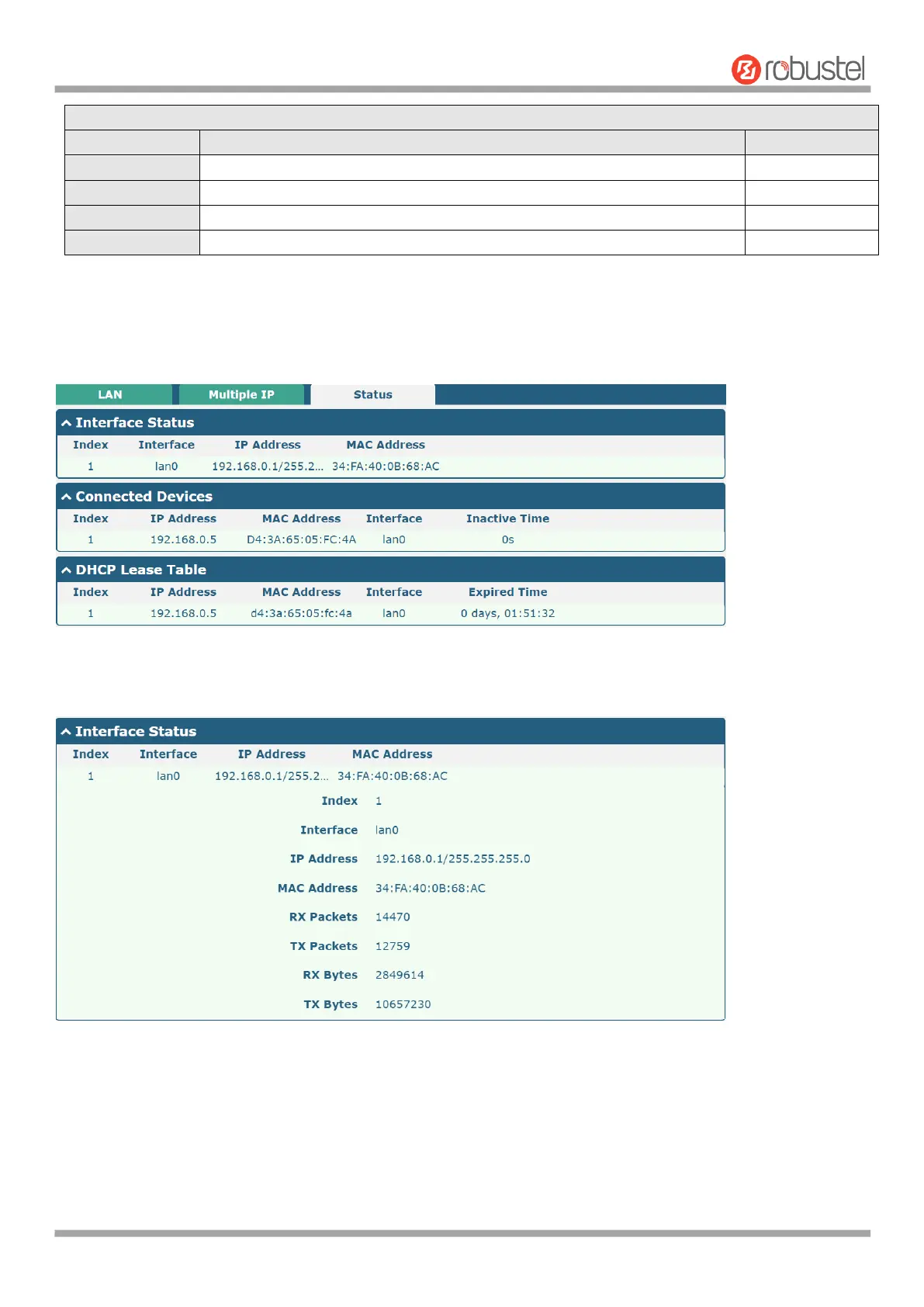
Status
This section allows you to view the status of LAN connection.
Click the row of status, the details status information will be display under the row. Please refer to the screenshot
below.
4.2.3 Ethernet
This section allows you to set the related parameters for Ethernet. There are four Ethernet ports on R5020 Router,
including ETH0, ETH1, ETH2 and ETH3. The ETH0 on the router can be configured as a WAN port, while ETH1, ETH2
and ETH3 can only be configured as a LAN port. By default, ETH1, ETH2 and ETH3 are lan0, and their IP are













 To Next Page