Robustel R5020 User Guide
RT_UG_R5020_v.1.0.2 Mar. 17, 2023 53/167
192.168.0.1/255.255.255.0.
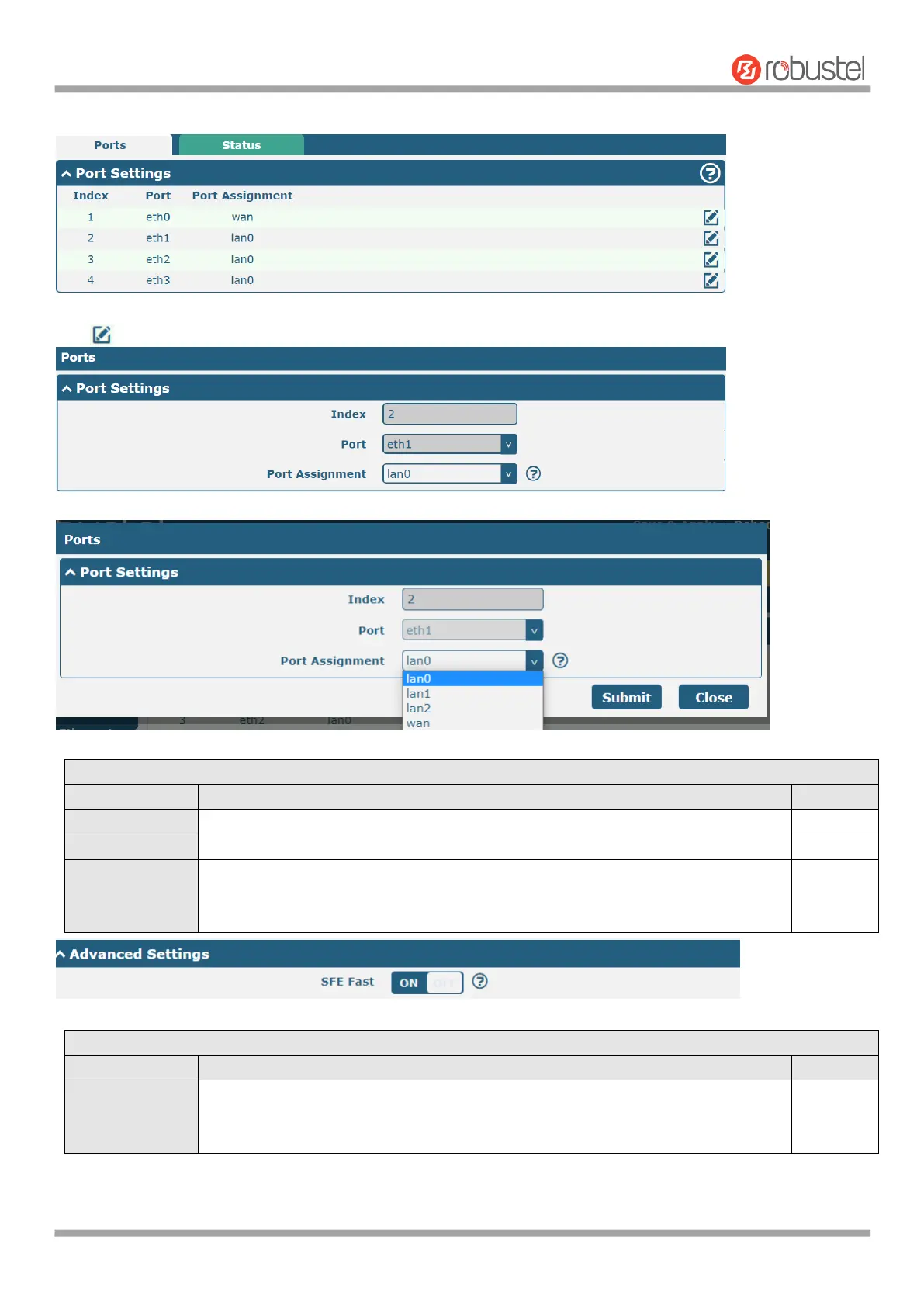
Click button of eth1 to configure its parameters. Modify the network port parameters in the pop-up port window.
Indicate the ordinal of the list.
Show the editing port, read only.
Select the type of network port, WAN port or LAN port. When set it as LAN port in
"Interface > LAN > LAN > Network Settings > General Setting", can select lan0 or
lan1 or lan2 from the drop-down box.
Enabling SFE Fast improves the throughput of the Ethernet or cellular module, but
affects the QoS function. If you need to use QoS APP, you need to turn off the SFE
Fast function.













 To Next Page