Robustel R5020 User Guide
RT_UG_R5020_v.1.0.2 Mar. 17, 2023 135/167
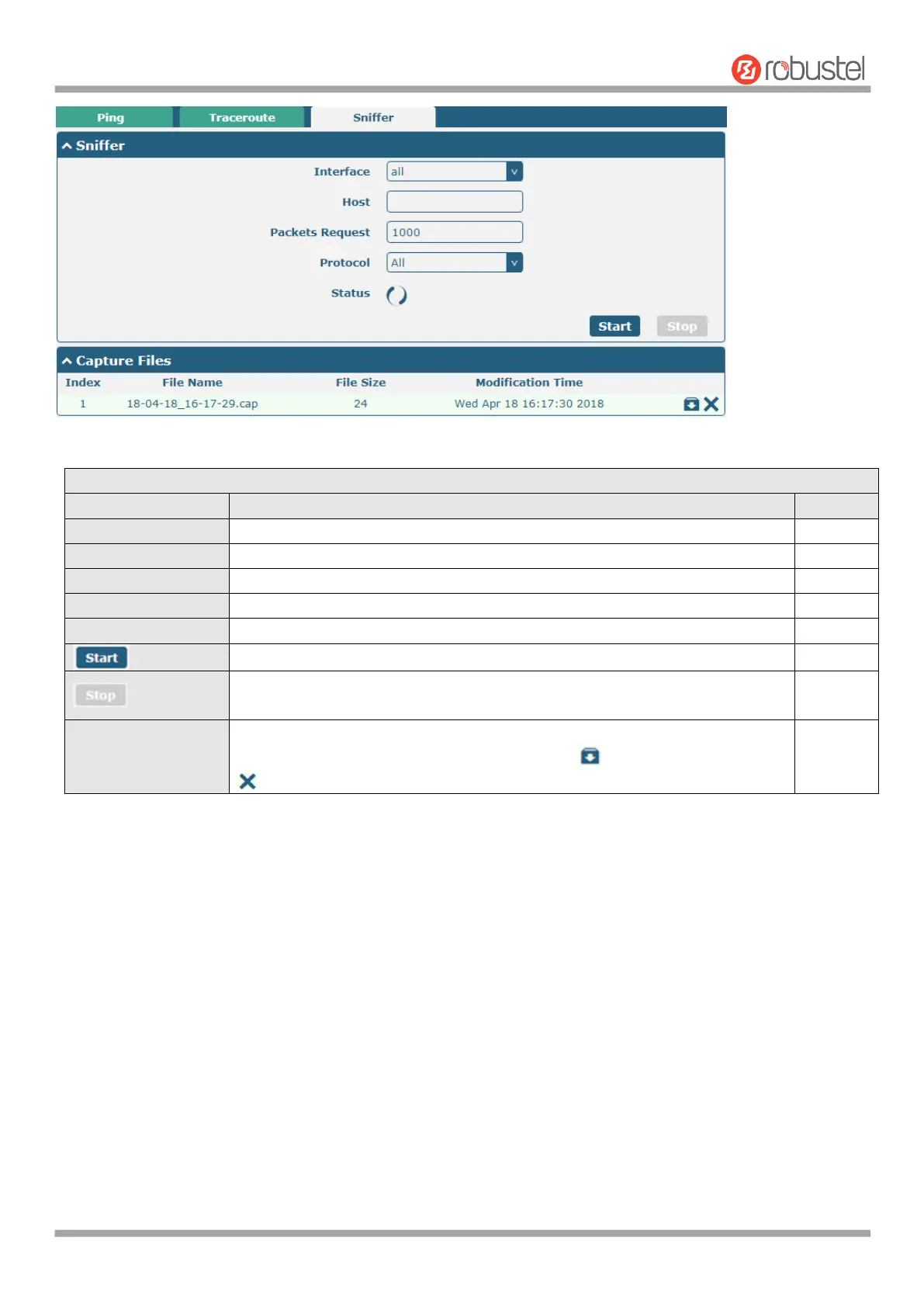
Choose the interface according to your Ethernet configuration.
Filter the packet that contain the specify IP address.
Set the packet number that the router can sniffer at a time.
Select from “All”, “IP”, “TCP”, “UDP” and “ARP”.
Show the current status of sniffer.
Click this button to start the sniffer.
Click this button to stop the sniffer. Once you click this button, a new log file
will be displayed in the following List.
Every times of sniffer log will be saved automatically as a new file. You can find
the file from this Sniffer Traffic Data List and click to download the log, click
to delete the log file. It can cache a maximum of 5 files.
4.5.17 Profile
This section allows you to import or export the configuration file, and restore the router to factory default setting.













 To Next Page