Robustel R5020 User Guide
RT_UG_R5020_v.1.0.2 Mar. 17, 2023 17/167
Note: You can choose the display type of USR LED. For more details, please refer to Service > Advanced > System >System
Settings > User LED Type.
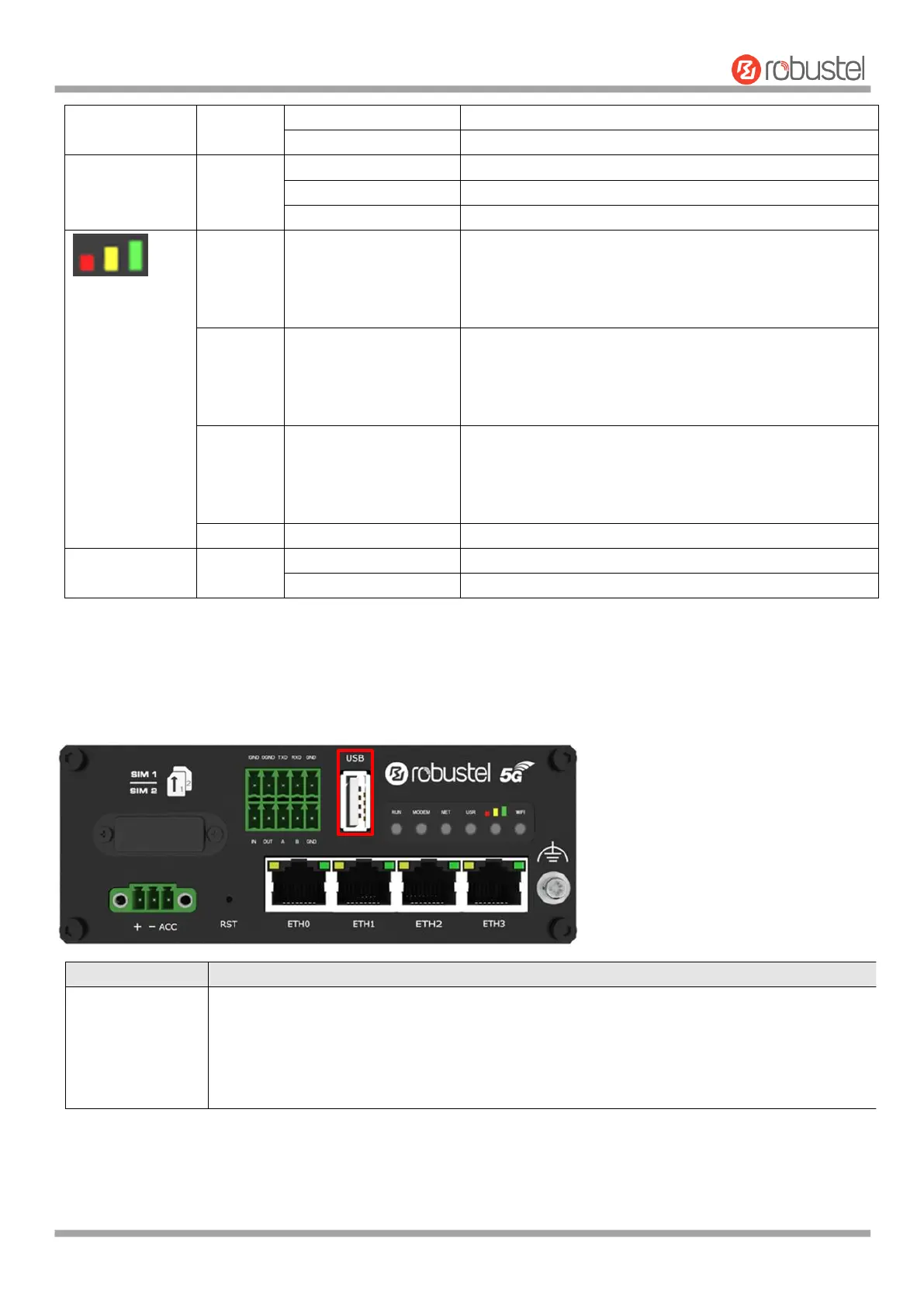
2.4 USB Interface
IPsec connection is established
IPsec connection is not established
Main SIM card is being used
Backup SIM card is being used
No SIM card is being used
5G network: Reference Signal Received Power greater
than -86 dBm (Strong signal)
Non-5G network: Received Signal Strength Indication
greater than -73 dBm (Strong signal)
5G network: Reference Signal Received Power -105 to -86
dBm (Moderate signal)
Non-5G network: Received Signal Strength Indication -91 to
-73 dBm (Moderate signal)
5G network: Reference Signal Received Power -140 to -106
dBm (Weak signal)
Non-5G network: Received Signal Strength Indication -111
to -93dBm (Weak signal)
WiFi is enabled and working properly
WiFi is disabled or not working properly
USB interface is used for batch firmware upgrading, but cannot be used for sending or
receiving data from slave devices which connected to it. You can insert a USB storage device
into the router’s USB interface, such as a U disk or a hard disk. If there have a supported
configuration file or a router firmware in this USB storage device, the router will automatically
update the configuration file or the firmware. For more details, see 4.2.6 USB.













 To Next Page