Robustel R5020 User Guide
RT_UG_R5020_v.1.0.2 Mar. 17, 2023 109/167
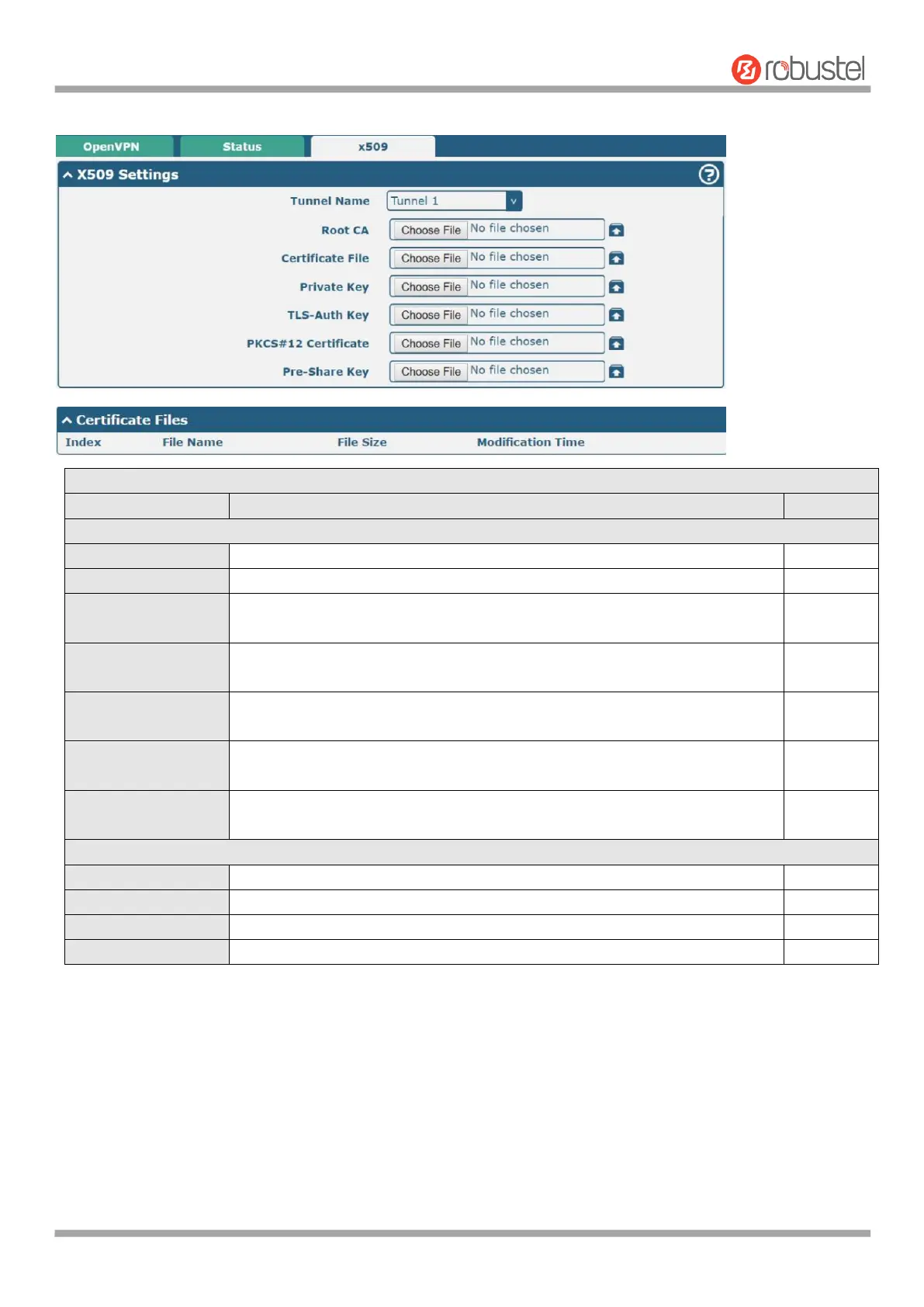
User can upload the X509 certificates for the OpenVPN in this section.
Set for the selected tunnel.
Click on “Choose File” to locate the root ca file, and then import this file into
your router.
Click on “Choose File” to locate the certificate file, and then import this file
into your router.
Click on “Choose File” to locate the private key file, and then import this file
into your router.
Click on “Choose File” to locate the tls-auth key file, and then import this file
into your router.
Click on “Choose File” to locate the pkcs#12 certificate file, and then import
this file into your router.
Indicate the ordinal of the list.
Show the imported certificate’s name.
Show the size of the certificate file.
Show the timestamp of that the last time to modify the certificate file.
4.4.3 GRE
This section allows you to set the GRE and the related parameters. GRE (Generic Routing Encapsulation) specifies
how one network protocol can be used to encapsulate another. There are two main uses of the GRE protocol: intra-
enterprise protocol encapsulation and private address encapsulation.













 To Next Page