Robustel R5020 User Guide
RT_UG_R5020_v.1.0.2 Mar. 17, 2023 83/167
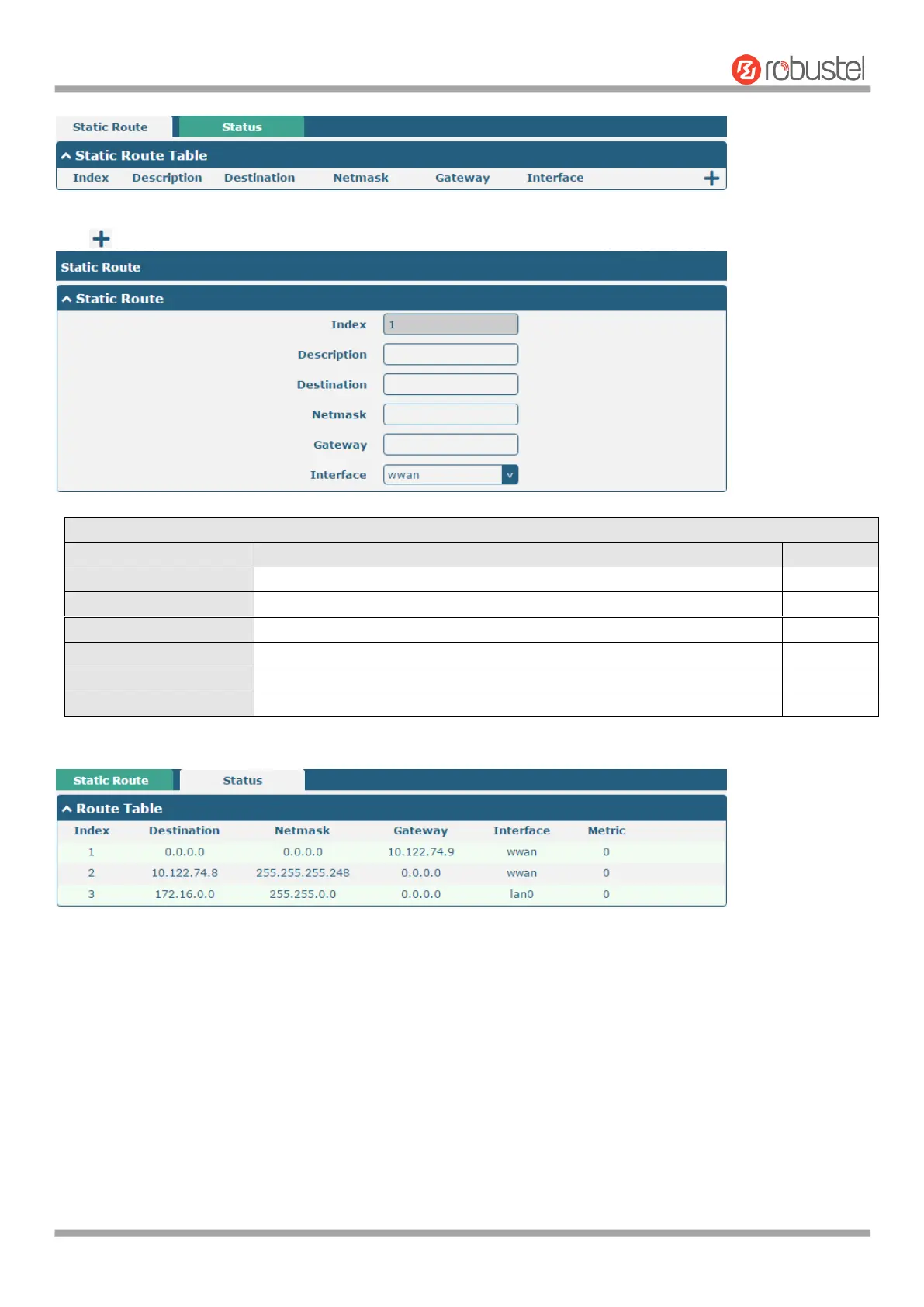
Click to add static route. The maximum count is 20.
Indicate the ordinal of the list.
Enter a description for this route.
Enter the IP address of destination host or destination network.
Enter the Netmask of destination host or destination network.
Define the router of the destination.
Choose the corresponding port of the link that you want to configure.
This window allows you to view the status of route.
4.3.2 Firewall
This section is used to set firewall parameters, including setting access control and adding filtering rules. Filtering
rules allow users to customize to accept or discard specified access sources and filter their IP addresses or MAC
addresses.
Click Network > Firewall > Filtering to display the following.













 To Next Page