Robustel R5020 User Guide
RT_UG_R5020_v.1.0.2 Mar. 17, 2023 115/167
RAM: Random-access memory
NVM: Non-Volatile Memory
Event will be filtered according to the Filter Message that the user set. Click the
“ ” button, the filtered event will be displayed in the follow box. Use “&” to
separate more than one filter message, such as message1&message2.
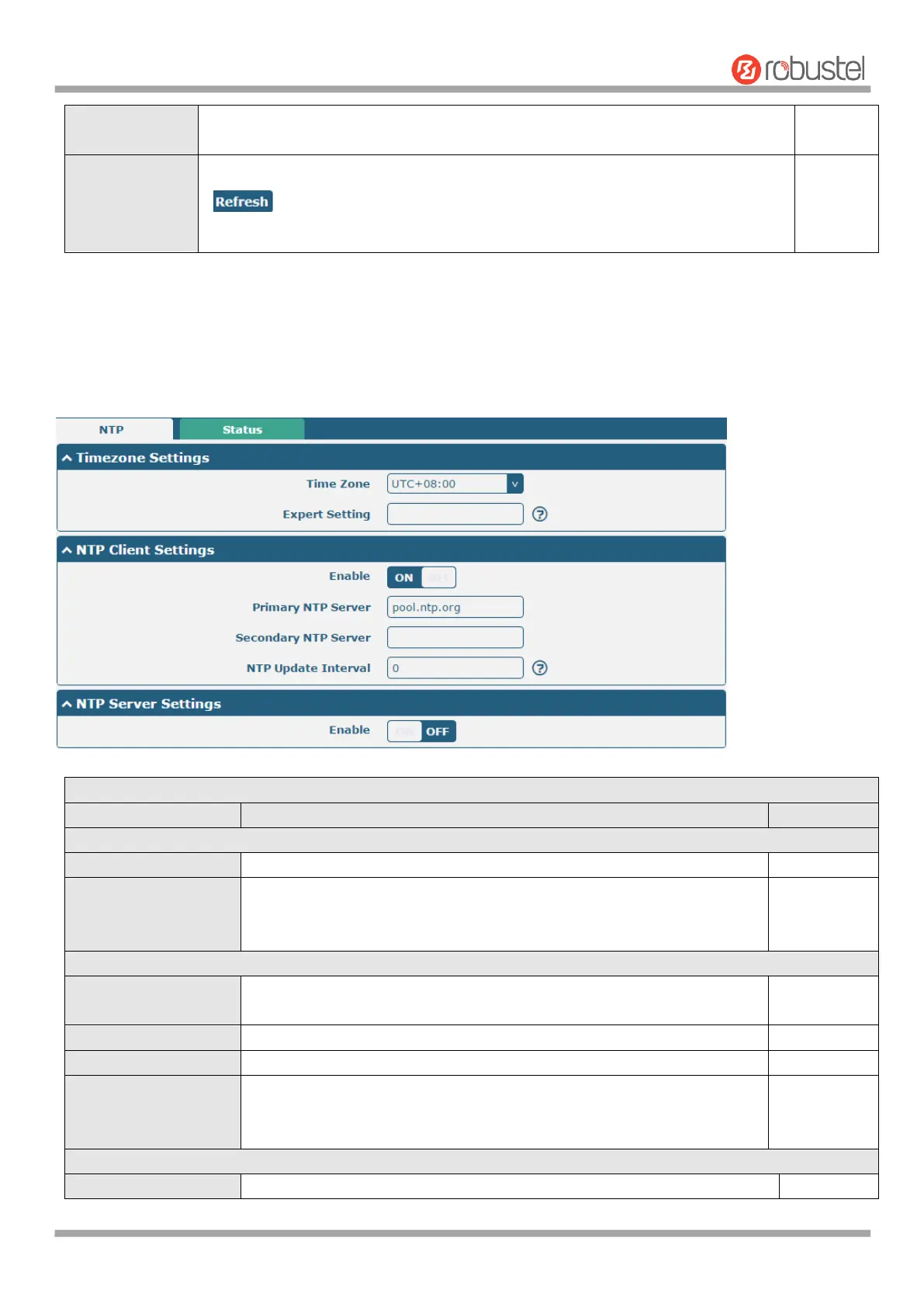
4.5.3 NTP
This section allows you to set the related NTP (Network Time Protocol) parameters.
Click the drop down list to select the time zone you are in.
Specify the time zone with Daylight Saving Time in TZ environment
variable format. The Time Zone option will be ignored in this case. Not
support setting special characters, such as” ~ ”.
Click the toggle button to enable/disable this option. Enable to
synchronize time with the NTP server.
Enter primary NTP Server’s IP address or domain name.
Enter secondary NTP Server’s IP address or domain name.
Enter the interval (minutes) which NTP client synchronize the time from
NTP server. Minutes wait for next update, and 0 means update only
once.
Click the toggle button to enable the NTP server option.













 To Next Page