Robustel R5020 User Guide
RT_UG_R5020_v.1.0.2 Mar. 17, 2023 111/167
4.5 Services
4.5.1 Syslog
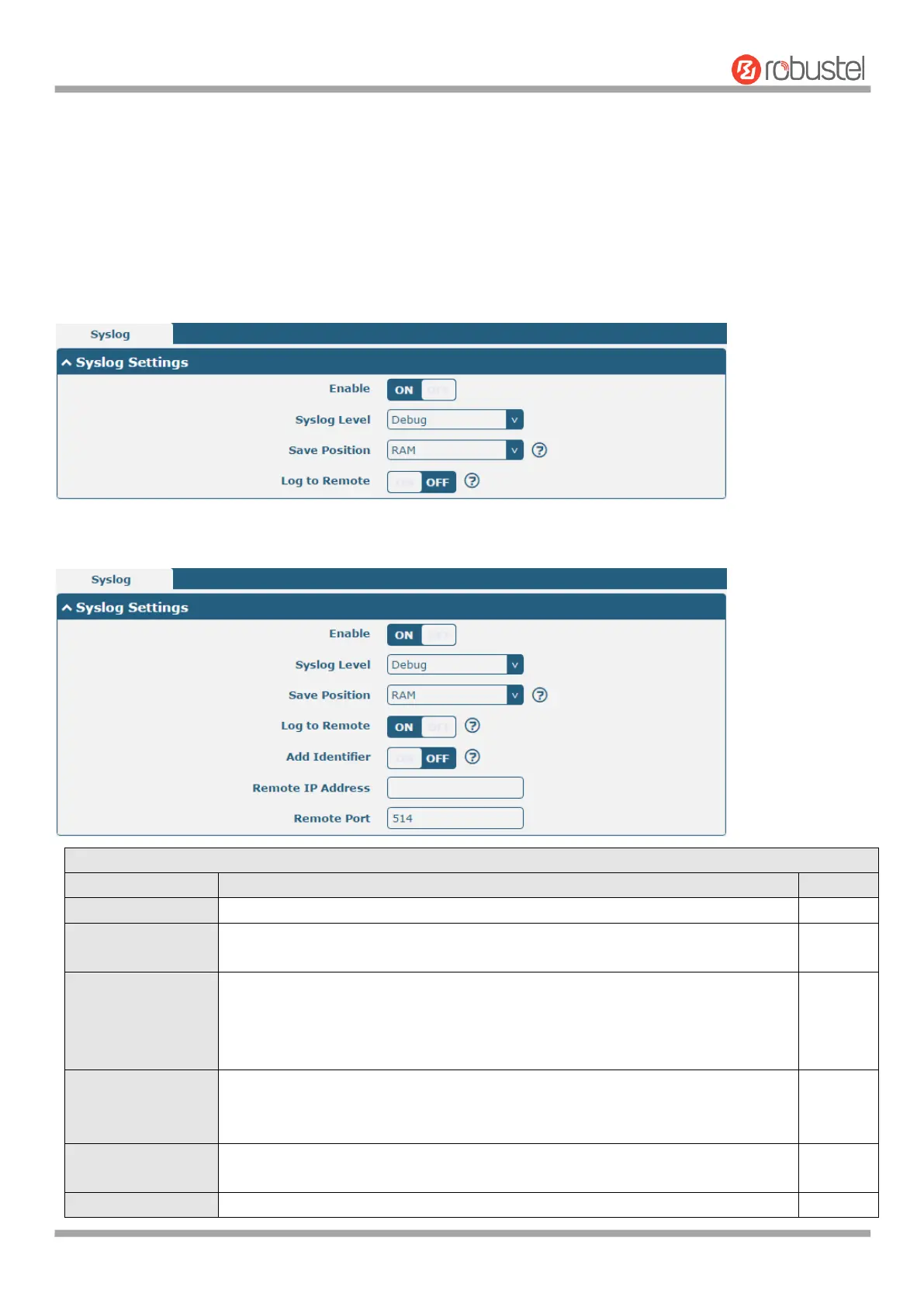
This section allows you to set the syslog parameters. And its "Log to Remote" is disabled by default. The system log
can be saved locally, and sending the system log to the remote log server is supported, as well as the debugging of
specified applications.
The window is displayed as below when enabling the “Log to Remote” option.
Click the toggle button to enable/disable the Syslog settings option.
Select from “Debug”, “Info”, “Notice”, “Warning” or “Error”, which from low to
high. The lower level will output more syslog in detail.
Select the save position from “RAM”, “NVM” or “Console”. Choose “RAM”, the
data will be cleared after reboot.
Note: It's not recommended that saving syslog to NVM (Non-Volatile Memory)
for a long time.
Click the toggle button to enable/disable this option. Enable to allow router
sending syslog to the remote syslog server. You need to enter the IP and Port of
the syslog server.
Click the toggle button to enable/disable this option. When enabled, you can add
serial number to syslog message which used for loading Syslog to RobustLink.
Enter the IP address of syslog server when enabling the “Log to Remote” option.













 To Next Page