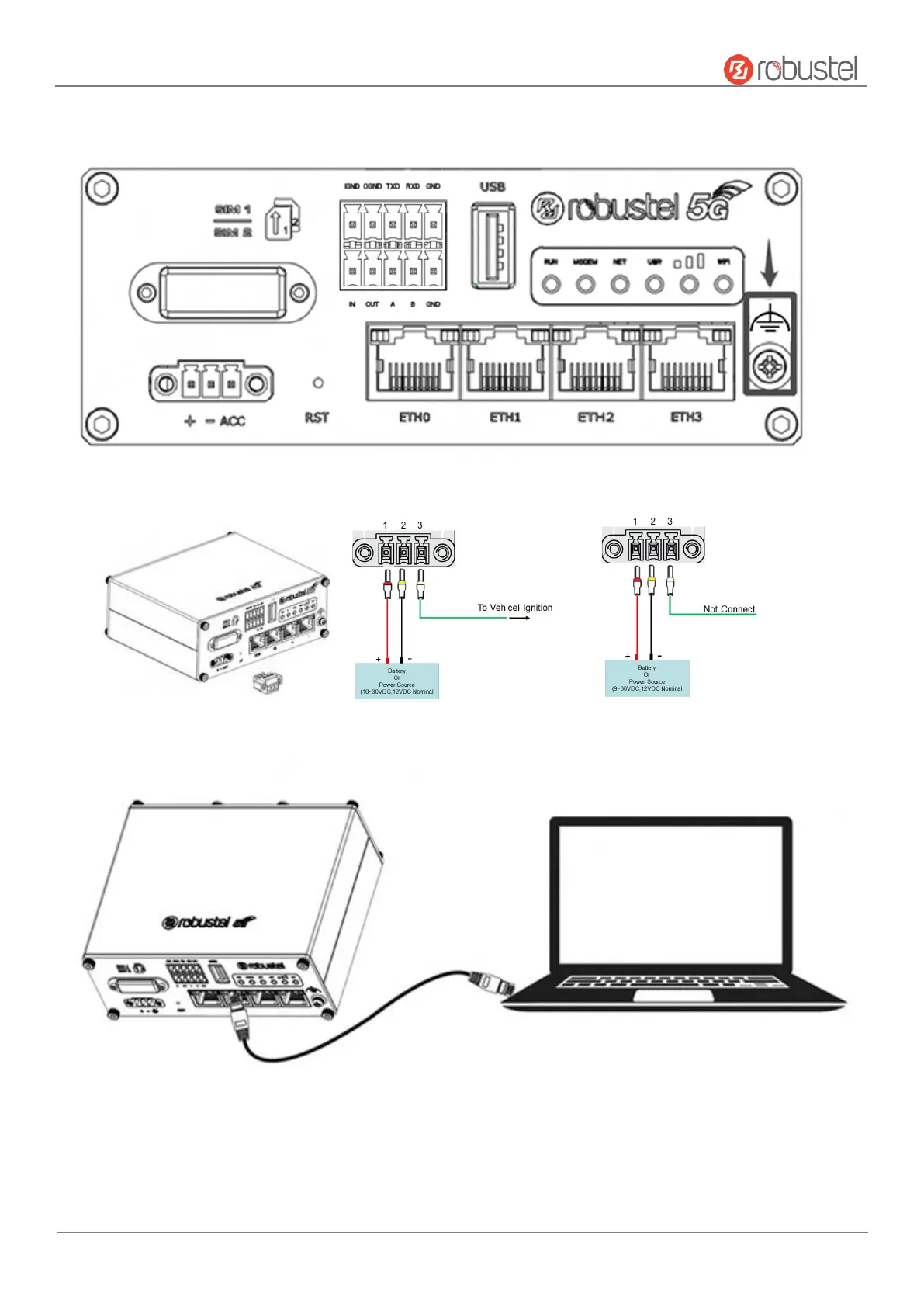
5. Grounding the Device. Grounding will help to prevent the noise effect due to electromagnetic interference
(EMI). Connect the device to the site ground wire by the grounding screw before powering on.
6. Power Supply installation. Insert the power supply cord into the corresponding terminal block if needed, then
insert the terminal block into the power connector.
7. Connect the router to PC. Connect the Ethernet cable to any port labeled ETH0 to ETH3 on the bottom of the
router, and connect the other end of the cable to your computer.













 To Next Page